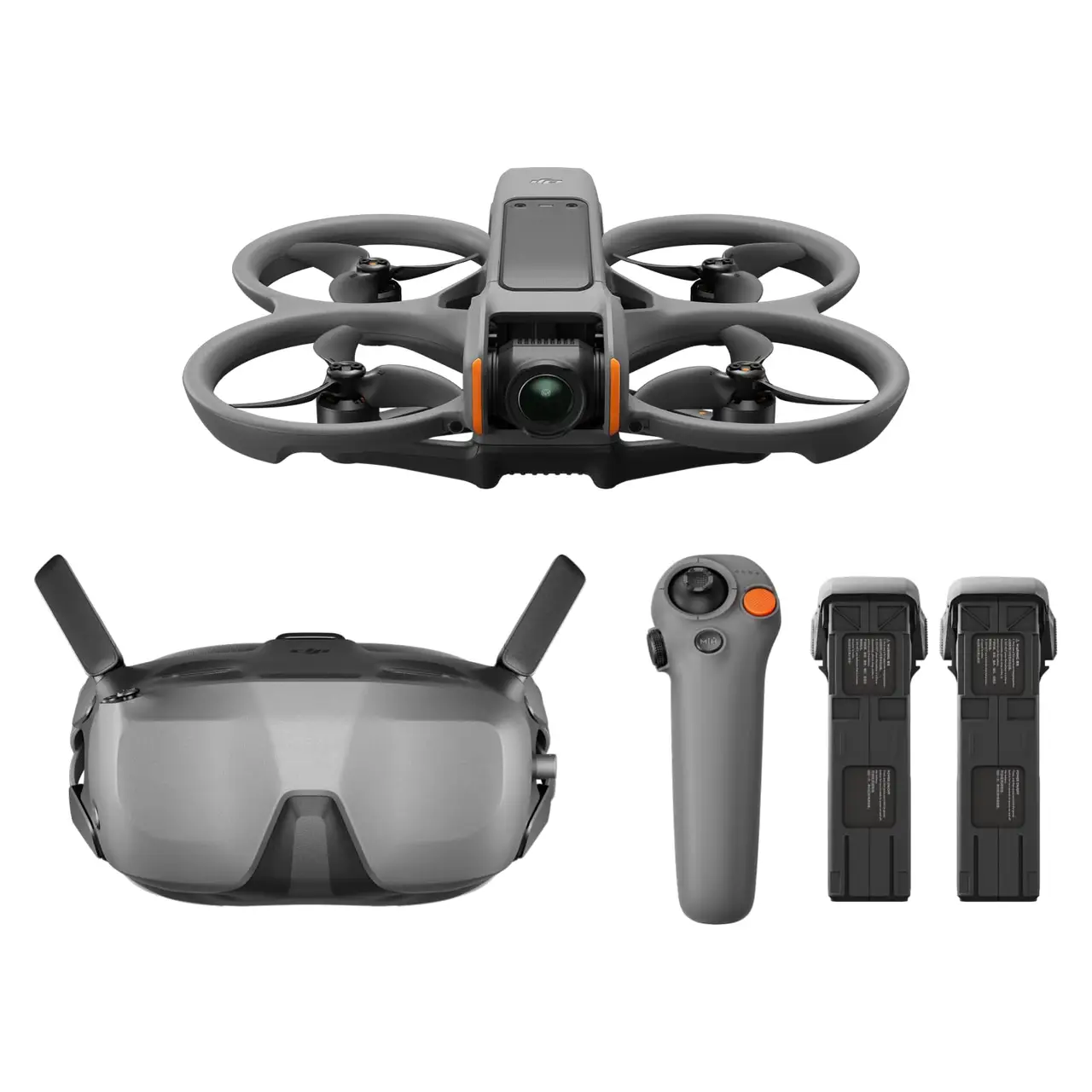
The DJI Avata 2 Fly Smart Combo includes three batteries, giving you more flexibility when planning your flight sessions. Check battery levels and update firmware in the DJI Fly app, and wait for the home point to be recorded before take-off. It’s a practical choice for drone pilots who want to plan more time for flying across multiple sessions.
How to Choose the Right Drones
Start by deciding where and how you plan to fly: a drone for travel footage, outdoor exploration or immersive FPV flying may need different controls, camera features and safety aids. Compare flight time, handling and legal suitability alongside headline camera specifications.
Key Features to Consider
Use these practical criteria to narrow down your options and check that a drone suits both your experience and intended flying locations.
- Flight time, handling and durability: Check the quoted flight time and remember that wind, temperature and flying style can reduce time in the air; extra batteries can be useful if you need longer sessions. Look for stable controls, return-to-home and obstacle-sensing features where appropriate, and consider a robust design if you expect to fly outdoors or are still learning.
- Camera and control system: Match camera resolution, stabilisation and gimbal capability to the footage you want, rather than choosing on resolution alone. For FPV flying, check whether the control method and any headset are comfortable and intuitive for you, and whether the transmission range suits your typical flying environment.
- EU class and German flying requirements: Check the drone’s EU class marking, weight and camera before buying, as these can affect registration and remote-pilot competency requirements; third-party liability insurance is required for drone operation in Germany. Also check current local restrictions and no-fly zones, and consider noise and privacy when choosing where to fly.
More Batteries, More Room to Plan Your Flight
Three Batteries for Flexible Flight Sessions
The DJI Avata 2 Fly Smart Combo comes with three batteries, giving you more flexibility when planning your flying time. Bring the batteries you need for your session and organise your flights around the time available to you. Having three batteries in the combo can help you shape a more convenient routine, whether you are setting aside a focused window to fly or spreading your flying across several sessions. It is a practical way to make flight planning feel more adaptable from the start.
Manage Battery Checks and Firmware in the DJI Fly App
The DJI Fly app helps you prepare by letting you check battery levels and update firmware. A quick look at the battery information can help you decide how to organise the batteries included in this combo for your planned flight sessions. The app also brings firmware updates into your preparation routine, so you can check for available updates as part of getting ready. With these useful checks in one place, it is easier to build a clear, considered routine before heading out to fly.
Make the Home Point Part of Your Take-Off Routine
A considered pre-flight routine starts with a simple step: wait for the home point to be recorded before take-off. Make this part of your preparation alongside checking battery levels in the DJI Fly app and choosing which of the three batteries to use for your session. These clear steps give your flight planning a helpful structure, while the three-battery setup offers added flexibility across sessions. Together, they support a straightforward approach to getting ready and making time for flying.
DJI Avata 2 Drone: Who This Three-Battery Combo Suits
Pilots planning a longer flying outing
When you have a dedicated outing for flying, having three
batteries gives you more flexibility across flight sessions.
Plan your time around the batteries and you can make room for
more flying during the outing.
Pilots fitting flights around separate free periods
If you fly in several separate sessions, you can plan how to
use the three batteries across those opportunities. That
flexibility makes it easier to organise more time for flying
around your schedule.
Pilots who manage checks on their phone
When you’re getting ready to fly, use the DJI Fly app to check
battery levels and update firmware. Keeping those tasks in one
app makes them easier to include in your flight routine.
Pilots who want a clear pre-flight routine
Before taking off, wait for the home point to be recorded.
That gives you a clear step to complete before each flight, so
you can begin with the home point recorded.
Frequently Asked Questions
How many batteries come with the DJI Avata 2 Fly Smart Combo?
The DJI Avata 2 Fly Smart Combo comes with three batteries, giving you more flexibility to plan several flight sessions. Check each battery level in the DJI Fly app and rotate batteries as needed, so you can keep track of the remaining charge while flying. The three-battery setup helps you plan more time in the air without relying on a fixed flight-time estimate.
How do I set up the DJI Avata 2 before take-off?
Before taking off, switch on the remote control first, then the Avata 2, and wait for the home point to be recorded. Use the DJI Fly app to check battery levels and update the firmware. This gives you a clear pre-flight routine and lets you confirm the home point is set before you fly.
Where can I fly the DJI Avata 2 in Germany?
Keep the DJI Avata 2 in direct visual line of sight and fly away from crowds, buildings and restricted areas such as airports. Check the airspace for your intended location before launch, and avoid rain or strong winds. These checks help you choose a suitable open flying spot and maintain control throughout the flight.
Don't just buy, Joybuy
Discover more of your favourite brands on Joybuy and enjoy great deals.