Flyers Who Want A Dedicated Remote
If you prefer a dedicated remote in your hands while flying, the RC-N3 comes in the combo kit, giving you a controller-led setup for your sessions.


The DJI Lito X1 Drone with RC-N3 Remote Controller pairs a dedicated controller with app-based flight checks. The RC-N3 (RC151) connects via Bluetooth, while the DJI Fly app lets you update firmware and monitor battery level. Wait for the home point to be recorded before take-off. A practical option for drone users who want controller-based flying and clear pre-flight checks.
Start by matching a drone to how and where you plan to fly it, then compare camera capability, practical flight time and handling. In Germany, also check the drone’s weight, EU class marking and the rules that apply to your intended flights.
These three checks can help you narrow down the options and avoid paying for features you are unlikely to use.
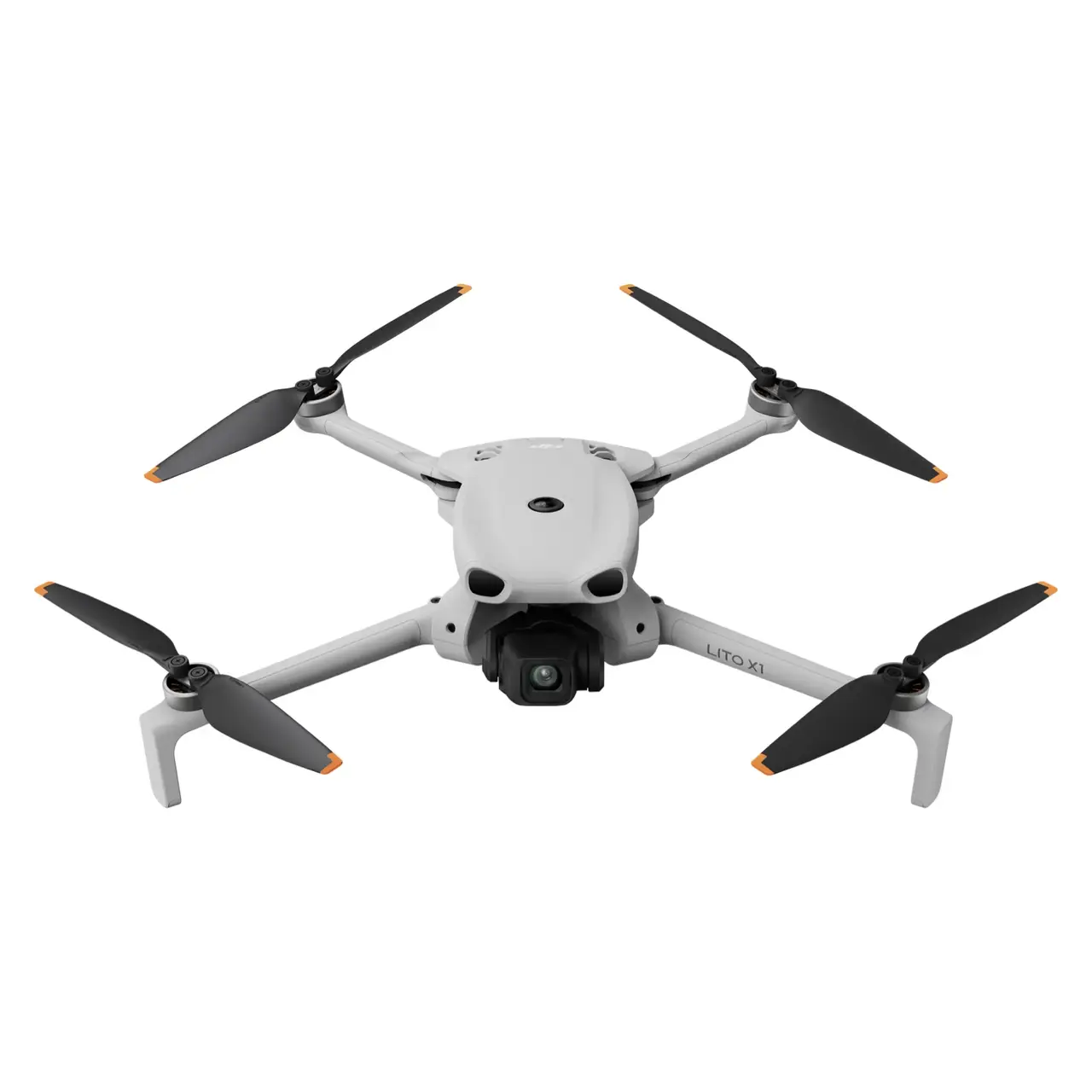
The DJI Lito X1 comes as a combo kit with the RC-N3 (RC151) remote controller, giving you a dedicated controller to use as part of your flying setup. Bluetooth connectivity is included, while the DJI Fly app adds a helpful companion for checking key information and updating firmware. Together, the controller and app support a more informed flying experience, with useful preparation and monitoring steps gathered around your drone. It is a straightforward combination to make part of your routine, from getting your equipment ready to keeping an eye on important flight details.
Make the DJI Fly app part of your Lito X1 routine for two useful tasks: updating firmware and monitoring the battery level. Having these checks within the app helps you prepare with the latest available firmware and keep battery information in view as you organise your flight. The included RC-N3 remote controller and app-based monitoring work together to support a more informed flying experience, bringing control and practical status checks into your setup. Whether you are preparing for a flight or reviewing the information available in the app, these features make it easier to stay connected with the essentials.
A considered take-off routine starts with giving the home point time to be recorded before you launch. With the DJI Lito X1, this is a clear preparation step to include alongside checking battery level in the DJI Fly app and ensuring your firmware is up to date. Taking a moment to follow these steps helps you begin with important flight information in view. The included RC-N3 controller and app-based monitoring support that informed approach, making preparation an integral part of using the drone and helping each flying session start with your key checks completed.
If you prefer a dedicated remote in your hands while flying, the RC-N3 comes in the combo kit, giving you a controller-led setup for your sessions.
When you want to keep an eye on battery level during a session, check it in the DJI Fly app to make more informed choices as you plan your time with the drone.
When you want to update the drone between outings, use the DJI Fly app to update its firmware, keeping firmware upkeep within your app-based routine.
If you prefer a deliberate pre-flight routine, wait for the home point to be recorded before take-off, so you start each flight with that check completed.
The DJI Lito X1 combo kit includes the drone and an RC-N3 (RC151) remote controller. It also has Bluetooth connectivity, giving you a dedicated controller for flying and a connected feature set to work with as you get the drone ready to use.
Before flying the DJI Lito X1, wait for its home point to be recorded and keep the drone within your line of sight. Choose an open area away from crowds, buildings and restricted zones such as airports, and avoid rain or strong winds. These checks help you prepare for a more controlled flight.
Yes, the DJI Fly app lets you monitor the DJI Lito X1 battery level while you use the drone. You can also use the app to update the firmware before flying, so you can check the charge and prepare the drone from one place.
Discover more of your favourite brands on Joybuy with great offers.