
Lieferung heute & morgen

Qualitätsgarantie

Willkommens-Angebote freischalten: KOSTENLOSE Lieferung | Bis zu 80 % RABATT | Kostenlose 30-Tage-JoyPlus-Testphase
App herunterladen
A Dolby Atmos soundbar can reproduce TV audio with a more spacious and detailed sound than many built-in TV speakers. However, the Dolby Atmos logo alone does not determine whether a soundbar is suitable. Room size, speaker layout, connections and the audio format actually being played all have a major impact on the result.
If you only look at wattage or a high channel count when buying, you may end up with a product that does not suit your needs. Three common pitfalls are particularly important:
The connection is crucial for a TV soundbar. HDMI eARC supports greater bandwidth than conventional ARC and, depending on the TV, source and settings, can transmit suitable Dolby Atmos signals. Check the following before buying:
A Bluetooth soundbar is suitable for playing music from a smartphone or tablet. However, Bluetooth does not automatically replace a wired connection for transmitting a multi-channel audio signal from the TV.
Figures such as 2.1, 5.1, 7.1 or 5.1.2 describe the speaker channels. Simplified, the first number represents the main channels and the second represents the subwoofer. The third number in 5.1.2 refers to additional height channels, often provided by upward-firing drivers.
A 5.1 soundbar with physical rear speakers distributes effects differently from a compact surround soundbar that uses virtual surround processing. Upward-firing speakers can benefit from a low ceiling and a suitable seating position. In very open-plan rooms or rooms with sloped ceilings, the Atmos effect may be less pronounced.
A soundbar with subwoofer can emphasise low frequencies more strongly than an all-in-one model. A wireless subwoofer reduces the number of audio cables, but it still requires a power socket. Avoid placing it directly in a confined corner if this causes booming sound.
With a soundbar with rear speakers, the additional speakers should be positioned to the sides of or behind the seating position. Cables must not create trip hazards. Wall mounts must be suitable for the wall construction and the weight of the equipment. Do not cover the ventilation openings of the devices.
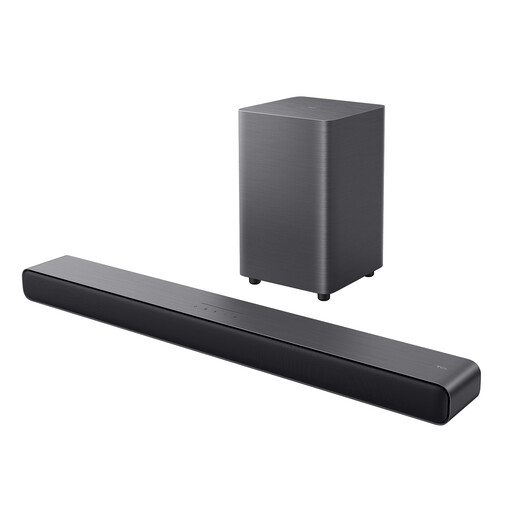
Why this product suits the profile: This 2.1 solution combines a wireless 4-inch subwoofer, Bluetooth 5.3, HDMI eARC, USB and an optical input, offering a manageable number of devices alongside several connection options.
The channel count remains straightforward, while HDMI eARC and six preset sound modes cover the most important TV and streaming scenarios.
Dolby Atmos, wireless subwoofer, HDMI eARC and a wall-mounting option in one 2.1 system.
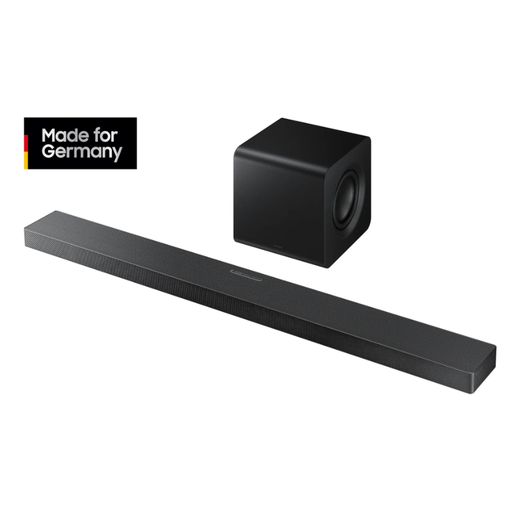
Why this product suits the profile: This model combines a 3.1.2-channel configuration, upward-firing speakers, a wireless 6.5-inch subwoofer, Dolby Atmos, DTS:X and several network features.
The specifications clearly state the relevant audio and connection standards. SpaceFit Sound Pro and several sound modes help adapt the system to different rooms and content.
Wi-Fi, Bluetooth, HDMI ARC, optical input, 4K 60 Hz passthrough and optional rear-speaker compatibility.
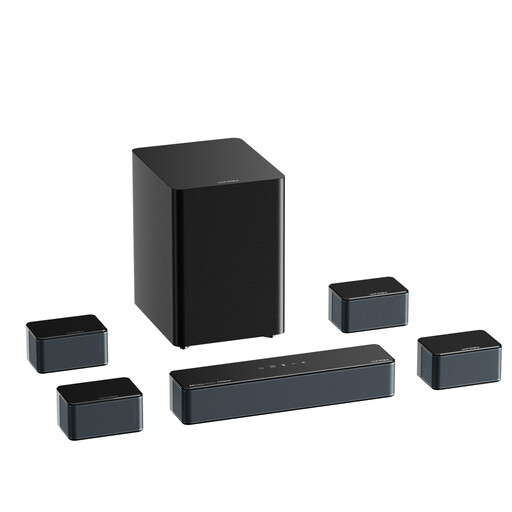
Why this product suits the profile: This 7.1 system is aimed at users who want to enjoy films, games and music with additional front surround speakers, a wireless 6.5-inch subwoofer and app control.
Alongside Dolby Atmos, the specifications list HDMI eARC, HDMI IN, an optical input and AUX. This makes it easy to check whether the connections are compatible with your existing devices before buying.
7.1-channel configuration, Bluetooth 5.3, wireless subwoofer and an app with numerous equaliser presets.
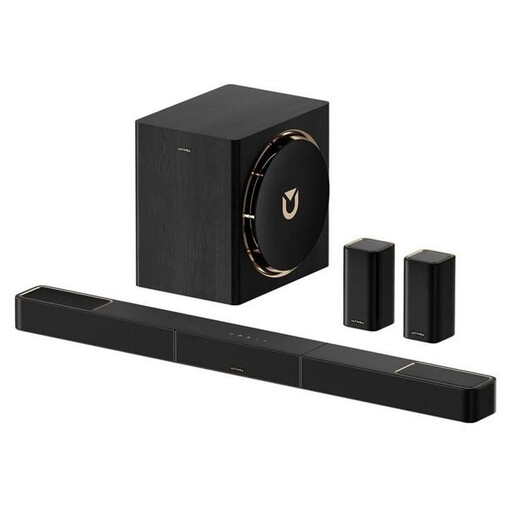
Why this product suits the profile: Four surround speakers and a wireless subwoofer are ideal for users planning a more extensive home cinema setup for films and gaming.
The supplied rear speakers and stated 7.1.4 configuration make the space requirements clear. Plan the positions of power sockets and speakers before buying.
Dolby Atmos, HDMI eARC, wireless rear speakers and manufacturer-stated latency of under 20 ms.
We have put together a complete, regularly updated list of products that fully meet these strict selection criteria and the safety regulations applicable in the EU.
Where possible, connect the soundbar via the appropriate HDMI ARC or HDMI eARC connection. Activate external audio output on the TV and, if available, select Bitstream, Passthrough or the relevant Dolby audio setting. The exact name depends on the TV model.
Position the soundbar centrally below the screen. It should not be obstructed by the TV stand or a shelf. Rear speakers should be positioned roughly at ear height or slightly above. After automatic room calibration, it is worth checking the dialogue and surround volume levels, as highly reflective or open-plan rooms can affect how the sound is perceived.
Not necessarily. Depending on the TV and audio source, Dolby Atmos may also work via other connections. However, HDMI eARC offers greater transmission bandwidth and is usually the more suitable connection for compatible, high-resolution multi-channel signals. Always check the specifications of the TV, source device and soundbar.
Service life depends on operating hours, heat generation, volume, firmware maintenance and mechanical stress. Good ventilation, secure positioning and use of the intended power supply help reduce avoidable strain. With a system featuring a wireless subwoofer and rear speakers, you should also check the power connections and wireless pairing regularly.
Power consumption depends on the model and how it is used. The soundbar, subwoofer and rear speakers may each have their own standby or operating figures. If you want to save energy, use automatic switch-off, fully turn off devices you are not using and compare the manufacturer’s technical power-consumption figures before buying.