Bread bakers with long proving times
You want to set a reminder that goes beyond the range of many minute timers, then check the dough yourself.


Choose a timer based on the longest interval you need to set before checking the dough again: long proving times call for an hours-long countdown, while proving several doughs or managing multiple steps calls for several timers running at once. Also check how the timer can be attached, how easy the display is to read and what kind of alarm it has. The alarm reminds you to check the dough, but it can’t tell you whether it’s ready.
You want to set a reminder that goes beyond the range of many minute timers, then check the dough yourself.
You want to keep track of several doughs or stages of the process without cancelling a countdown that’s already running for the next step.
You need to keep the timer somewhere easy to see without permanently taking up worktop space, so it’s worth checking how it can be attached and what kind of alarm it has.
King Arthur Baking notes that kitchen conditions can affect proving times. Use the timer as a reminder to check the dough, rather than relying on it as the only measure of whether the dough is ready.
| What you need | What to look for | Who is it most relevant to? |
|---|---|---|
| Long countdown | Compare the maximum countdown time with the longest interval you plan to leave before checking the dough. | If I want to check the dough only after a longer interval, I need a timer that can cover the whole period. Around 36% of consumers are likely to consider a long countdown their top priority. |
| Several timers running at once | Check how many countdowns can actually run at the same time; saved times can’t necessarily be used in parallel. | If I’m working with several doughs or stages at once, I want to be able to set a separate countdown for each one. Around 29% of consumers are likely to prioritise running several timers at once. |
| Easy-to-see placement | Check for a magnet, stand or hanging hook, and make sure you can see the display from where you usually work. | If I’m short on worktop space, I want to attach or hang the timer somewhere easy to see rather than give it a permanent spot on the worktop. Around 21% of consumers are likely to prioritise a space-saving position where the timer is easy to see. |
| Suitable alarm | Check whether you can choose different volume levels or a silent mode, and whether you’ll be able to see any visual alert. | If a loud alarm would be disruptive in my kitchen, I need a suitable volume setting or a visual alert that I won’t miss. Around 14% of consumers are likely to prioritise a discreet alarm. |
Kitchen and dough conditions can affect how long the dough needs to prove. A timer tracks only the time you set, not the state of the dough.
Set a reminder to check the dough, then judge it by the signs that are right for your recipe, rather than carrying on with the next step just because the alarm has gone off.
Having several saved presets doesn’t necessarily mean that several countdowns can run at the same time.
Check the specifications for the exact model and look specifically for timers that can be used simultaneously.
A minute timer may not be suitable for a longer single countdown, even if it can be attached in a space-saving way.
Compare the maximum countdown time, how the timer can be attached and whether batteries are included with the specific model.
The range includes timers for short intervals, long single countdowns and several timers running at once.
The Attimo 3201003852 combines a large touch display with the option to attach it magnetically or stand it up.
The 00002949 offers several ways to attach it, along with a choice of alarm modes.
The digital PRESTO 636076.00 is a magnetic timer for shorter check-in intervals.
This selection includes digital kitchen timers, from a model you can hang up and a short-interval timer with several attachment options to a visual 60-minute timer.
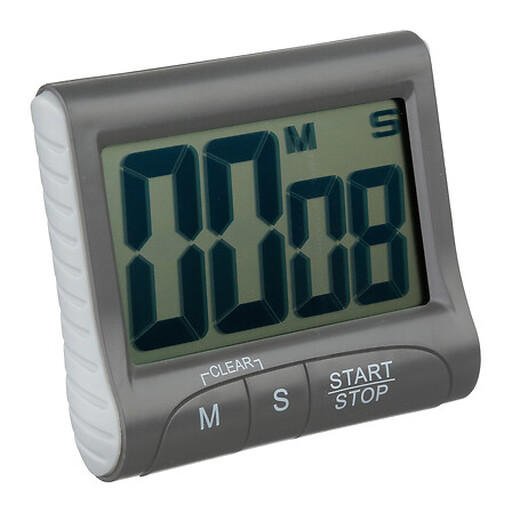 No image available
Can be hung up or stood on a surface, so the timer stays visible without taking up a permanent spot on the worktop.
Countdown with an audible alarm; one AAA battery is included. Before buying, check that the time range is long enough for your longest interval between checks.
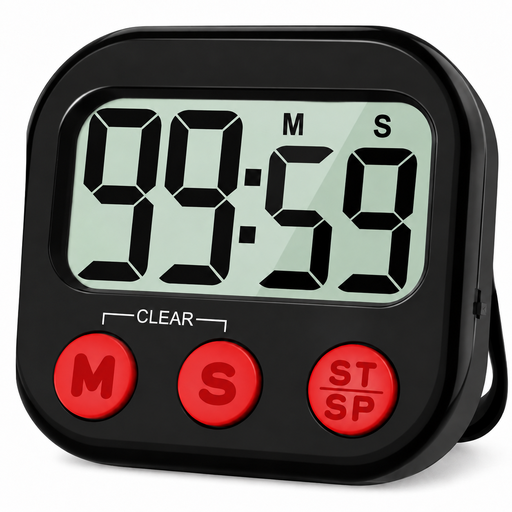 No image available
For shorter check-in intervals when you want to place the timer using its magnet, stand or hanging hook.
Countdown of up to 99 minutes and 59 seconds; the volume is adjustable. A magnet, stand and hanging hook are listed. The stated countdown isn’t long enough for longer single intervals.
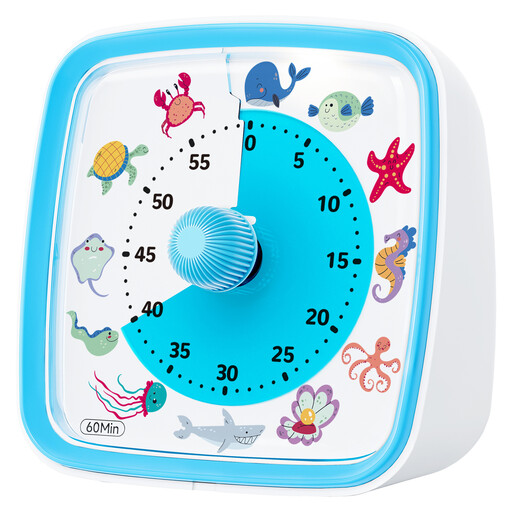 No image available
For short check-in intervals when you also want to follow the countdown as the coloured display gets smaller.
The stated countdown is 60 minutes. According to the product description, you can pause and resume it; a gentle audible alarm is also mentioned. The time range isn’t long enough for longer single intervals.
No. Use the recipe time as a reminder to check the dough, as temperature and other conditions affect how long it takes to prove. Judge it by the visible and tactile signs that are right for your recipe; a timer measures time, not how far the dough has proved.
Look for countdowns that can run at the same time. According to the manufacturer, the TFA TRIPLE TIME XL 38.2023 offers three timers; by contrast, the three stored times on the TFA 99HOURS 38.2049.02 are a memory function.
It depends on the model. Two AAA batteries are not included with the TFA 99HOURS 38.2049.02, while the manufacturer says a battery is supplied with the TFA 38.2021.01. Check what’s included with the specific model.
When you buy online from a business, you generally have the right to cancel, usually within 14 days, although some exceptions may apply. The Verbraucherzentrale distinguishes this right from the statutory warranty against the seller and a voluntary guarantee.