Sketchers with an existing PC
If you have little room alongside your keyboard and mouse, you can use a compact graphics tablet and look at your existing monitor as you draw.


If you already work with a computer and monitor and have limited desk space, a compact graphics tablet without a display is a natural place to start. It takes up little room, but you won’t see your strokes beneath the pen. For drawing directly on the image, you’ll need a pen display with a compatible connection and some extra space. If you want to sketch without a connected computer, consider a standalone tablet. Compare the overall device size with the drawing area, and check the connections, pen and items included.
If you have little room alongside your keyboard and mouse, you can use a compact graphics tablet and look at your existing monitor as you draw.
A pen display is a good fit if you want to draw your initial lines directly on the visible image and can make room for the display, cables and computer.
If you want to capture ideas independently of your desktop computer, consider a standalone tablet with a compatible pen and a suitable drawing app.
A good fit if: You already have a computer and monitor, and are happy to draw while looking at the monitor.
The trade-off: The drawing surface and the image on screen aren’t beneath the same pen tip.
A good fit if: You want to draw directly on the design as it appears on screen and have room for the connected computer.
The trade-off: The device’s footprint, video signal and power supply need to suit your workspace and the specific model variant.
A good fit if: You want to sketch without a connected computer and use a suitable app.
The trade-off: Check pen compatibility, what’s included, available apps and the file formats you need for the specific model.
| Priority | What to check when buying | Who is this important to? |
|---|---|---|
| Desk space and drawing area | Compare the overall dimensions and active area separately; allow room for your hand and cables too. | If there’s little free desk space alongside your computer accessories, the device needs to fit without leaving you with too small a drawing area. Around 40% of consumers put the space available beside their existing PC first. |
| Drawing directly on the display | Check the device’s dimensions, your computer’s video output, the power supply and the cables included. | If you want to see your strokes directly beneath the pen tip, allow for the extra space and check that you have the right connection. Around 30% of consumers prioritise drawing directly on the design displayed on screen. |
| Sketching without a computer | Check pen compatibility, what’s included, the drawing app you need and export formats. | If you want to capture ideas without a connected computer, make sure the tablet, pen and app suit the way you work. Around 20% of consumers prioritise the freedom to sketch independently. |
| Complete setup | Before buying, make a note of what you already have and whether you’ll need cables, a power supply, a pen or software. | If you want a setup that’s ready to use, consider any extras you may need, such as a compatible pen or cable, as well as the device itself. Around 10% of consumers focus primarily on what’s needed to complete their setup. |
The overall dimensions and usable drawing area are different. With a pen display, you’ll also need to allow room for the cables and connected computer.
Measure your available desk space and compare the overall dimensions with the active drawing area for the specific model.
For the single-cable connection described for the XPPen Artist 12 3rd, your computer’s USB-C port must support DisplayPort video output. The manual says the USB-C cable for the Artist 12 (2nd Generation) is sold separately.
Compare your computer’s ports with the manual for the exact model generation, and check what’s actually included.
The pen displays described here connect to a host device. A standalone tablet is a different type of device.
Before buying, decide whether you want to sketch on your existing PC or without a connected computer.
Apple lists compatible Pencil models for the 11-inch iPad Air with M4 chip, but a Pencil isn’t listed among the items included with the iPad.
Check what’s included with the specific offer and confirm pen compatibility with the exact tablet generation.
The Intuos Pro Small PTK470K0B is a graphics tablet without a display, designed for use with an existing computer when desk space is limited.
The Deco mini7 V2 is a compact graphics tablet, while the Artist models are pen displays.
The Inspiroy 2 S is a compact graphics tablet, while the Kamvas 13 is a pen display that connects to a host device.
The 11-inch iPad Air with M4 chip is designed for sketching on a standalone tablet without a connected computer.
The products below include standalone tablets with a pen, as well as an electronic writing and drawing board for simple sketches.
 No image available
An option if you want to sketch on a standalone tablet with a pen.
The title lists a T-Pen with 4096 levels of pressure sensitivity and a 13.4-inch 2K display.
Android 15.
 No image available
A tablet option for drawing and creative projects if you want to use the stylus listed.
The title lists a 10.1-inch screen, a Unisoc T310 quad-core processor and a keyboard.
The product name also lists 36 GB RAM, 256 GB ROM and expandable storage up to 1 TB.
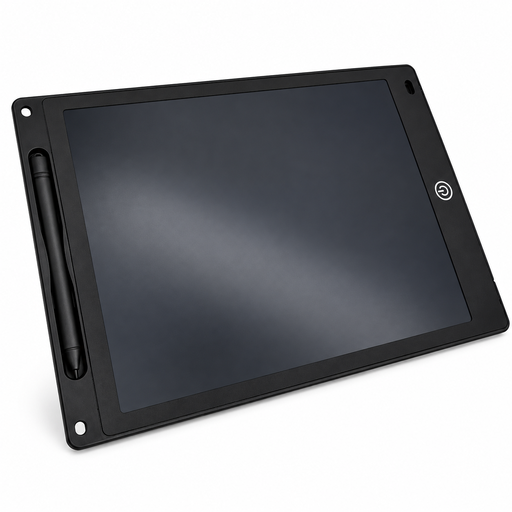 No image available
A simple writing and drawing surface if you’re looking for a board with a pen and erase button.
The product description lists a lock function to prevent accidental erasing and a thickness of 5 mm.
Not necessarily. For the single-cable connection described in the XPPen Artist 12 3rd manual, the USB-C port must support DisplayPort video output. The manual also describes an alternative connection using HDMI and USB-A; check the instructions for your specific model.
Check that you have the pen and connection method you need, and install the driver for your computer if you’re using a graphics tablet. If the power supply for the XPPen Artist 12 (2nd Generation) isn’t sufficient through the connections described, the manual suggests using an additional USB connection or a power adapter.
If there is a defect in the goods and the legal requirements are met, Section 439 of the German Civil Code (BGB) provides for supplementary performance. The seller must cover the necessary costs, including transport, travel, labour and materials. These statutory rights are separate from any additional manufacturer’s guarantee.
No. According to the German Environment Agency, waste electrical and electronic equipment must be disposed of separately and must not go in general or packaging waste.