Sketchers with an existing PC
You develop costume ideas on the monitor you already have and want to put your drawing surface away when you’ve finished. Wacom describes the Intuos Pro Small as a separate pen tablet without a display.


If you already have a suitable computer and monitor, and want to put your drawing surface away after sketching, a compact pen tablet without a display could be a good fit: your lines appear on the monitor. A pen display is suitable if you want to draw directly on your design and have the space, computer connection and power supply it needs. If you want to sketch without a connected PC, an all-in-one tablet is the right category of device. Whether you can use layers to edit outlines and colours separately depends on your drawing software, as the Krita documentation explains.
You develop costume ideas on the monitor you already have and want to put your drawing surface away when you’ve finished. Wacom describes the Intuos Pro Small as a separate pen tablet without a display.
You want to draw silhouettes and details where you can see them, and can make room for a connected display. Huion and XPPen offer pen displays for working with a computer.
You want to create designs without relying on your desktop computer, so you’ll need to check which drawing apps and file-sharing options work with your device. Samsung describes the Galaxy Tab S10 FE as a standalone tablet with an S Pen.
A good fit if: You use a suitable computer and monitor, and want to put a separate drawing surface away after work.
Bear in mind: You’ll look at the monitor as you draw, rather than at the surface beneath your pen tip.
A good fit if: You want to draw lines directly on the costume design as it appears on screen.
Bear in mind: You’ll still need a computer, and the display, stand and connections all take up space.
A good fit if: You want to sketch without a connected computer.
Bear in mind: Check that the drawing app and file-sharing options suit the way you work; desktop software doesn’t automatically run on a tablet.
For costume sketches at your home-office desk, first decide where you want to see your lines as you draw. Then check the space you have, the software you use and the connections you’ll need.
| What matters | What to check before buying | Who is this important to? |
|---|---|---|
| Drawing directly on the design | Check that the device type and the exact model’s video, data and power connections are compatible with your computer. | If I want to see the line directly beneath the pen tip, the right screen connection matters to me; around 25% of consumers prioritise drawing directly on screen. |
| Desk space | Compare the overall dimensions and active drawing area separately. If you’re choosing a display, also allow room for the stand and cables. | If there’s little free space beside my keyboard and paperwork, I want a drawing surface that fits and can be put away when needed; around 25% of consumers prioritise available desk space. |
| Editing designs separately | Check that the drawing app you want has layers and masks, and is compatible with your operating system, pen and driver. | If I want to edit outlines, silhouettes and colour areas independently, I need the right software features; around 19% of consumers prioritise editing designs. |
| Judging digital colours | Consider the monitor you use or the exact display model. Huion lists 99 % sRGB and Rec.709 for the Kamvas 13 (Gen 3); this isn’t an independent assessment of fabric or print colours. | If I want to compare digital colour options, the screen I view them on matters too; around 19% of consumers prioritise judging colours. |
| Sketching without a computer | Check the operating system, the drawing app you want, file-sharing options, and the pen and charging accessories for the exact device version. | If I want to capture ideas without a connected PC, the drawing app on the tablet itself needs to suit the way I work; around 12% of consumers prioritise sketching without a computer. |
A pen display connects to a computer; it doesn’t replace one. For the Artist 15.6 Pro V2, XPPen says an additional power connection may be needed if the display doesn’t light up when connected to the computer.
Before buying, check whether you need to draw without a PC. If you’re choosing a pen display, make sure the connections and power requirements for the exact version are compatible with your computer.
For the Artist 15.6 Pro V2, XPPen specifies two ports for different cables; they aren’t interchangeable. Information about another model doesn’t necessarily apply to this version.
Check the full model name against the connection diagram, and see which cables are actually included.
Layers are a feature of the drawing app. A colour gamut figure for a particular display doesn’t guarantee how colours will look on your specific screen or what a fabric will look like in real life.
Check that your preferred app has the layer features you need, and take your screen into account when judging digital colour options.
The Intuos Pro Small PTK470K0B is a compact pen tablet without a display, designed for working on a monitor you already have.
The Kamvas 13 (Gen 3) is a compact pen display for drawing directly on a computer.
The Artist Pro 16 (Gen 2) and Artist 15.6 Pro V2 are different pen displays, so connections and guidance need to match the specific model.
The Galaxy Tab S10 FE is a standalone tablet for sketching without a connected PC.
The products below are basic LCD writing tablets for quick sketches on a reusable surface. They’re not the same as a pen tablet or pen display connected to a PC for creating costume designs with software.
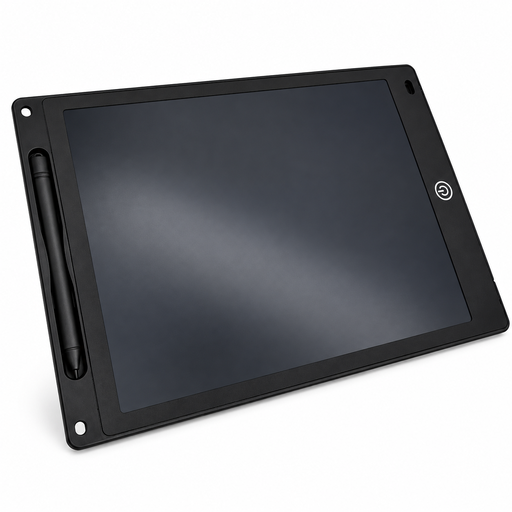 No image available
For simple sketches on a reusable LCD surface; the product name mentions a pen, an erase function and a lock function.
A button cell is needed for the erase function and may not be included. The product information warns that it contains small parts and requires supervision.
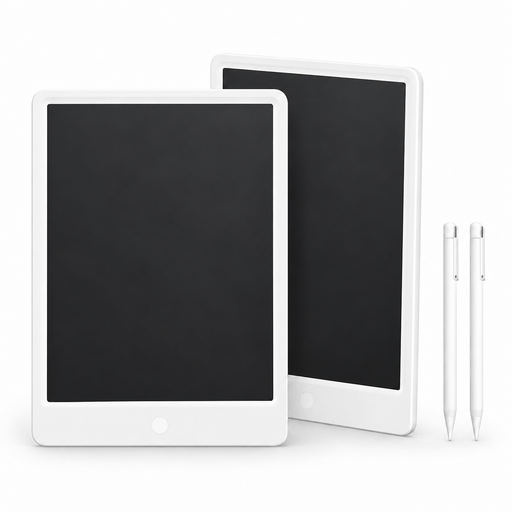 No image available
For quick sketches on a reusable surface; the product information says line thickness varies with pressure and the screen can be cleared at the touch of a button.
The display is described as blue-green, so it isn’t suitable for judging digital costume colour options. Also note the warning about the choking hazard posed by button cells, and keep replaced batteries out of children’s reach.
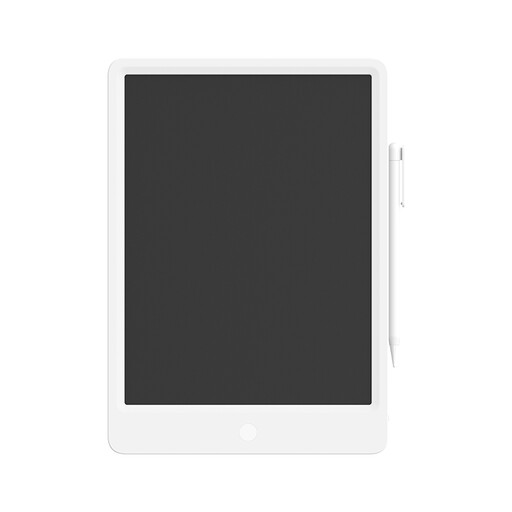 No image available
For simple sketches on a reusable LCD surface; the product information lists a pressure-sensitive pen and an erase function activated at the touch of a button.
The display is described as blue-green, so it isn’t suitable for judging digital costume colour options. Also note the warning about the choking hazard posed by button cells, and keep replaced batteries out of children’s reach.
No. If you can draw while looking at the monitor you already have, a pen tablet without a display could be a good fit. A pen display is suitable if you want to see the line directly beneath the pen tip and your computer, available space and connections are suitable.
The connection and power supply need to be suitable for the specific device and computer. For the Artist 15.6 Pro V2, XPPen describes an additional power connection if the display doesn’t light up, and says that its two USB-C ports aren’t interchangeable. Check the instructions for the exact version.
Create the outlines and colours on separate layers in a drawing app that supports layers. The Krita documentation explains that using a separate colour layer lets you make changes without altering the line drawing.
No, what’s included depends on the model. Samsung lists an S Pen as included with the Galaxy Tab S10 FE, but not a power adapter. Check the exact version and the terms of any software offers before you decide.
For a standard online distance purchase, European Union consumer information generally describes a 14-day withdrawal period from the date the goods are delivered; exceptions and possible return costs should be taken into account. If goods are faulty, you have a statutory guarantee from the seller of at least two years from receipt, separate from any voluntary manufacturer’s warranty.