Sketchers with a desktop setup
If you already use a computer and monitor at your shared desk, a small graphics tablet without its own display may be easier to put away after your session.


If you already have a suitable computer and monitor at your shared desk, and want to put your device away after sketching, a compact graphics tablet without a screen could be a good fit. If you’d rather draw directly on your design, consider a pen display, provided your desk has enough space and your computer has the right connections. For sketching without a connected computer, a standalone tablet may work well, as long as its stylus and drawing app suit your workflow. If you’re considering a pen display, check that your computer has the video output required for the connection you want to use.
If you already use a computer and monitor at your shared desk, a small graphics tablet without its own display may be easier to put away after your session.
If you want to add lines and make changes directly on the product design you can see, a pen display could be a good fit – provided you can connect it to your computer.
If you move between desks or want to sketch without a connected computer, the drawing app, stylus compatibility and file formats are all important things to consider.
At a shared desk, your device should suit the setup you already have and the way you create your sketches.
| Consideration | What to check before buying | Who is this most important to? |
|---|---|---|
| Desk space and storage | Compare the overall dimensions and usable drawing area; check which cables you’ll need to put away after your session. | If I need to clear my desk regularly, I look for a device that’s quick to put away. Around 28% of consumers put this need for space first. |
| Drawing directly on your sketch | Decide whether you need a device with its own display; if you do, make sure you have enough desk space for it. | If you want to add lines and notes directly to the design on screen, you may prefer a pen display. Around 22% of consumers prioritise drawing directly on screen. |
| Connecting to your computer | Check the connection instructions for the exact model; make sure your computer and cable support the video output and data functions required. | If I work with different computers, the connection needs to work with every one I plan to use. Around 22% of consumers give computer connectivity the highest priority. |
| Sketching without a computer | Check that the drawing app is available, that it supports the file formats you need and that a compatible stylus is available. | For consumers who move between desks without a connected work computer, a standalone drawing solution is important. Around 17% put this need first. |
| Total cost of your drawing setup | Check what’s included with the specific model and which styluses it supports; remember to factor in the cost of your preferred app. | If I want a complete solution rather than just a cheap device, I factor in the stylus and software I’ll need. Around 11% of consumers prioritise looking at the overall cost. |
A USB-C connector alone doesn’t tell you whether your computer outputs the video signal you need. Connection requirements vary by model.
Before buying, check the ports on the computer you’ll actually use, the cable required and the instructions for the exact model version.
Depending on your computer, you may need a different compatible cable or a connection that uses more than one cable.
Apple lists compatible Pencil models for iPad Air, but the iPad box contents shown include the iPad and a USB-C charging cable.
Check which stylus is compatible with your drawing app and the specific tablet, and factor it into the cost of your complete drawing setup.
The Wacom Intuos Small is designed for drawing with a Mac or PC and isn’t a standalone computer.
Before buying, decide whether you want to draw on an existing monitor, directly on a pen display or without a connected computer.
Wacom offers the Intuos Small graphics tablet for use with a Mac or PC, as well as the Wacom One 12 pen display.
The Artist 12 3rd is a compact pen display with customisable controls for sketching on a connected computer.
The Kamvas 13 (Gen 3) is a pen display. Check your computer’s connection requirements and the cable needed before buying.
The 11-inch iPad Air (M4) is a standalone iPadOS alternative if you want to sketch without a connected computer.
This selection includes tablets for sketching on a standalone device. Before buying, check that the drawing app and stylus suit your workflow.
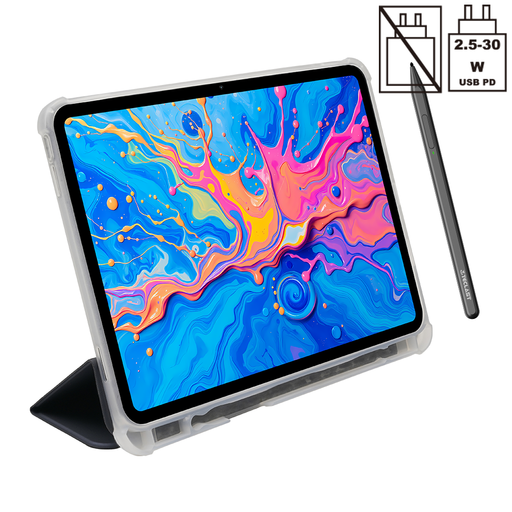 No image available
A standalone tablet for sketching without a connected work computer; check that it supports your preferred drawing app.
12.7-inch 2K display; T-Pen with 4096 pressure levels; Android 15; 256 GB storage. The product name lists a T-Pen and protective case as included.
 No image available
For sketching on a standalone tablet; check that the passive stylus and drawing app meet your needs.
13.4-inch FHD+ display; Android 16; passive stylus; 256 GB storage. The product name also lists a keyboard and protective case with stand.
 No image available
A Windows tablet for a flexible workspace; check in advance whether your drawing app requires a compatible stylus.
12-inch touchscreen; 24 GB RAM; 1 TB storage; Windows 11 Home. Check what’s included with the specific version and whether it supports the stylus you need.
Not necessarily. For the one-cable connection XPPen describes for the Artist 12 3rd, the computer’s port must output DisplayPort video. For the corresponding connection on the Kamvas 13 (Gen 3), Huion lists requirements for the data and DisplayPort functions supported by the port and cable. Check the ports on the computer you’ll actually be using.
If you want to sketch with a Pencil, check whether you need to buy one separately as part of your drawing setup. Apple lists Apple Pencil Pro and Apple Pencil (USB-C) as supported models; the iPad box contents shown include the iPad and a USB-C charging cable. Also check that your preferred drawing app is compatible.
The German Environment Agency advises that electrical and electronic waste should be collected separately, not put in general waste. Keep the stylus and cables with the device until you can dispose of them, so nothing gets left behind when you move between workspaces.
For a private purchase from a retailer, you generally have a 14-day right to cancel from the date you receive the goods in full; the consumer advice centre notes that exceptions may apply. For faulty goods bought in the EU, you’re generally entitled to a minimum two-year legal guarantee, as explained by Your Europe. A purchase for a business isn’t automatically treated in the same way as a private consumer purchase.