Joybuy products for collage work
The TECLAST ArtPad Pro variants below have an integrated display and support drawing with the T-Pen. They could suit you if you want to work directly on the device. Before buying, check that your drawing app and planned two-screen workflow support Android.
 No image available
TECLAST ArtPad Pro, 13.4-inch, 2K
Could be a good option if you want to draw on the integrated screen and your drawing app is compatible with Android.
13,4-inch 2K display; T-Pen drawing with 4096 pressure levels; Android 15; 256 GB storage.
View at Joybuy
 No image available
TECLAST ArtPad Pro, 12.7-inch, 2K, with protective case and English Bluetooth keyboard
Could suit you if you want to draw on the integrated screen and your drawing app is compatible with Android. The keyboard is listed as English-layout in the title.
12,7-inch 2K display; T-Pen drawing with 4096 pressure levels; Android 15; 256 GB storage; protective case and English Bluetooth keyboard listed as included.
View at Joybuy
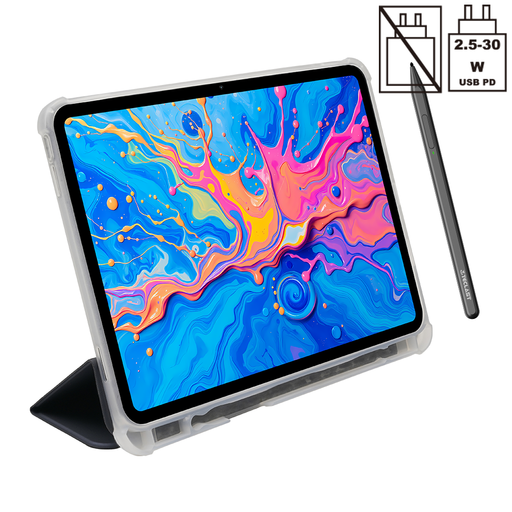 No image available
TECLAST ArtPad Pro, 12.7-inch, 2K, with protective case
Could be a good option if you want to draw on the integrated screen and your drawing app is compatible with Android.
12,7-inch 2K display; T-Pen drawing with 4096 pressure levels; Android 15; 256 GB storage; protective case listed as included.
View at Joybuy
Frequently asked questions
Do I need a drawing tablet with a display to use two screens?
No. A graphics tablet without a screen can provide input for screens you already have. A pen display, on the other hand, is an additional screen in its own right. Choose based on whether you want to work directly on the image beneath the pen tip.
How do I map the drawing device to the right screen?
First, arrange your connected displays in your operating system’s display settings. If you have a graphics tablet without a screen, then use the driver for that specific model to select the target screen or work area.
Is a USB-C port on my laptop enough for a pen display?
Not necessarily. For the USB-C connection described for the Huion Kamvas 13 (Gen 3), Huion requires a port with suitable data and DisplayPort video support. The power supply also needs to be adequate. Other models have their own connection requirements.
What should I know about faults or returns after buying online in Germany?
According to the Verbraucherzentrale, consumers can make a claim against the seller under statutory warranty rights for faulty new goods within two years of receiving them. This is separate from any voluntary guarantee. The Verbraucherzentrale also says that online purchases generally come with a 14-day right to cancel, although the conditions and any exceptions should be checked for each case.
Is CE marking required for sale in Germany?
The applicable EU product safety rules must be followed. According to the European Union, CE marking is only required when a particular product falls under relevant harmonised EU legislation that requires it. You can’t tell whether a specific product complies with its obligations from the model name alone.


