For drawing directly on the image
You want to build up outlines, shading and areas of colour beneath the pen tip, and have a compatible computer for a pen display.


If you want to see each brushstroke directly beneath the pen tip, a pen display could be the right choice. If you already have a monitor and desk space is limited, a graphics tablet without a screen may fit your workflow better. A standalone tablet is an option if you want to paint without a home computer. Then check the colour specifications, active drawing area, connections and the pen and accessories you’ll need – pressure sensitivity figures alone won’t determine which option is right for you.
You want to build up outlines, shading and areas of colour beneath the pen tip, and have a compatible computer for a pen display.
You want to compare the colours you paint with your still life, and pay attention to the documented colour modes and specifications of the particular display.
You already have a monitor and want to put a separate input device away after painting – or you’re considering whether you’d rather work independently of a computer.
First decide whether you want the image to appear directly beneath the pen tip, on a separate monitor or without a home computer. You can then compare specific devices more effectively.
A good fit if: you want to work directly on the image as you draw. Huion lists a 13.3-inch display with 1920 × 1080 pixels for the Kamvas 13 (Gen 3).
Bear in mind: the computer connection and cable must be compatible with your chosen setup. Huion’s colour figures are manufacturer specifications, not an independent comparison with your still life under your lighting conditions.
A good fit if: you have a suitable monitor and are happy to keep the drawing area and image separate. According to Wacom, the Wacom Intuos Pro Medium has an active area of 263 × 148 mm.
Bear in mind: you draw on the tablet and watch your strokes on another screen. Consider whether this hand–eye workflow suits you.
A good fit if: you want to paint your still life without connecting to a home computer. Apple says the iPad Air with M4 supports Apple Pencil Pro.
Bear in mind: the tablet, compatible pen and drawing app need to work together. Check which pen features are supported by the app you want to use.
| What you need | What to check before buying | Who is this important to? |
|---|---|---|
| Work directly on the subject | Pen display or separate tablet; active drawing area | If I want to build up outlines and areas of colour directly beneath the pen tip, a pen display is my starting point. Around 26% of consumers prioritise working directly on the subject. |
| Assess colours and tones | Colour gamut coverage, selectable colour modes and specifications for the particular model | If I want to compare painted colour swatches with my still life, I check the documented display specifications without treating them as a guarantee of a match under my lighting conditions. Around 21% of consumers prioritise assessing colours and tones. |
| Connection and computer compatibility | Video output, data connection and cable requirements | Before ordering, I want to know whether my computer provides the connection required by the device I’ve chosen. Around 21% of consumers put connection requirements first. |
| Desk space and accessories | Device dimensions and active area; required cables and pens | If desk space is limited, I compare the device dimensions, active area and required accessories rather than looking only at the screen size. Around 16% of consumers prioritise space requirements and accessories. |
| Paint without a home computer | Tablet, compatible pen and the features you want from the pen | If I want to paint my still life without a connected computer, I consider the tablet and pen together. Around 16% of consumers prioritise working independently. |
For the USB-C connection described for the Huion Kamvas 13 (Gen 3), the port and cable must support USB 3.1 Gen 1 and DisplayPort 1.2 Alt Mode, among other requirements. Huion doesn’t list the USB-C-to-USB-C cable as included.
Before buying, check your computer’s video output and the contents of the box for the exact model.
The colour gamut figures quoted by Huion and XPPen are manufacturer specifications. They don’t prove that the display will show the same colours as your still life under your lighting conditions. Nor does a single specification determine how well the overall painting process will suit you.
First decide which type of device you want. Then compare the specifications of the particular display, its colour modes and your working conditions separately.
With the Wacom Intuos Pro, the image appears on a separate monitor, while a pen display connects to a computer. An iPad Air is a standalone tablet.
Before comparing models, decide where you want the image to appear as you paint and whether you’ll be using a home computer.
The Intuos Pro range is designed for people who work with an existing monitor; Wacom also offers pen displays.
The Kamvas 13 (Gen 3) is a pen display for a compact computer-based drawing setup.
The Artist range includes pen displays. The Artist 13.3 Pro V2 combines a compact format with a dial and shortcut keys.
The M908 is a graphics tablet without its own display, designed for use with a separate monitor.
The iPad Air with M4 is a standalone tablet option for painting without a connected home computer.
The products below include an LCD drawing tablet for simple sketches and standalone Android tablets with a stylus. Before buying, check that the device and pen suit the way you want to paint.
 No image available
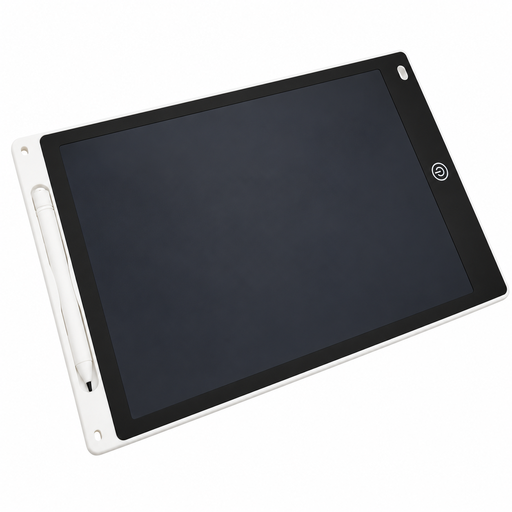
For simple sketches when a pressure-sensitive surface and quick erasing are your priorities.
The description lists a 230 × 165 mm drawing area, a pen holder, a lock slider and a one-button erase function. Children aged 5 and over must be supervised when using it; only adults should open the button-cell battery compartment.
 No image available
An option if you want to do creative work with a pen on a standalone tablet.
Specifications include a 10.1-inch touchscreen, an octa-core processor, 256 GB of storage and 36 GB RAM (6 GB + 30 GB virtual). The package includes a stylus and a detachable keyboard set. Check that it supports the drawing app you want to use and the pen features you need.
 No image available
For drawing with a pen on a standalone tablet if you’re looking for a larger display and an included T-Pen.
Specifications include a 13.4-inch 2K display, 4096 pressure sensitivity levels, Android 15, 20 GB RAM (8 GB + 12 GB virtual) and 256 GB of storage. The product description lists an operating temperature of 0–35 °C and humidity of 5–95%; don’t charge it in a wet environment or when it’s very hot.
 No image available
A standalone tablet option if you want to draw with a pressure-sensitive pen and use additional accessories.
Specifications include a 12.7-inch 2K display and 4096 pressure sensitivity levels. The package includes a T-Pen, a protective case and a Bluetooth keyboard. The product description lists an operating temperature of 0–35 °C and humidity of 5–95%; don’t charge it in a wet environment or when it’s very hot.
No. For the USB-C connection Huion describes for the Kamvas 13 (Gen 3), the port and cable must support USB 3.1 Gen 1 and DisplayPort 1.2 Alt Mode, among other requirements. Huion also describes connecting via the included 3-in-1 cable; check which ports your computer has.
First check the exact model and operating system, then install the appropriate manufacturer’s driver if necessary. The XPPen manual explains how to select the driver and test the functions of the Artist 13.3 Pro V2. Refer to the instructions for your specific model for cleaning and replacing the pen nib.
Check what’s included with the specific offer: Huion says the USB-C-to-USB-C cable for the Kamvas 13 (Gen 3) isn’t included. If you’re considering the iPad Air, make sure you also factor a compatible drawing pen into your choice.
The consumer advice centre explains that consumers generally have a right to cancel an online consumer contract, usually within 14 days; the details depend on the contract and the circumstances. If a product is faulty, your statutory rights against the seller are separate from any voluntary manufacturer’s warranty.
No. The European Union explains that CE marking applies only to products covered by the relevant EU rules, and that manufacturers are responsible for meeting the applicable requirements. It isn’t an independent assessment of how suitable a product is for painting.