Designing on a computer
If you create and edit fabric designs on a computer you already own, consider whether a separate drawing surface is all you need, or whether you’d prefer to draw directly on the design as it appears on screen.


If you mainly create fabric designs on a computer you already own, choose between a graphics tablet, where you look at your monitor as you draw, and a pen display, which lets you draw directly on screen. Wacom describes these as two different ways of working. A standalone tablet may be a better fit if you want to sketch without connecting to a computer. Also check that your software supports pattern repeats and file export, and find out what your print service requires for print files.
If you create and edit fabric designs on a computer you already own, consider whether a separate drawing surface is all you need, or whether you’d prefer to draw directly on the design as it appears on screen.
If you’re refining fine lines on a pen display, make sure its size and connections will work with your desk setup.
If you want to draw without connecting to a computer, check how the available apps and file formats fit into your workflow for creating designs and print files.
A good fit if: you already work with a computer and monitor, and are happy to look at the screen as you draw.
Things to consider: You draw on the tablet while your design appears on the monitor.
A good fit if: you want to edit lines directly on the design shown on screen and use your desktop software.
Things to consider: Make room for the extra display, and check the connections, power supply and cables required for the specific model.
A good fit if: you want to sketch without connecting to a computer and can complete the steps you need using the available apps.
Things to consider: Check app, stylus and file compatibility before settling on this workflow.
| What to consider | What to look for | Who should pay particular attention? |
|---|---|---|
| Drawing setup | Decide whether you want to work on a surface while looking at your monitor, directly on a connected display or without a computer. | If I’m working on a computer I already own, my main priority is a drawing setup that suits the way I use my eyes and hands. Around 30% of consumers put the right type of device first. |
| Pattern repeats and software | Check that the software you actually use supports pattern repeats and file export. Adobe documents a pattern preview feature for Photoshop on desktop. | If editing and sharing repeatable designs later on is important to me, I’ll check my software’s features first. Around 30% of consumers give their pattern-repeat workflow top priority. |
| Connections and desk space | For the specific model, check the video signal, power supply, included cables and dimensions against your computer and desk. | If my home office computer and desk are deciding factors, I want to check the connections and space required in advance. Around 20% of consumers put compatibility with their workspace first. |
| Working without a computer | Check that the drawing app, stylus and file transfer options suit the way you want to work. | If I want to sketch elsewhere without connecting to a computer, suitable apps and a straightforward way to get back to my working files are essential. Around 10% of consumers prioritise drawing on the go. |
| Colour and print handover | Ask your chosen print service what profile and file format it requires. An app’s features won’t necessarily be available in other apps or on other devices. | If I want to send a file to a particular print service, I’ll check its requirements before settling on my workflow. Around 10% of consumers put print handover first. |
A pen display needs to be connected to a computer. Huion says the USB-C to USB-C cable for the Kamvas 13 is optional. Depending on the connection, you’ll also need to check that video and power are supported.
Before you buy, compare the device type, your computer’s connections and what’s included with the specific model.
Depending on the model and computer, you may also need a suitable cable or power supply.
Wacom identifies the Cintiq 16 DTK1660K0B as a previous-generation model. Details for a different or newer model don’t necessarily apply to it.
Check the full model number and generation against the product description.
A colour display alone won’t tell you whether the pattern repeat, export format and colour profile meet your chosen print service’s requirements.
Ask the print service which file and profile specifications it needs, then check them in your drawing app.
The Intuos Pro range is designed for working with an existing monitor; a Cintiq is a pen display.
The Artist range includes pen displays for use with a computer, while the Magic Drawing Pad is a standalone device.
The Kamvas range includes pen displays in a variety of sizes.
The iPad Pro is a standalone tablet for use with compatible iPad drawing apps.
The M908 is a graphics tablet without a built-in drawing display, designed for use with an existing monitor.
The products below are reusable LCD drawing surfaces for your first design sketches. Check whether your workflow also requires a digital file for further editing on a computer.
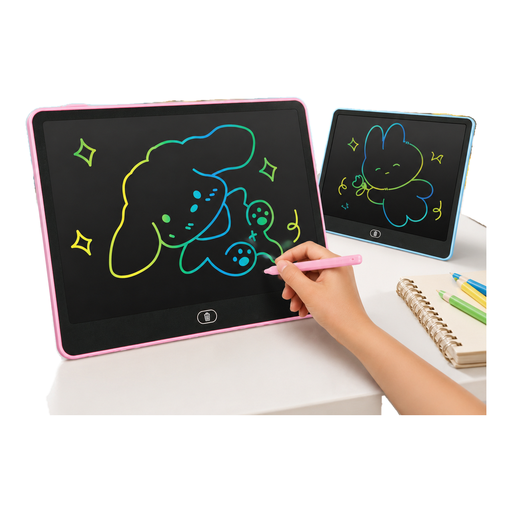 No image available
For reusable design sketches on an LCD drawing surface.
14 inches; one-button erase function; a CR2032 button cell is included according to the product name.
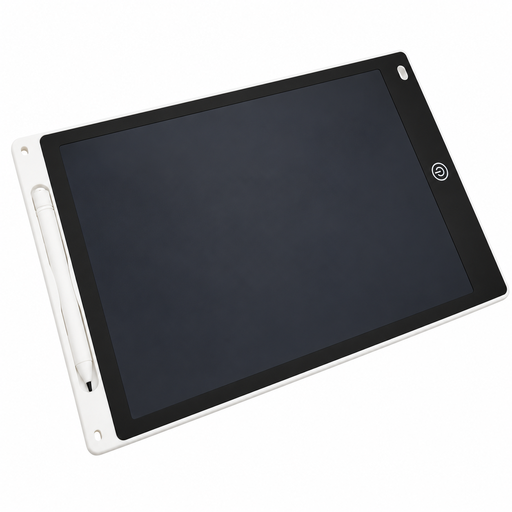 No image available
For sketching on a pressure-sensitive drawing surface that erases at the touch of a button.
Drawing area: 230 × 165 mm; stylus holder; one-button erase function.
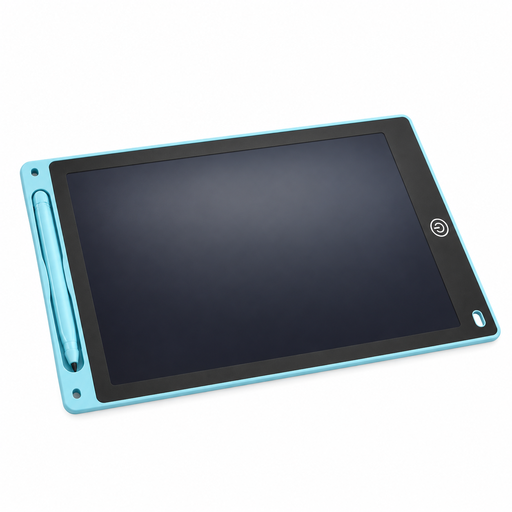 No image available
For repeat design sketches on a reusable surface with an erase function.
Drawing area: 230 × 165 mm; 5 mm thick; stylus and lock function according to the product name.
Yes, as long as your drawing setup supports the steps you need. The graphics tablet controls input on your computer, and Adobe documents a pattern preview feature for creating repeatable designs in Photoshop on desktop. Check that the software you actually use offers this feature.
Not necessarily. Huion specifies requirements for video and power for the Kamvas 13, and the USB-C to USB-C cable is optional. Check your computer’s connections against what’s included with the exact model version.
First, ask your print service for its file and profile requirements. Procreate documents RGB, CMYK and importable colour profiles for its iPad app. What you see on screen alone doesn’t replace checking the output file with your print service.
No. The Verbraucherzentrale distinguishes between your statutory rights against the seller and a voluntary warranty, which is subject to its own terms. If a product is faulty, it describes repair or replacement as possible remedies.