Sketching at a shared desk
If you use a computer and need to clear the desk for someone else after your session, size and ease of storage are important things to consider.


At a shared desk, a pen tablet is a good fit if you already use a computer and monitor and want to put the drawing surface away afterwards. A pen display could work if you want to draw directly on screen and have enough space, the right connections and, where necessary, a power supply. If you don’t have an office computer, a standalone tablet is an option, provided its drawing app, file-sharing features and your workplace requirements are a good fit.
If you use a computer and need to clear the desk for someone else after your session, size and ease of storage are important things to consider.
If you want to draw lines directly on the concept on screen, you’ll need a device with a drawing display and a suitable connection to your computer.
If you move between workstations or want to capture ideas without using the computer provided, the drawing app and file-sharing features matter too.
A good fit if: you have a computer and monitor and want to put the input surface away after drawing.
The trade-off: You draw on the tablet’s surface while looking at your monitor.
A good fit if: you want to work directly on the concept on screen and have room for the display at your workstation.
The trade-off: Check the computer connection, power supply and space requirements for the specific model.
A good fit if: you want to sketch without an office computer or take the device with you between workstations.
The trade-off: The drawing app, stylus compatibility, file-sharing features and workplace requirements all need to suit the way you work.
First decide whether you can use an office computer and whether you want to draw directly on screen. This will help you work out which type of device to look at more closely.
| Priority | What to check before buying | Who it matters most to |
|---|---|---|
| Space and storage | Compare the dimensions of the casing, active area and storage options with the screen you already have. | If I need to clear a shared desk after drawing, an input surface that’s easy to put away matters. Around 31% of consumers are likely to prioritise a compact size and quick storage above all else. |
| Drawing directly on a concept | Check the drawing area, full device dimensions, computer connections and power supply for the specific model. | If you want to draw outlines directly on the design on screen, look particularly closely at whether the display is suitable and how it connects. Around 25% of consumers are likely to prioritise drawing directly on screen. |
| Sketching without an office computer | Check the operating system, drawing app, stylus included with the specific product and the export formats you need. | If I want to capture ideas without an office computer or take the device with me, I need a standalone setup that suits the way I work. Around 25% of consumers are likely to be looking first and foremost for independence from a computer. |
| Fit with your workflow | Check with your IT team that the drivers are approved. For mobile devices, consider screen locks and updates too. | If you work with business files, check in advance which setup and file storage options are allowed in your workplace. Around 19% of consumers are likely to place particular importance on fitting in with their organisation’s processes. |
A pen display that connects to a computer needs a suitable computer connection. Some models may also need a separate power connection.
Before buying, check whether you can use your office computer, then compare the connections and what’s included with the instructions for the exact model.
Wacom lists the DTK1660 as an earlier generation; it isn’t the Cintiq 16 with model number DTK168K0B.
Compare the full model number and the specifications that apply to it, rather than relying on the name ‘Cintiq 16’ alone.
Apple Pencil models are compatible only with certain iPad models. For some combinations, Apple specifies an adapter for pairing and charging.
Check the iPad model, Pencil version and operating system version, and confirm what’s included with the specific product.
Intuos Pro is a pen tablet for drawing on an existing screen; Cintiq is a pen display that connects to a computer.
The Kamvas 13 (Gen 3) is a compact pen display that connects to a computer, designed for drawing directly on screen.
The range includes pen tablets, pen displays that connect to a computer and, with the Magic Drawing Pad, a standalone Android option.
Galaxy tablets with a compatible S Pen can be used as a standalone option for sketches and notes.
An iPad with a compatible Apple Pencil makes a standalone sketching setup.
The LCD drawing boards below are designed for simple sketches and notes. If your concept workflow requires a computer connection, a drawing app or file exports, check first whether this type of device is suitable.
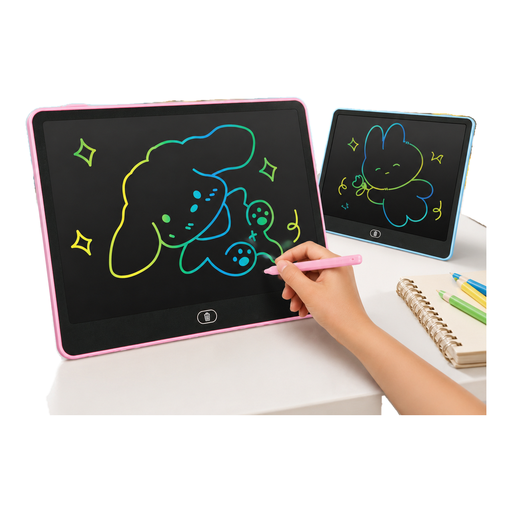 No image available
Could be suitable for simple sketches or notes on a reusable LCD drawing surface.
14-inch LCD drawing board; according to the product name, one CR2032 button cell is included. The colour or design is supplied at random, according to the product details.
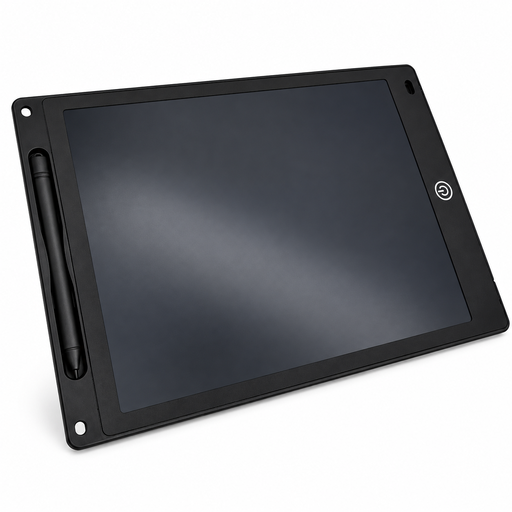 No image available
Could be suitable for simple sketches or notes if you want to use the erase and lock functions.
12-inch LCD drawing board with stylus, erase and lock functions; the stated thickness is 5 mm. According to the product details, the button cell for the erase function may not be included.
No. A pen tablet without a display and the computer-connected pen displays described here work with a computer. According to the manufacturer, the XPPen Magic Drawing Pad runs a standalone Android system. Check which type of device the specific product is.
Check the connections, power supply, operating system and drivers against the specifications for the exact model. The XPPen Artist 15.6 Pro V2 instructions specify a USB-C connection to the computer and an additional power connection if the display doesn’t light up. Check with your IT team if you need to install drivers.
The Federal Office for Information Security recommends using a screen lock and keeping software up to date on mobile devices, among other things. Your organisation’s policies will also determine where business concepts can be stored or shared.
No. Apple lists Apple Pencil compatibility by iPad model; for Galaxy tablets, check S Pen support for the specific model. Also confirm whether the right stylus is included with the product.
According to Your Europe, consumers buying in the EU are generally entitled to a minimum two-year legal guarantee from the seller. A voluntary guarantee doesn’t replace this; if a business makes the purchase, don’t assume the consumer rules apply without checking the specific contract.