If you already have a suitable computer and monitor, a pen tablet without a display is a space-saving way to sketch product ideas. If you want to draw directly beneath the pen, consider a pen display; for sketches without a connected computer, you’ll need a standalone drawing tablet. Compare the overall dimensions and active drawing area separately, and check the connections, software and contents of the box for the specific model before buying.
Who would benefit from each type?
Sketchers with limited desk space
If you already have a computer monitor, you can use a pen tablet without a display beside your keyboard or mouse. Make sure both the tablet’s overall dimensions and active drawing area suit your available space and the way you draw.
Those who like to draw directly on screen
A pen display shows your work directly beneath the pen. This type is a good fit if you have room for an extra screen on your desk and can connect the device to a compatible computer.
Idea-makers without a dedicated computer setup
A standalone drawing tablet lets you sketch without a connected computer. Check that the drawing app you need and the file export options fit the rest of your workflow.
What should you look for when buying?
Pen tablet without a display
A good fit if: You have a compatible computer and monitor, and want to use as little extra desk space as possible.
The trade-off: You draw on the tablet and view your work on a separate screen.
Pen display
A good fit if: You want to draw lines directly where they appear on screen.
The trade-off: The display needs room and doesn’t automatically work as a standalone computer.
Standalone drawing tablet
A good fit if: You want to sketch without a connected computer.
The trade-off: App support and file export need to suit your next steps in the design process.
The percentages refer to consumers choosing a drawing tablet for product concept sketches on a small desk.
| What to consider |
What should you check? |
Who prioritises it? |
| Space needed and drawing area |
Compare the overall dimensions and active area separately; allow room for your hand, cables and keyboard, too. |
If I have little free space on my desk, I want to fit the whole device without choosing an area that’s too small for my strokes. Around 36% of consumers put the space needed first. |
| Drawing directly on your work |
Check the display’s overall dimensions, as well as how the specific model connects to a computer and gets its power. |
If I want to see lines directly beneath the pen, the display needs to fit on my desk and connect to my computer. Around 29% of consumers prioritise seeing their pen strokes directly. |
| Compatibility |
Check the full model name, operating system version, connection or adapter, and support for the app you need. |
If I want to keep using my existing computer and drawing app, the specific model needs to work with both. Around 21% of consumers put compatibility with their work device first. |
| Sketching without a computer |
Check support for the app you need, storage and export options, and whether a pen is included. |
If I want to capture ideas without a connected computer, I need a device with apps and file export options that suit the rest of my design process. Around 14% of consumers prioritise sketching without a computer. |
Avoid common misconceptions
-
Confusing the active area with the space the device takes up
The active drawing area isn’t the same as the device’s overall dimensions. A small active area can also make fine pen movements more difficult on a large monitor, as Golem.de explains in its review of the ugee S640.
Measure the free space on your desk, then compare the overall dimensions and active area of each model separately.
-
Assuming a pen display is a standalone computer
The Huion Kamvas 13 (Gen 3) works with a laptop. Wacom’s claim that the One 12 can use a single cable also depends on the computer’s USB-C port.
If you want to sketch without a computer, check specifically whether the device has its own operating system and the drawing apps you need.
-
Assuming similarly named versions are identical
Connections and features can vary between specific model versions. Bluetooth details for one Intuos model won’t necessarily apply to every Intuos version.
Check the full model number, connection, pen and box contents against the details for the device you’ve selected.
Brands to consider
Wacom
Worth considering if you’re looking at a compact pen tablet or a pen display.
- Wacom describes the Intuos Small as a model for beginners using a Mac or PC. The One 12 has an 11.6-inch display.
- According to Wacom, the One 12’s single-cable connection depends on the computer’s port. For the Intuos, it’s important to check whether you’re looking at the Bluetooth or non-Bluetooth version.
XPPen
The range includes a compact PC pen tablet and a standalone drawing tablet.
- XPPen lists eight shortcut keys and an active area of 177,8 × 111,1 mm for the Deco mini7 V2. Its compatibility details apply to this model.
- According to XPPen’s manual, the Magic Drawing Pad MDP1221 runs on Android. Whether its apps and export options suit you depends on your workflow.
Huion
The Kamvas 13 (Gen 3) is an option if you want to sketch directly on a pen display.
- Huion lists a 13.3-inch FHD display and a weight of 865 g for this model.
- The pen display works with a laptop, so you’ll need a compatible computer and room for the extra device.
ugee
The S640 is a compact pen tablet without a display, making it a useful point of comparison for limited desk space.
- ugee’s specifications list the S640’s overall dimensions as 215,3 × 162,53 mm, with an active area of 6,3 × 4 inches.
- Golem.de notes that the S640’s small drawing area can make fine strokes more difficult, particularly on large monitors.
Products to consider on Joybuy
Here you’ll find LCD writing tablets for simple designs, as well as a standalone Android tablet with a pen.
 No image available
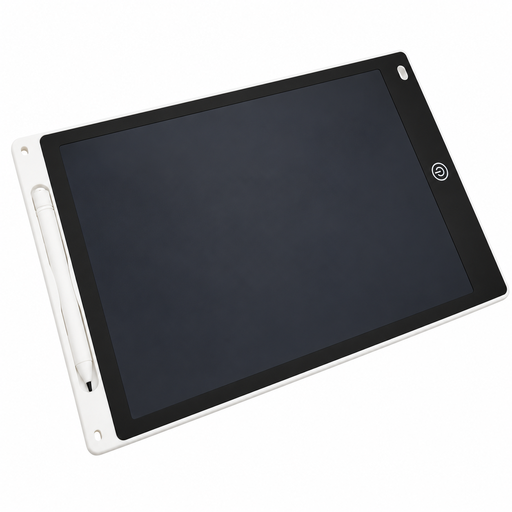
12-inch LCD drawing tablet with pen
For simple sketches on a reusable LCD surface; the product description says you can clear the whole screen at the touch of a button.
The stated drawing area measures 230 × 165 mm.
View on Joybuy
 No image available
TECLAST ArtPad Pro, 12.7-inch 2K display
Described as a standalone tablet with a pen, so you don’t need a connected computer to sketch.
Features listed include Android 15 and a T-Pen with 4096 pressure levels.
View on Joybuy
 No image available
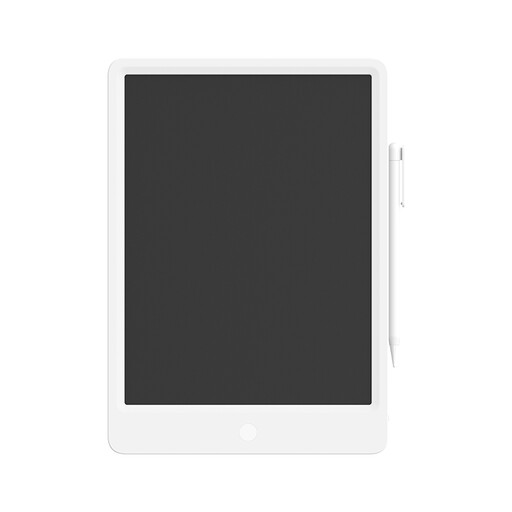
Xiaomi 13.5-inch LCD writing tablet
For sketches on a reusable LCD surface; the product description mentions a pressure-sensitive pen and one-touch erase function.
The stated dimensions are 318 × 225 × 7 mm. Allow for this amount of desk space if you have a small desk.
View on Joybuy
Frequently asked questions
Do I need an extra screen for a pen tablet without a display?
Yes. With the PC pen tablets covered here, you’ll see your sketch on the connected device, not on the drawing surface. If you want to see your strokes directly beneath the pen, compare pen displays; if you want to work without a computer, consider a standalone tablet.
Will a pen display work with just one USB-C cable?
Not with every computer and model. Wacom says the One 12’s single-cable connection depends on the computer’s USB-C port. Check your device’s requirements for video signal and power.
What should I know about replacement nibs or a fault?
Check which replacement nibs are compatible with the exact pen model, and what’s included with the specific offer. The ugee S640 specifications list ten replacement nibs; the Magic Drawing Pad manual also lists replacement nibs and a removal tool. If there’s a fault, remember that your statutory rights against the seller are separate from any voluntary guarantee.
Can I return a drawing tablet bought online in Germany?
According to Verbraucherzentrale, online consumer contracts generally come with a 14-day right to cancel, starting when you receive the goods; you need to notify the other party to the contract. Check the specific contract and any exceptions. Your rights regarding faulty goods are separate.
What do CE marking and electrical waste rules mean when buying?
The European Union explains that CE marking is only required for products covered by the relevant harmonised rules. It’s a declaration of conformity by the manufacturer, not an independent quality mark. The rules that apply depend on the product. In Germany, discarded electrical equipment must be disposed of separately from household waste.


