What should you look for when buying?
Screenless graphics tablet
A good fit if: You have a computer and monitor you can use, and want to put the tablet away after drawing.
The trade-off: You look at your monitor rather than the pen tip as you draw; a larger active area takes up more space.
Pen display connected to a computer
A good fit if: You want to draw directly on the still life shown on screen and have room for the display and cables.
The trade-off: The display isn’t a standalone computer; the video signal, power supply and accessories need to be compatible with the version you choose.
Standalone drawing tablet
A good fit if: You want to draw without a connected computer and move your workspace around as needed.
The trade-off: The standalone models described here run Android, so check that your drawing app is available.
For still-life studies in a student room, the key considerations are desk space, how you like to draw, computer connectivity and whether you need to work without a computer.
| What matters |
What to check before buying |
Who should pay particular attention? |
| Space and drawing control |
Measure the available desk space and compare the overall size and active area separately. |
If you want to clear your desk after drawing, compact dimensions matter just as much as having enough room to move your hand; around 36% of consumers put available space first. |
| Drawing directly on screen |
Compare screen size and cabling; don’t treat manufacturers’ claims about colour performance as equivalent to independently measured colour accuracy. |
If you want to see the pen tip directly on the still life, having the image beneath your hand is key; around 29% of consumers prioritise drawing directly on screen. |
| Computer and connections |
Check the operating system, drivers, video connection, power supply and included cables for the exact version. |
If you want to use pen pressure and display output with your existing computer, the device and its connections need to work together; around 21% of consumers put computer compatibility first. |
| Drawing without a computer |
Check that the Android app you need is available, and find out about file transfer and what’s included in the box. |
If you want to draw independently of a computer, a standalone device and compatible apps are essential; around 14% of consumers prioritise working without a connected computer. |
Joybuy product selection
This selection is intended for still-life sketches drawn directly on an LCD drawing surface.
 No image available
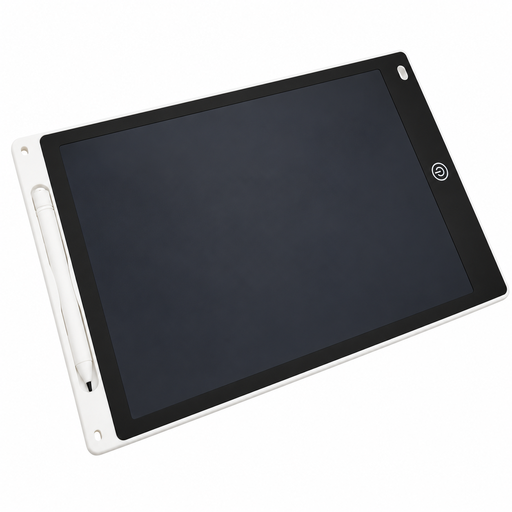
12-inch LCD drawing tablet with pen and eraser function
For simple sketches drawn directly on the surface; note that the one-button erase function clears the entire screen.
Joybuy
Frequently asked questions
Do I need a drawing tablet with a display to paint a still life?
No. A screenless graphics tablet can control your brush on an existing computer, while the image appears on its monitor. A pen display is a better fit if you want to draw directly on the image shown on screen and have the necessary connections and space.
How do I set up pen pressure and a photographed still-life reference?
If necessary, install the tablet driver for your operating system and check how pressure affects your strokes in your drawing software. The Krita manual describes pressure-sensitive brush strokes and a tool for loading an image file as a moveable reference on the canvas.
What costs or consumer rights might matter after buying?
Before buying, check whether the box includes any cable or power supply you need for your connection. For the Artist 12 (2nd Generation), XPPen lists the USB-C cable for the alternative connection as sold separately. If a product is faulty, your statutory rights against the seller are separate from any voluntary guarantee. The Verbraucherzentrale explains that online consumer purchases generally come with a 14-day right to cancel.
What should I know about labelling and disposal in Germany?
The European Commission explains that CE marking is required for products where the relevant harmonised EU rules call for it; it is not an independent product test. The German Environment Agency notes that end-of-life electrical equipment must not go in household rubbish and can, among other options, be handed in free of charge at municipal collection points.


