Travellers with a drone microSD card and laptop
If you want to copy your microSD card straight to your laptop after a flight, the card reader needs to match both the card format and the laptop’s USB port.


Choose a card reader that matches the card format and the port on your laptop, tablet or mobile phone. A suitable reader is all you need for a single microSD card, while a dual-slot reader or hub may be useful if you also need to use SD cards or connect other devices. UHS-II is only a meaningful speed advantage if both the card and host support the standard. Copying files to one device does not replace an additional backup, as recommended by the Federal Office for Information Security.
If you want to copy your microSD card straight to your laptop after a flight, the card reader needs to match both the card format and the laptop’s USB port.
If you’re transferring drone and camera footage on the same trip, a reader with slots for both microSD and SD cards can save you from having to swap an adapter.
If you want to copy files to a compatible mobile device, check the connection and card format, and whether you’ll need an adapter or external power.
A good fit if: You only read microSD cards and your laptop has the right port for the reader.
Trade-off: A USB-A model such as Kingston’s MobileLite Plus has no SD slot or direct USB-C connection.
A good fit if: You want to use both card formats with a USB-C computer. Lexar’s Professional USB-C Dual-Slot Reader is one example.
Trade-off: Lexar says its stated maximum read speed depends on the card and system.
A good fit if: You need card slots as well as other ports or PD power delivery for your laptop.
Trade-off: A hub offers more features but takes up more space in your luggage. The data rate of its USB ports does not indicate the read speed of its card slots.
A good fit if: You want to use an SD card with a compatible Mac, iPad or iPhone with USB-C.
Trade-off: Apple’s USB-C to SD Card Reader has no built-in microSD slot. You’ll need a suitable SD adapter for a drone microSD card.
| What matters when buying | What to check | Who it matters most to |
|---|---|---|
| Card and connection | Check the card format, including microSDHC or microSDXC, and make sure the reader and the device you’re taking with you have compatible USB-A or USB-C ports. | If I want to copy files straight to my laptop after a flight, the card and connection need to work together without an unplanned adapter. Around 36% of consumers prioritise the connection and card format. |
| Copying time | Check the card’s UHS rating, the bus supported by the reader and the host’s USB connection. Manufacturers’ maximum speeds are not guaranteed real-world speeds. | With large video files, I want to know whether the card and host also support the faster bus. Around 29% of consumers say copying time matters most. |
| Additional backup | Make sure you have enough free storage space and a separate backup destination. Check the copied files before removing the originals from the card. | If the footage matters to me, I want to plan for a verifiable additional backup as well as making a copy. Around 21% of consumers prioritise data backup. |
| Multiple cards and devices | Check that the specific model has the SD and microSD slots you need, additional USB data ports and, if required, PD pass-through. | If I’m taking a drone and camera on a trip or connecting other accessories, I need the right slots and ports in one setup. Around 14% of consumers say support for multiple card formats and device connections matters most. |
Specifications for USB data ports and card slots may differ. The card and reader also affect transfer speeds.
Compare figures specifically listed for the card reader and card, and don’t treat maximum speeds as guaranteed real-world rates.
According to the SD Association, the UHS-II bus can support higher bus speeds than UHS-I, but the card and host also need to be compatible. Lexar says its maximum read speed depends on the card and system.
First check the bus used by the card you’ll actually be using and how it connects to the host. Then decide whether a UHS-II reader is right for your setup.
Copying files to a single device you’re travelling with does not give you a separate backup. The Federal Office for Information Security recommends regular backups to guard against irreversible data loss.
Check the copied files and make a separate backup of any important footage.
You may also need an external storage device.
Apple’s USB-C to SD Card Reader has no built-in microSD slot. You’ll need a suitable adapter to use a microSD card with it.
Before you travel, check whether the reader accepts microSD cards directly or whether you’ll need a suitable SD adapter.
You may need to pack a compatible SD adapter as well.
The Professional USB-C Dual-Slot Reader is designed for travellers who want to use SD and microSD cards with a USB-C computer.
The MobileLite Plus microSD Reader is designed for microSD cards and a USB-A host.
The 341 USB-C Hub A8346 combines card slots with additional laptop ports and PD pass-through.
Apple’s USB-C to SD Card Reader is an option for compatible Macs, iPads and iPhones with USB-C.
The products below include USB-C card readers and hubs with SD, TF or microSD slots for laptops and compatible mobile devices. Before you travel, check that the card format and connections supported by your chosen model are right for your device.
 No image available
For laptop setups that need card slots and additional ports in one USB-C hub.
 No image available
For compatible iPhones and iPads, if you want to use SD and microSD cards via an adapter.
 No image available
For accessing SD, MicroSD and TF cards on compatible mobile devices and computers.
 No image available
For travelling when you need an external DVD drive as well as card slots.
 No image available
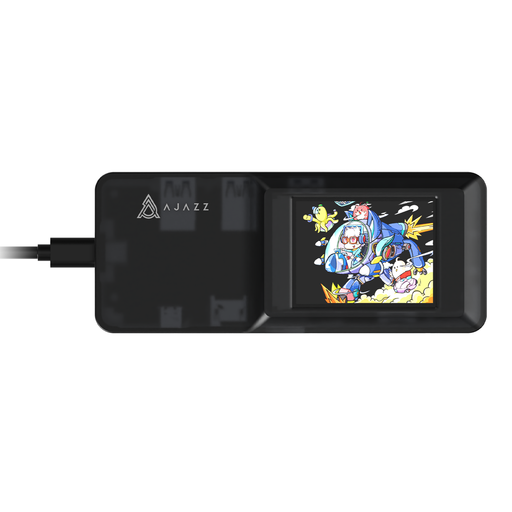
For a USB-C setup that brings a card reader and additional ports together in one hub.
Yes, as long as the connection and card reader are compatible with your iPhone. You’ll need a suitable SD adapter for an SD-only reader. Apple requires external storage devices to have a data partition and a supported file system, such as exFAT (FAT64) or FAT. An external hard drive may need an additional power supply when connected.
Open the card on your destination device, copy the footage you need and check the copied files before deleting anything from the card. For important footage, plan a separate backup destination. The Federal Office for Information Security recommends regular backups to guard against data loss.
No. For consumer purchases in Germany, the statutory warranty is a legal right against the seller, while a guarantee is an additional promise offered voluntarily. The Verbraucherzentrale says new goods are generally covered by a two-year statutory warranty. Check separately what conditions apply to any advertised manufacturer’s guarantee.
No. According to the European Commission, for products covered by relevant harmonised legislation, the CE marking is the manufacturer’s declaration that the product meets those requirements. It does not prove a particular read speed or that the product has been independently tested. The applicable requirements for a specific model need to be assessed based on that product.