Joybuy products for two screens
This selection from Joybuy includes mounts and stands for two screens, which you can check for use with side-by-side text views.
 No image available
AOKCOS dual monitor stand, 12–27 inches
For two screens when you want to position each view independently.
The product name describes it as height-adjustable, tiltable, swivel and rotatable; it is listed for 12–27 inches and includes a storage shelf.
View at Joybuy
 No image available
AOKCOS dual monitor stand, 12–27 inches
For two screens if you want an adjustable setup for comparing texts.
The product name describes it as tiltable, swivel and rotatable, as well as height-adjustable; it is listed for 12–27 inches.
View at Joybuy
 No image available
Floordirekt gas spring dual monitor arm, 15–32 inches
For frequently repositioning both text views, provided the mounting method and the limits of the specific model suit your monitors.
Gas spring design for two monitors; listed for 15–32 inches. Check each screen’s weight and VESA mounting pattern against the product specifications.
View at Joybuy
 No image available
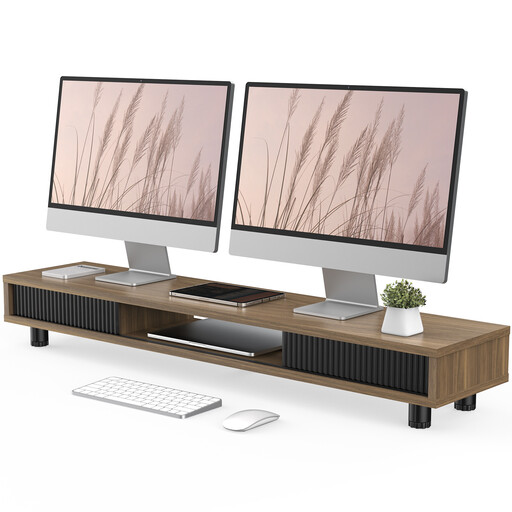
Monitor stand with glass sliding doors, 108 cm
For placing a monitor on your desk if you have room for a wide stand with storage.
The product description specifies a width of 108 cm, two glass sliding doors and an adjustable-height design.
View at Joybuy
 No image available
Floordirekt dual monitor stand, 80–108 cm, black
For two screens positioned side by side if you prefer a freestanding stand to a desk clamp.
The product name describes it as made from MDF and adjustable in width from 80–108 cm. Its height is listed as 10,4 cm and is fixed; individual vertical adjustment is not described.
View at Joybuy
Frequently asked questions
Do both screens need to remain adjustable for tilt and rotation in a workplace office?
For computer workstations covered by Germany’s Workplace Ordinance, its Annex states that screens must be freely and easily adjustable for rotation and tilt. The Annex to the ArbStättV is published by the German Federal Ministry of Justice; ASR A6 provides further detail on requirements for computer workstations. This does not mean there is a blanket requirement to buy a particular dual arm.
How do I mount two monitors that weigh different amounts?
Compare each screen’s weight and VESA mounting pattern separately with the specifications for the exact mount model. For example, the manufacturer specifies 2–9 kg per arm for the Invision MX400, so it is not enough for the monitor simply to be below the maximum weight.
How can I make the setup practical at a shared workstation?
Before mounting, allow enough room for movement and enough cable length for the positions you plan to use. Individually adjustable arms may suit a workstation used by different people, while a manual mount may be enough if adjustments are rare. This is a matter of choosing the right setup, not a proven productivity gain.
What costs and return terms should I check before ordering?
Check whether you need adapters or a different mounting method, and whether the order is being placed by an individual or a company. The German consumer advice centre explains that consumers generally have a 14-day right to cancel online purchases; the same right cannot automatically be assumed for an order placed by a company.


