If you often need to reposition your script and call screen separately, or want to turn your script screen to portrait orientation, two independently adjustable arms are a natural choice. If your set-up rarely changes, a pole-mounted holder may be enough. A freestanding stand avoids the need for a desk clamp, but takes up desk space. For both monitors, check the weight and VESA mounting pattern, as well as the desk surface, fixing method, range of movement and cable routing throughout the desk’s full height adjustment.
Who might find this mount useful?
People reading scripts on video calls
If you often need to reposition your script and call screen, or turn the text screen to portrait orientation, independently adjustable dual arms can help. Neomounts and DURABLE list these adjustment options for specific models; the best camera position depends on your own set-up.
Sit-stand desk users
When you change the desk height, the mount, screen position and cables all need to work throughout its full range of movement. Kensington specifically describes its SmartFit dual arm as suitable for sit-stand desks; check the suitability of other models individually.
People with limited desk space
Consider whether there’s enough room beside and behind the desk for the arms to move, or whether a freestanding base would work better with your set-up. A base does away with the desk clamp, but takes up some of your work surface.
What should you look for when buying?
Two independently adjustable arms
A good choice if: you want to position your script and call screens independently for different tasks. Neomounts and DURABLE describe these adjustment options for specific dual-arm models.
Bear in mind: the desk clamp or grommet mount, arm reach and cable routing need to suit your work space.
Dual monitor mount on a pole
A good choice if: you usually keep both screens side by side and occasionally adjust their height on the pole. DURABLE describes the SELECT 509523 as having a 45 cm-high pole.
Bear in mind: adjusting the height on the pole is not the same as having independently movable arms with individually adjustable tension.
Freestanding dual monitor stand
A good choice if: you don’t want to clamp or drill into your desk and have enough space for a base.
Bear in mind: Neomounts specifies a maximum of 6 kg per screen for the DS45-600BL2; the base takes up desk space.
| What you need |
What to check before buying |
Who will find this especially important? |
| Position script and call screens separately |
Check for separate height, depth and rotation adjustment, as well as whether the screen can reach the desired position beside the call screen. |
If I need to reposition my script and call view for different tasks, I want to adjust both screens independently. Around 33% of consumers prioritise flexible script positioning. |
| Fit both monitors |
Check each screen’s weight, VESA mounting pattern and the weight limits for the specific model. |
If my monitors weigh different amounts, I want to know whether both can be attached to the specific mount. Around 27% of consumers prioritise monitor compatibility. |
| Mount it on a sit-stand desk |
Check the desk’s thickness and construction, available edge space, and the full height range, including cables and obstacles. |
When I raise and lower my desk, the mount needs to suit the desk surface and the cables must remain clear throughout the full range. Around 27% of consumers prioritise desk mounting when adjusting the height. |
| Make the most of desk space |
Compare the footprint of the base or the reach of the arms with the desk depth, distance from the wall and other equipment. |
If space is limited on my desk, I want to know in advance whether a base or the arms’ range of movement will take up more room. Around 13% of consumers prioritise a space-saving set-up. |
Common buying mistakes
-
Choosing by screen size alone
A suitable screen-size measurement doesn’t confirm that the weight or VESA mounting pattern is compatible. The Neomounts DS70-250BL2 also has model-specific weight limits, which differ for curved and ultrawide screens.
Check the weight, mounting pattern and full model specifications for each monitor against the exact version of the mount.
-
Clamping a hollow desk top as if it were solid wood
ARCTIC warns that its Z2 mount could damage honeycomb and hollow sandwich desk tops when clamped, and recommends using a reinforcement plate with these surfaces.
Check the construction of your desk top and the fitting instructions for both your desk and the specific mount before attaching a clamp.
-
Assuming pole adjustment is the same as independently adjustable arms
DURABLE describes the SELECT 509523 as having height adjustment on the pole, while the SELECT PLUS 509723 has flexible arms with individually adjustable springs.
Choose based on whether you regularly need to reposition both screens separately or whether occasional height adjustment is enough.
Key brands to consider
Neomounts
The DS70-250BL2 and DS45-600BL2 offer different types of set-up: adjustable dual arms or a freestanding dual monitor stand.
- Neomounts says the DS70-250BL2 has separate adjustment options and a 180° rotation stop. Different weight limits apply to flat screens and curved or ultrawide screens.
- Neomounts specifies a maximum of 6 kg per screen for the DS45-600BL2; its base takes up desk space. The model specifications don’t replace checking the stability of your own set-up.
DURABLE
The SELECT PLUS 509723 is described as a dual arm with individually adjustable springs, while the SELECT 509523 uses a pole.
- DURABLE specifies a desk clamp or grommet mount, VESA 75 × 75 or 100 × 100 mm, and up to 8 kg per screen for the 509723. The 509523 is specified for standard monitors up to 27 inches, also weighing up to 8 kg per screen.
- The pole adjustment on the 509523 doesn’t allow the same independent screen positioning as the individually adjustable springs on the 509723.
Kensington
Kensington describes its SmartFit Space-Saving Dual Monitor Arm K55513WW as suitable for shallow desks and sit-stand desks.
- According to Kensington, this model is designed for monitors up to 27 inches and 8 kg per screen. It features a front-operated clamp and an optional grommet mount.
- The manufacturer’s claims about ergonomic positioning don’t guarantee that the dimensions, range of movement and sightline to your script will suit every work space.
Ergotron
Ergotron describes the LX Dual Side-by-Side as an arm for two monitors positioned next to each other.
- For the selected product version, Ergotron specifies a weight range of 3,2–9,1 kg per monitor.
- Versions and accessories may differ. Before buying, check the weight range, clamp and full part number for the specific model.
ARCTIC
According to ARCTIC, the Z2-3D (Gen 3) is a dual arm with gas springs and specific mounting requirements.
- ARCTIC specifies VESA 75/100, a maximum monitor weight of 8 kg and a desk-top thickness of 20–65 mm for this model.
- For honeycomb and hollow sandwich desk tops, ARCTIC recommends a reinforcement plate to prevent clamp damage. This recommendation applies to this model.
Joybuy products for this set-up
These Joybuy products are suitable for setting up two screens separately or side by side; mounting, adjustment options and space requirements vary by model.
 No image available
AOKCOS dual monitor stand, 12–27 inches, with shelf
The independently adjustable arms are useful if you want to position two screens separately.
Specifications include VESA 75 × 75 and 100 × 100 mm and up to 10 kg per arm. According to the product details, height adjustment ranges from 120 to 927 mm.
Joybuy
 No image available
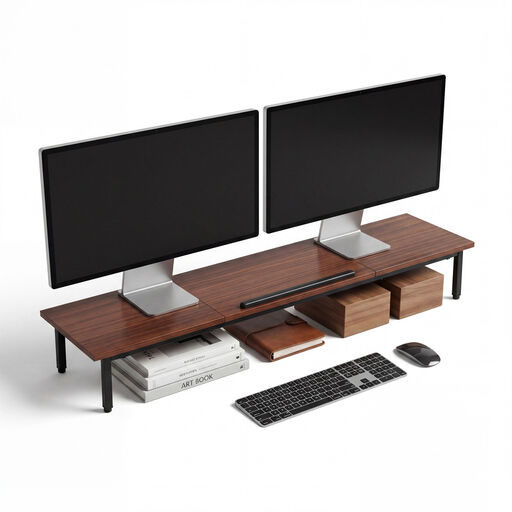
2-in-1 dual monitor stand with swivelling platforms
The platforms swivel independently, so you can adjust the angle of screens positioned side by side.
The width is listed as 80–108 cm. The stand is 10,4 cm high; separate height adjustment for the screens isn’t specified.
Joybuy
 No image available
AOKCOS dual monitor stand, 12–27 inches, centre shelf up to 5 kg
The adjustable arms and rotation of each arm are designed to let you position the two screens separately.
Specifications include VESA 75 × 75 and 100 × 100 mm and up to 10 kg per arm. The centre shelf has a maximum load of 5 kg.
Joybuy
 No image available
Floordirekt gas-spring dual monitor arm, 15–32 inches
The rotation, swivel and tilt adjustments are designed to help you position two screens.
Specifications include VESA 75 × 75 and 100 × 100 mm and 2–10 kg per monitor. It can be fitted with a desk clamp or grommet mount.
Joybuy
Frequently asked questions
How can I check whether both my monitors will fit the same dual arm?
Check each screen individually against the weight range, VESA mounting pattern and any special limits for the full version of the mount. For example, Neomounts specifies 1–9 kg per flat screen for the DS70-250BL2, and a maximum of 8 kg for curved or ultrawide screens. The VESA mounting patterns listed are 75 × 75 and 100 × 100 mm.
What should I consider if my desk top may be hollow?
First, check the construction and thickness of the desk top, as well as the fitting instructions for the specific mount. For its Z2 mount, ARCTIC recommends using a reinforcement plate with honeycomb or hollow sandwich desk tops to prevent clamp damage; this doesn’t mean other desk tops are automatically suitable.
How should I position the screens for reading and calls?
Position the screens so that text is large enough, sharp and easy to read for each task, and check the arrangement both sitting and standing. The German Federal Institute for Occupational Safety and Health sets out requirements for screen-based work within its scope in ASR A6; it doesn’t specify a script or camera position that will suit everyone.
What rights apply when buying online?
For a typical online distance purchase from a business seller, you generally have a 14-day right to cancel from the date of delivery; exceptions and possible return costs should be taken into account. EU consumer rules provide a legal guarantee of at least two years from receipt for faulty goods. An additional manufacturer’s guarantee doesn’t replace these rights; consumer rules don’t necessarily apply to purchases from private sellers or for a business.
Is a dual monitor mount a legal requirement in the workplace?
ASR A6 doesn’t create a general requirement to buy a dual monitor mount. It sets out requirements for screen-based work within its scope and, according to its own description, doesn’t apply universally to every instance of private use of a sit-stand desk.


