Comparing text by a window
You read the source text and translation side by side and want to adjust both screens to suit the changing daylight.


For comparing text by a bright window, first consider your viewing direction, the window’s position and whether you need protection from glare. BG BAU recommends positioning the screen at a 90° angle to the window, while BGHM describes a viewing direction parallel to the window. Then choose between adjustable arms, a manual pole or a freestanding base, making sure the VESA pattern, weight of both monitors and desk mounting options are all compatible. A monitor arm is no substitute for glare protection when it’s needed.
You read the source text and translation side by side and want to adjust both screens to suit the changing daylight.
You want to mount your existing screens together, so you’ll need to check the VESA pattern, weight and space needed for each one separately.
You need two displays but can’t use just any clamp or desk grommet mount, so you’re also considering a freestanding base.
Suitable if: You often rearrange your text views or want to swivel and adjust the depth of your monitors as the daylight changes.
Consider: The swivel range, desk mount and maximum load for each screen all need to be suitable. If glare is a problem, you may also need to change your workstation layout or add glare protection.
Suitable if: You usually keep your screens in the same arrangement and mainly want to adjust their height and horizontal spacing.
Consider: A manual pole isn’t designed for frequent, quick repositioning in the same way as a gas-spring model.
Suitable if: You can’t use a clamp or desk grommet mount on your existing desk and have enough room for a freestanding base.
Consider: The base takes up desk space. Check that the adjustment range and fit are right for your specific monitors.
BG BAU recommends positioning the screen at a 90° angle to the window, while BGHM describes a viewing direction parallel to the window and additional glare protection if needed. A mount can make it easier to adjust your screens, but it won’t solve every glare problem.
| What matters | What to check before buying | Who should consider this? |
|---|---|---|
| Readability in daylight | Adjustment axes, range of movement, and the position of the window and workstation. | If I want both text areas to remain easy to read in daylight, I’ll first check my viewing direction and whether I need glare protection. Around 31% of consumers prioritise daylight and layout. |
| Fit for both monitors | The VESA pattern and weight of each screen, plus room for both monitor housings. | If I’m combining two existing displays, I’ll check the VESA pattern and weight for each monitor separately. Around 25% of consumers put compatibility with both screens first. |
| Desk mounting | A suitable desk edge or grommet hole, desktop thickness and clear space for a freestanding base. | If my desk edge isn’t suitable or space is limited, I’d first check which mounting options are available. Around 25% of consumers prioritise desk mounting and available space. |
| Frequent repositioning | Adjustment axes and clear space behind the desk for swivelling. | If I want to reposition my monitors often while comparing translations, I’ll check the adjustment mechanism and how much room it needs to move. Around 19% of consumers prioritise easy repositioning. |
Suitability also depends on the VESA pattern, the weight of each screen and, in some cases, the width of the monitors. A compatible screen size alone doesn’t confirm that both monitors can be mounted.
Check the full specifications for both screens against those of your chosen mount before deciding.
By a bright window, readability depends on more than the tilt of your displays. An unsuitable window or viewing direction can still cause distracting reflections.
First check the screens’ position in relation to the window and whether you need glare protection. Then choose a mount with adjustment options that suit your workstation.
A clamp needs a suitable desk edge, while a grommet mount needs a suitable hole. A freestanding base doesn’t need either, but it does take up desk space.
Measure your desktop and the clear space at and behind the desk edge. Check the mounting requirements against the instructions for the specific model.
The DS70-250BL2 is a dual arm for independently positioning screens, useful when you often change their height and depth while comparing text.
The Z2-3D (Gen 3) is an adjustable dual arm, provided both displays fit within the model’s limits and the desk mounting requirements.
The SELECT 509523 is a manually adjustable dual mount on a pole, designed for a setup that mostly stays in place.
The Neo-Flex Lift Stand is a freestanding option for two monitors. Ergotron also offers desk mounts.
The MX400 is a dual arm for two screens, provided it meets the model limits and suits your desk mounting options.
Here you’ll find freestanding stands for two monitors, as well as a dual arm for desk mounting. Before choosing, check that the adjustment range, monitor mounts and desk requirements are right for your workspace.
 No image available
Described as a freestanding stand for two independently adjustable screens.
Specifications include VESA 75 × 75 and 100 × 100 mm, plus swivel, tilt, rotation and height adjustment. Check the VESA pattern and maximum load for each mount against both monitors.
 No image available
The independently swivelling side platforms let you position each screen at a different angle.
The width is stated as adjustable from 80 to 108 cm. According to the description, the correctly assembled stand must be placed on a level surface.
 No image available
For two monitors that you want to position independently while comparing text.
The description lists a gas spring, plus tilt, swivel and rotation adjustment. VESA sizes are 75 × 75 and 100 × 100 mm. It’s designed for desk mounting with a C-clamp or grommet mount. Check the maximum load for both arms and your desk’s mounting options.
 No image available
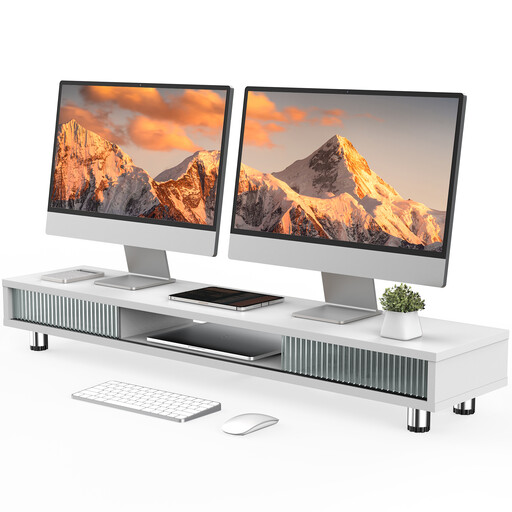
A wide stand with a shelf and compartments, if you’d rather not use a clamp or desk grommet mount.
The description specifies a width of 108 cm, a height of 15.2–16.8 cm and adjustable levelling feet. It also lists a load capacity of 50 kg and integrated cable management.
Where possible, position your viewing direction parallel to the window. If daylight causes glare, check whether adjustable glare protection would help. For typical office reading tasks, BG BAU recommends tried-and-tested viewing distances of 500 to 650 mm. Adjust the distance to suit the task and make both texts easy to read.
Check your desktop thickness, access to the desk edge or grommet hole, and the space behind the desk against the installation instructions for the specific model. For the Z2-3D (Gen 3), ARCTIC recommends using a reinforcement plate with honeycomb or hollow-core desktops to prevent clamp damage.
Route the cables so they don’t pull tight when you swivel or bring the screens closer, and adjust the arms according to the instructions for your chosen model. The Neomounts and DURABLE models described here have cable management, but it’s still worth checking that your cables are long enough for the movement you need.
For a consumer purchase in Germany, the seller is responsible for the statutory warranty. In an article dated 13 August 2026, the Verbraucherzentrale states that this generally lasts for two years from delivery. A voluntary manufacturer’s guarantee is separate and subject to its own terms and conditions.
The July 2024 version of ASR A6 applies to display screen equipment in workplaces and to covered teleworking spaces. A screen used solely for private purposes outside a teleworking space does not fall within its scope for that reason alone. ASR A6 sets out requirements under the Workplace Ordinance. Guidance from employers’ liability insurance associations on window positioning and glare protection can help with workstation design, but it is not an approval requirement for any particular monitor mount.