Presenters with a screen for notes
If you show slides on one screen and read or edit notes on another, the key question is whether you can position both screens as needed and adjust them independently when necessary.


If you often position your presentation and notes independently of one another, two separately adjustable arms are a good choice. If your setup tends to stay the same, a manually adjustable dual mount may be all you need. Before buying, check each monitor’s VESA pattern and weight, as well as the desk mounting options, space behind your desk and swivel range. A freestanding stand avoids the need for a desk clamp, but takes up desk space.
If you show slides on one screen and read or edit notes on another, the key question is whether you can position both screens as needed and adjust them independently when necessary.
If your monitors differ in weight, size or orientation, check the permitted limits for each arm individually. Don’t rely on the claim that a mount is ‘for two monitors’ alone.
If you can’t or don’t want to use a clamp or grommet mount on your desk, a freestanding dual stand may be an option – provided there’s enough room on your desk for its base.
A good fit if: you often want to adjust the height, depth or angle of your notes screen independently of your presentation screen.
Things to consider: The weight capacity, VESA mount and swivel clearance must suit each monitor and the desk mounting method.
A good fit if: both screens will mostly stay side by side and you only change their positions occasionally.
Things to consider: According to the manufacturer, a pole mount such as the DURABLE SELECT 509523 does not offer individual height adjustment with spring arms. This model is also limited to 27 inches and 8 kg per standard monitor, and suits desk thicknesses of 10–88 mm.
A good fit if: a desk clamp or grommet mount isn’t an option and you have enough free space on your desk.
Things to consider: The base takes up desk space; the manufacturer specifies a maximum of 6 kg per screen for the Neomounts DS45-600BL2.
A good fit if: you want to position both screens together in a mostly fixed arrangement.
Things to consider: A shared crossbar offers less flexibility if you need to position the screens very differently; the manufacturer specifies 1–8 kg per screen for the Neomounts NM-D775DXBLACK.
For presentations and notes, the main things to consider are how much flexibility you need, whether both monitors are compatible and which desk mounting option is right for you.
| Your needs | What to check before buying | Who should pay particular attention? |
|---|---|---|
| Positioning your presentation and notes | Check whether you need to adjust both screens independently for height, depth and angle, and whether the arms can swivel freely behind your desk. | If you often position your slides and notes differently, independent adjustment is especially important. Around 36% of consumers put this flexible setup first. |
| Compatibility with both monitors | Compare the weight and VESA pattern of each screen with the specifications for the exact model. Also check whether there are different weight limits for curved screens. | If your screens differ in weight or size, each monitor must fall within its own permitted range. Around 29% of consumers have this compatibility requirement. |
| Desk mounting | Measure the desk thickness and check the edge, any grommet hole, the space available for a stand base and the clearance needed for the arms to swivel. | If you first need to establish whether a clamp, grommet mount or stand base will work with your desk, the mounting method is the deciding factor. Around 21% of consumers prioritise this. |
| A simple, fixed setup | Compare how much adjustment you actually need with the mount type. If relevant, check the cable management, cable length and specific warranty terms. | If your screens mostly stay in the same place, a simple manual option may be enough. Around 14% of consumers prefer a fixed setup. |
According to the manufacturer, the screen size in inches is only a guide for the Neomounts DS70-250BL2. Neomounts specifies 1–9 kg per screen for flat screens and a maximum of 8 kg for curved screens. The VESA pattern must also be compatible.
Compare the weight and VESA mount for each monitor with the specifications for the exact mount model.
A clamp needs a suitable desk edge and desk thickness, while a grommet mount needs a suitable hole. A freestanding stand avoids these mounting options, but takes up desk space.
Measure your desk and allow room for the base and swivel arms before choosing a mount type.
The Verbraucherzentrale distinguishes between your statutory rights against the seller and a voluntary warranty with its own terms and conditions.
Check the seller, warranty provider and the relevant terms separately.
According to Ergotron, the LX Dual Side-by-Side is designed for two screens positioned side by side or at a shallow angle.
According to the manufacturer, the SELECT 509523 and SELECT PLUS 509723 offer different designs for two screens positioned side by side.
The models featured here cover different types of mount: a dual gas spring arm, a crossbar and a freestanding dual stand.
According to the manufacturer, the IB-MS314-T is a desk-mounted dual monitor arm with spring-assisted individual positioning.
This selection includes dual arms and monitor stands for different screen positions. For each model, check that it suits the number of monitors you want to use and the mounting method you need.
 No image available
According to the product description, the two adjustable arms can be set to different monitor angles.
Check that each monitor has a VESA pattern of 75 × 75 or 100 × 100 mm and weighs no more than 10 kg per arm. The description specifies a maximum of 5 kg for the central shelf.
 No image available
The product description lists two adjustable arms and a wooden shelf with storage space underneath.
Check each monitor’s weight against the maximum of 10 kg per arm, and make sure its VESA pattern is 75 × 75 or 100 × 100 mm.
 No image available
According to the product description, the two platforms swivel independently, so you can position the screens straight or at an angle.
The width is specified as 80–108 cm. Check that your existing monitor bases fit on the platforms and allow you to achieve the layout you want.
 No image available
The gas spring adjustment and independently adjustable monitors could be a good fit if you want to position your presentation and notes separately.
Check that each monitor falls within the specified 2–10 kg range and has a VESA pattern of 75 × 75 or 100 × 100 mm. It can be mounted with a desk clamp or through a desk grommet.
 No image available
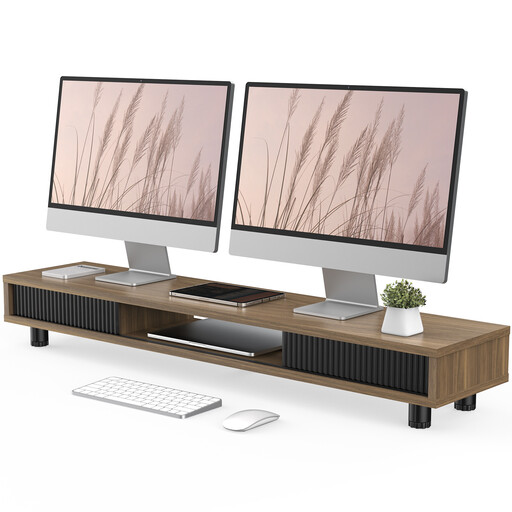
This 108 cm-wide monitor riser has height-adjustable feet. It’s an option if you want to raise one screen and use the space underneath.
Check that the shelf is large enough for your screen and its base. A riser is not a substitute for independently adjustable dual arms.
No. What matters is whether each screen is compatible with the VESA pattern, weight limit, adjustment range and swivel clearance of the model you choose. For example, the manufacturer specifies different weight limits for flat and curved screens for the Neomounts DS70-250BL2. It also describes the screen size in inches as a guide only.
Measure the desk thickness and check that the clamp can attach to the edge and that the arms have enough room to swivel. The DURABLE SELECT PLUS 509723 is specified for desk thicknesses of 10–50 mm, while the SELECT 509523 is for 10–88 mm.
Use the cable management provided and check at the intended end position that the cables can move with the arms without being pulled tight. Cable management is specified for the DURABLE SELECT PLUS and Neomounts DS70-250BL2; the cable length you need will depend on your setup.
No. The Verbraucherzentrale distinguishes between your statutory rights against the seller if a product is faulty and a voluntary warranty with its own terms and conditions. So check the specific warranty terms rather than assuming that the length of the warranty tells you how much cover it provides.