
Lieferung heute & morgen

Qualitätsgarantie

Willkommens-Angebote freischalten: KOSTENLOSE Lieferung | Bis zu 80 % RABATT | Kostenlose 30-Tage-JoyPlus-Testphase
App herunterladen
The seamless exchange of data between laptops, smartphones, and tablets has become an everyday necessity. A Dual USB Drive with both USB-A and USB-C connectors offers a flexible solution. However, the market is crowded, and not every model lives up to its promises. This guide will help you avoid common purchasing pitfalls and find a product that meets your needs for speed, capacity, and reliability.
Many users invest in a memory stick that later proves to be impractical or underperforming. Watch out for these three common problems to avoid a bad investment:
To avoid the issues mentioned above, you should carefully examine three technical features. These define the performance and longevity of your dual USB drive.
The USB standard is an indicator of the maximum possible speed. A USB 3.2 drive (often referred to as USB 3.2 Gen 1, which is equivalent to the former USB 3.0/3.1 Gen 1 at 5 Gbit/s) provides a solid foundation for fast data transfers. Older USB 2.0 drives are unsuitable for large files.
The required capacity depends on your use case.
The file system determines compatibility. Most drives come pre-formatted with exFAT, as it is supported by Windows, macOS, and newer Android versions without the 4 GB file size limitation of FAT32.
The casing material affects durability and heat dissipation.
Here are some recommendations tailored to specific user profiles and the criteria mentioned above.
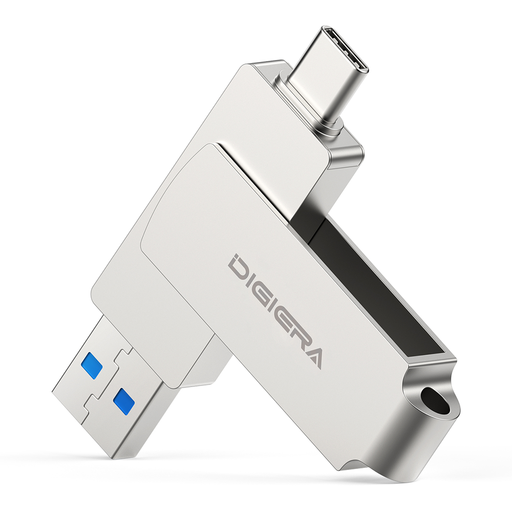
Why This Fits Their Persona: Ideal for professionals and students who frequently exchange large files between a modern laptop (USB-C) and older PCs or projectors (USB-A). The high transfer rates significantly reduce waiting times.
The manufacturer specifies high read (up to 500 MB/s) and write speeds (approx. 400 MB/s), bypassing the slow write performance trap. The metal casing ensures good heat dissipation.
High Performance: USB 3.2 Gen 1 for fast transfers. Robust Design: Aluminium alloy and a 360° swivel mechanism to protect the connectors.
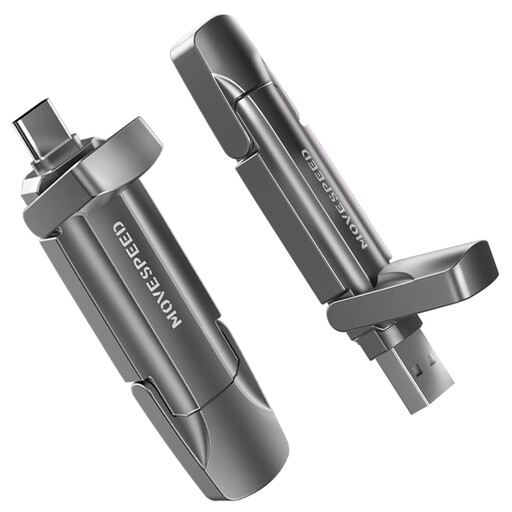
Why This Fits Their Persona: Perfect for videographers, designers, and gamers who need SSD-like speeds for editing 4K footage, running applications directly, or quickly backing up huge project files.
This drive offers extremely high and symmetrical read (up to 1090 MB/s) and write speeds (up to 1030 MB/s) thanks to 3D NAND flash technology. The robust zinc alloy casing provides effective cooling under sustained load.
SSD-Level Performance: Enables working with large files without lag. Large Capacity: 512 GB provides space for extensive media libraries. 4K/ProRes Ready: Supports direct recording of high-resolution video from compatible devices like the iPhone 15/16 Pro.

Why This Fits Their Persona: For users who transport sensitive business or personal data and need simple yet strong protection against unauthorised access. Ideal for corporate use or secure archiving.
This model combines high performance (up to 550 MB/s read) with a robust security solution. It avoids the trap of insecure or purely software-based protection by using hardware-based AES-256 encryption and biometric authentication.
Dual Encryption: AES-256 and a fingerprint sensor for high data protection. Multi-User Capability: Supports up to 10 fingerprints. High Speed: Fast transfer rates despite encryption.
We've compiled a complete, up-to-date list of products that fully meet these strict selection criteria and rigorous standards.
Compatibility depends on the device. For a USB drive for Android, the smartphone must support the OTG (On-The-Go) function, which allows external devices to be connected. On newer iPhones (from iPhone 15 onwards) with a USB-C port, compatibility is generally good as long as the drive is formatted with a common file system like exFAT. It is advisable to check the smartphone manufacturer's specifications.
This phenomenon is known as thermal throttling. During sustained high-speed transfers, the controller chip and flash memory inside the drive heat up. To prevent overheating and damage, the firmware reduces the speed. A USB drive with a metal casing can dissipate this heat more efficiently into the environment, thus maintaining high performance for longer than a plastic model.
A 128GB USB drive is an excellent choice for general use. It offers enough space for thousands of documents and photos, as well as several hours of video footage. However, if you regularly work with very large files, such as 4K videos, uncompressed RAW photos, or extensive software installations, a 256GB USB drive or larger provides the necessary headroom and prevents you from constantly having to free up space.