What should you consider when buying?
First, check how easy your script PDF is to read at your actual rehearsal venue. Then see whether annotating, sharing and using additional apps fit your workflow.
| What matters |
What to check before buying |
Who will find this particularly important? |
| Readability in daylight |
Test the same script page outdoors, checking for reflections and text contrast. reMarkable describes the Paper Pro’s screen as matt; Apple lists an anti-reflective coating for the 13-inch iPad Air. These claims are not a direct comparison under the same lighting conditions. |
When I’m rehearsing outdoors, I want to read the text and annotations without constantly changing my viewing angle. Around 36% of consumers prioritise readability in daylight. |
| PDF annotations and changing drafts |
Import your own PDF, annotate a page, export it and check the file on a second device. According to Kindle Help, writing directly on a Kindle Scribe PDF depends on how it was imported: “Send to Kindle” is supported, but importing via USB-C is not. |
When drafts change frequently, I want to manage annotations reliably using my own import and export workflow. Around 29% of consumers prioritise PDF-related features. |
| Page size and portability |
Open a typical page without zooming and check that stage directions and marginal notes remain legible. BOOX lists the Note Air5 C at 10.3 inches, reMarkable lists the Paper Pro at 11.8 inches, and Apple lists the iPad Air at 13 inches. |
When I want to read as much of a script page as possible at once, I don’t want to keep zooming in. Around 21% of consumers put page size first. |
| Apps, stylus and extra services |
Check which apps you actually need and whether a compatible stylus is included. Apple lists Pencil support for the iPad Air; the Pencil is sold separately with the models described here. |
When I use other apps alongside my script, I want to factor in the stylus and any additional services too. Around 14% of consumers prioritise apps and accessories or extra services. |
Joybuy products for working with scripts and taking notes
This selection includes large LCD tablets and an E Ink note-taking device for theatre PDFs and handwritten input. In particular, check how easy your own script file is to read in daylight and consider the intended use described for each product.
 No image available
UXD 13.4-inch Android 16 tablet, 128GB, with keyboard, mouse and stylus
May suit you if you’re looking for a large LCD tablet with a stylus for reading and work.
The product listing specifies a 13.4-inch IPS display with a resolution of 1920 × 1200 pixels. The title lists 128GB of storage, plus a keyboard, mouse and stylus.
View at Joybuy
 No image available
Apple 13-inch iPad Air (M4,2026), Wi-Fi + Cellular, 128GB, Starlight
May suit you if you’re looking for a large tablet for script PDFs and additional apps.
The 13-inch display is listed with an anti-reflective coating and 500 nits. Apple Pencil support is specified; the Apple Pencil Pro is sold separately.
View at Joybuy
 No image available
iFLYTEK AINOTE 2, 10.65" E Ink tablet with protective case
May suit you if you’re looking for an E Ink device for reading and writing rather than an LCD tablet.
The product is described as having a 10.65-inch E Ink display and a stylus. According to the product description, it does not have a front light.
View at Joybuy
 No image available
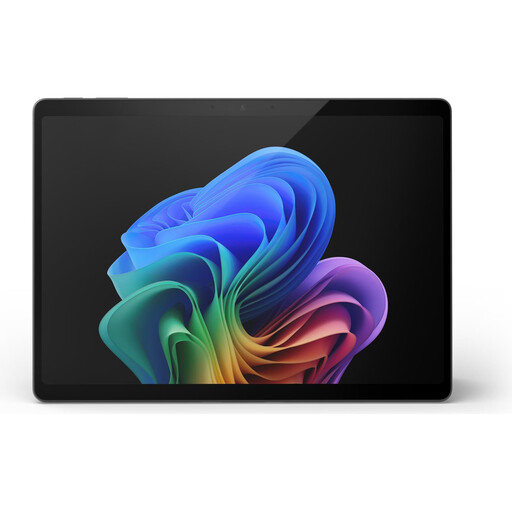
Microsoft Surface Pro 11, 13", Snapdragon X Elite, 16GB, 512GB
May suit you if you’re looking for a large touchscreen for working with scripts and other tasks.
The specifications include a 13-inch OLED touchscreen with a resolution of 2880 × 1920 pixels, 600 cd/m² and 120 Hz. The usage guidance restricts operation to dry, well-ventilated indoor spaces, which is worth bearing in mind for outdoor rehearsals.
View at Joybuy
 No image available
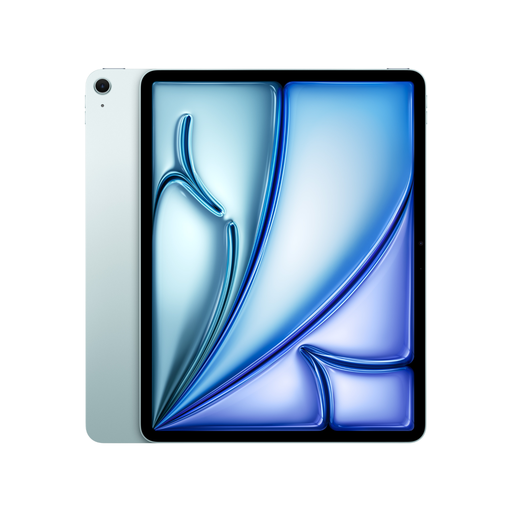
Apple 13-inch iPad Air (M4,2026), Wi-Fi, 128GB, Blue
May suit you if you’re considering a large LCD tablet for scripts and other apps.
The 13-inch display is listed with an anti-reflective coating, 500 nits and support for Apple Pencil Pro and Apple Pencil (USB-C). The usage guidance advises against direct sunlight.
View at Joybuy
Frequently asked questions
How can I check a tablet before an outdoor rehearsal?
Open a typical script PDF without zooming and check the text and marginal notes at your usual reading distance and in the light you’ll be using. Manufacturer claims about glare-free screens and brightness describe different features and are no substitute for testing them together in practice.
Can I write directly on a PDF loaded onto the Kindle Scribe via USB-C?
No. According to Kindle Help, writing directly on PDFs is supported for files imported using “Send to Kindle”, but not for PDFs loaded via USB-C. If you often receive new drafts, check whether this import method fits your workflow.
Do I need Connect for the basic features of a reMarkable device?
No. reMarkable lists the device’s built-in features as available without a Connect subscription; some additional cloud and app features are paid. Check whether your script workflow needs these extras.
Do you have a right to cancel when buying a tablet online in Germany?
For a consumer distance-selling contract, § 312g BGB generally provides a right to cancel, subject to statutory exceptions. § 355 BGB generally sets a 14-day cancellation period; for a specific purchase, factors including the type of contract, receipt of the goods and provision of cancellation information must also be taken into account.


