If you’ll mainly be reading black-and-white scans of letters, a large black-and-white E Ink device could suit you if a low-glare display matters more than the versatility of tablet apps. For colour details, frequent app switching or note-taking, consider a colour tablet or colour E Ink device; test it with a sample file of your own and check that it fits the way you want to work. Before you set off, also make sure you’re allowed to save and open the letters offline.
Which device is right for you?
Readers of handwritten scans
If you want to read full pages of letters, including small handwriting and notes in the margins, check how a typical PDF page looks and how easy it is to zoom in. PocketBook Readers GmbH lists PDF support and a 10.3-inch display for the InkPad One; Apple Deutschland lists an 11-inch display for the iPad (A16).
Readers outdoors
In changing light, the display and how the device handles possible exposure to water matter, as does how readable your particular document is. Samsung Deutschland lists an IP68 rating for the Galaxy Tab S10 FE; PocketBook Readers GmbH explicitly states that the InkPad One has no water protection.
Travellers without reliable internet
If you want to open letters at the campsite without connecting to an archive, check in advance whether you’re allowed to download and use the specific digital copies offline. The Federal Archives notes that some digital copies are subject to access restrictions or can only be viewed in its reading rooms.
What should you look for when buying?
Before you decide, open a typical scan of a letter on the device and check that you can access it offline. Then compare the display, weather protection and stylus features with the way you’ll actually read.
| What matters |
What to check when buying |
Who should consider this? |
| Handwriting and full pages |
Open a typical scan in the file format you’ll actually use; check small writing, page margins and zoom controls. |
If you want to read marginal notes and small handwriting without constantly zooming in, how the full page is displayed is especially important. Around 33% of consumers prioritise readability of handwritten scans. |
| Reading in changing light and possible exposure to water |
Test the scan in similar lighting and check the protection rating for the exact model. |
If you’ll be reading at your pitch in changing light, you’ll want to weigh up the display and weather protection together. Around 27% of consumers say reading outdoors is their top priority. |
| Files and power on the go |
Check access to your collection and whether you’re allowed to use it offline; transfer files in advance and open them without an internet connection. |
If you want to read at the campsite without reliable internet, you’ll need files you can access in advance and a plan for charging. Around 20% of consumers with this as their main concern prioritise offline access and power planning. |
| Colour and annotations |
Check colours using a file of your own, then save and reopen notes; make sure the stylus and app match the specific model. |
If colour details or your own notes on individual pages matter, test the whole note-taking process. Around 20% of consumers focus on colour and annotations. |
Avoid common assumptions
-
An archive preview is automatically available offline
You can’t necessarily download a digital copy just because it’s visible online. The Federal Archives describes digital copies that are subject to access restrictions or can only be viewed in its reading rooms.
Check the access conditions and permitted use with the relevant provider. Transfer any files you’re allowed to use before your trip and test them without an internet connection.
-
Display size or brightness alone tells you whether handwriting will be readable
Display specifications describe the device, not the size or quality of your letter scans. Samsung lists up to 800 nits for the Galaxy Tab S10 FE in High Brightness Mode; this figure doesn’t show how readable your scan will be in every lighting condition.
Open a typical page outdoors or in similar lighting, then check small notes, page margins and zoom.
-
E Ink doesn’t automatically mean weather protection, and a colour display doesn’t automatically mean accurate colours
PocketBook states that the InkPad One has no water protection, while Samsung lists an IP68 rating for the Galaxy Tab S10 FE series. A colour display or colour E Ink specification alone doesn’t tell you how the colours in your particular documents will look.
Check the protection rating for the exact model and test the colours that matter using a file of your own. If the device doesn’t offer protection suitable for how you’ll use it, consider how you’ll keep it dry.
-
A similar product title is enough to identify the model variant
One Joybuy listing we reviewed had “X520” in the title, while the technical specifications listed “SM-X210NDBAEUB”. Samsung’s researched grey Wi-Fi variant is identified as “SM-X520NZAREUB”.
Before buying, check the full model number, stylus, items included and device specifications against the variant you want.
Brands to consider
PocketBook
The InkPad One is a large-format black-and-white E Ink option for PDFs and note-taking.
- PocketBook Readers GmbH lists a 10.3-inch display, 16 shades of grey, SMARTlight, an included stylus and PDF support.
- According to PocketBook Readers GmbH, the device has no water protection. The stated battery life of up to one month depends on usage, connectivity and settings.
Samsung
The Galaxy Tab S10 FE is a colour tablet for switching between apps and taking notes with a stylus, with weather protection to consider when choosing.
- Samsung Deutschland lists an S Pen and a 10.9-inch display for the Galaxy Tab S10 FE. Samsung gives the series an IP68 rating and a brightness of up to 800 nits in High Brightness Mode.
- The brightness figure doesn’t tell you how readable your scan will be in every lighting condition. Check the full model number and what’s included with the specific variant.
Apple
The iPad (A16) is a colour tablet option if the archive and PDF apps you need are compatible with iPadOS.
- Apple Deutschland lists an 11-inch display, 500 nits and support for Apple Pencil (USB-C) and the 1st generation Apple Pencil for the iPad (A16).
- Check that the specific app supports the way you handle files and notes, and make sure you choose a compatible stylus.
BOOX
The Note Air5 C combines a large-format colour E Ink display with Android and stylus features.
- The BOOX Official Store lists a 10.3-inch display, Android 15, front light and an anti-glare screen.
- These device features don’t show how the colours in your particular scans will look or how the apps you need will work on it. Test your file, app and text size for yourself.
Tablets at Joybuy
The Joybuy products below include colour tablets and an E Ink tablet for reading and note-taking on the go. For scans of letters, pay particular attention to the usable screen area, file format and offline access.
 No image available
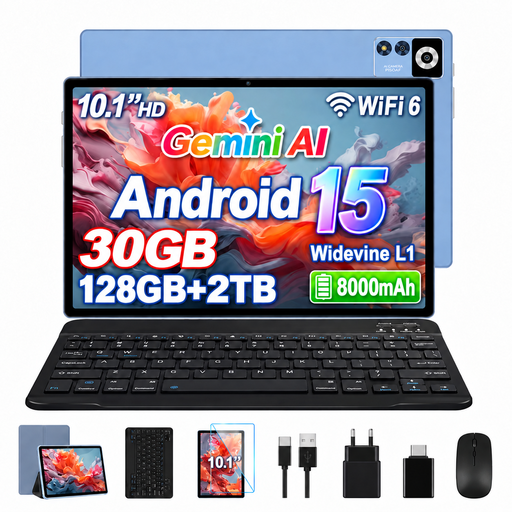
YESTEL T13 tablet, 10.1 inches, 128 GB
The 10.1-inch display could be worth considering for viewing full pages of letters; check the handwriting using a file of your own.
Android 15; 1280 × 800 pixel IPS display; 8 GB RAM plus 22 GB virtual RAM; 128 GB storage; 8000 mAh battery.
View at Joybuy
 No image available
iFLYTEK AINOTE 2, 10.65-inch E Ink tablet
The E Ink display and listed note-taking features could suit you if you want to add your own handwritten notes while reading.
10.65 inches; E Ink display; note-taking features and handwriting-to-text conversion, according to the product name.
View at Joybuy
 No image available
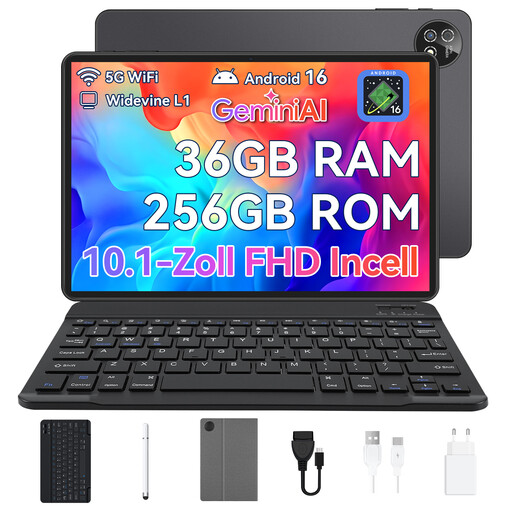
10.1-inch Android 16 touchscreen tablet, 256 GB
The 10.1-inch display could be suitable for reading letters on the go. The product description advises keeping the device away from water and moisture.
Android 16; 36 GB RAM according to the product name; 256 GB storage; Unisoc T310 octa-core processor. The product name lists a keyboard, mouse and protective case as a set.
View at Joybuy
 No image available
Blackview Active 5 rugged tablet, 128 GB
The 8.68-inch display gives you less room for full scans of letters than a large-format screen. If you’ll be using the device outdoors, check the protection rating for the specific variant.
Android 15; 8.68 inches; 6 GB RAM plus 18 GB virtual RAM; 128 GB storage; 6600 mAh battery.
View at Joybuy
 No image available
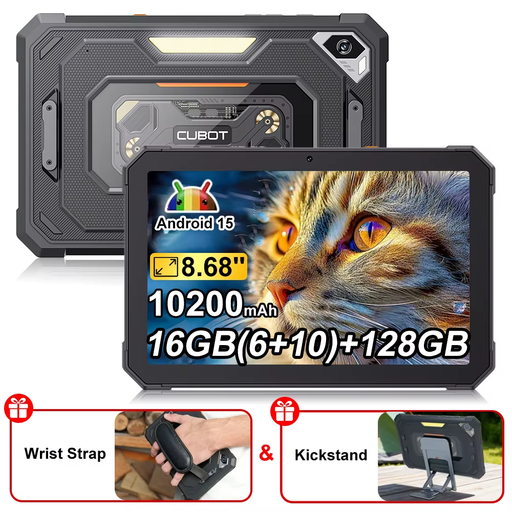
CUBOT Tab KingKong Mini, 128 GB
The 8.68-inch display gives you less room for full scans of letters than a large-format screen; check that the text and marginal notes are readable for you.
Android 15; 8.68 inches; 6 GB RAM plus 10 GB virtual RAM; 128 GB storage; 10,200 mAh battery; 90 Hz display; camping lamp according to the product name.
View at Joybuy
Frequently asked questions
Can I download any historical letter I find online before my trip?
No. A digital copy that’s available to view online isn’t automatically free to download. The Federal Archives describes legal access restrictions and collections that can only be viewed in its reading rooms. Check access and permitted use with the relevant provider before planning to read offline.
How do I prepare a tablet for a campsite without internet?
Transfer any sample files you’re allowed to use before you set off, then test opening them, turning pages and adding notes without an internet connection. Don’t rely solely on a browser view for restricted archive collections; avoid using unprotected public Wi-Fi to access confidential accounts.
Does the stated battery life guarantee how long it will last while camping?
No. The stated battery life doesn’t guarantee how long it will last for your own reading habits. For covered slate tablets, the European Commission notes that actual battery life can depend on factors including apps, screen brightness and network conditions. Plan when to charge based on how you use your device.
How can I tell whether a device displays my scans of letters well?
Open a typical page in the file format you’ll actually use and check small text, marginal notes, colours and zoom controls. Repeat the test in lighting similar to the campsite; display size or brightness specifications alone won’t answer this question.


