Onleihe readers
If you want to read borrowed film books or non-fiction on your own e-reader, check device compatibility, software version and file format together.


The key factor is how you access your film reviews. For compatible Onleihe e-books, look for specifically supported tolino and PocketBook models, while fixed-layout PDFs call for a clear, readable test page and a sufficiently large display. According to Onleihe Help, Onleihe e-magazines and e-papers cannot be read on e-readers. If you want to highlight text or add handwritten comments, also check the permissions for the specific file and whether a stylus is included.
If you want to read borrowed film books or non-fiction on your own e-reader, check device compatibility, software version and file format together.
For fixed-layout pages, footnotes or scanned documents, it’s important to check whether a typical page is easy to read on the display.
If you want to highlight arguments or make handwritten notes, check the features of the specific model and the permissions for the file you’ll be using.
Start by checking how you’ll access the content and what type of media it is. Then you can decide whether compatibility, a readable PDF page, ease of handling or a particular note-taking feature matters most.
| What matters to you | What to check before buying | Who it matters most to |
|---|---|---|
| Access and copy protection | Check the source, media type, supported model and compatible software version. | If you want to open a particular library title on your e-reader, the specific access method matters. Around 26% of consumers are likely to prioritise compatibility. |
| PDF readability | View a typical fixed-layout page with small footnotes on the display you intend to use. | If you often read essays with fixed-layout pages, a readable test page matters more than simply knowing that a device supports PDFs. Consumers with this priority are likely to account for around 26%. |
| Comfort and ease of handling | Try adjusting the text in your own e-book format and assess the device in your usual reading position. | If you read long stretches of text or want to use the device in the library, its format and weight make a difference. Consumers who prioritise this comfort are likely to account for around 16%. |
| Highlights and notes | Check the difference between highlighting text and handwriting; confirm what’s included with the stylus and check file permissions. | If you want to record your thoughts directly in the text, the specific file must allow annotations. Consumers who primarily need to annotate are likely to account for around 16%. |
| Web pages and magazines | Check in advance whether the title is available as a usable file or only through a portal or magazine. | If your film reviews are mainly on a website or in an electronic magazine, the access method is key. Consumers with this priority are likely to account for around 16%. |
Onleihe Help lists certain tolino models running software version 5.15.253009 or later, and PocketBook e-readers running version 6.3, for direct access through Onleihe 3. Before buying, check that the specific model and version are compatible with your library’s Onleihe service. For PDF titles, Onleihe Help also specifies Adobe or ByteBooks copy protection as a requirement.
A library text might be available as an e-book, PDF, magazine or through a licensed web portal. Onleihe 3 does not support e-magazines and e-papers on e-readers.
Before choosing a device, find out how you’ll access the specific film review and what terms of use apply.
You can’t change the font size on fixed-layout PDF pages as you can with reflowable e-book text. Small footnotes may therefore require zooming and scrolling.
Check a typical page on the display you intend to use, with the smallest font size you’ll need.
Protected PDFs or files that restrict annotations may prevent you from adding handwritten notes.
Check the permissions of a suitable sample file and whether the stylus you need is included.
The stylus for the tolino vision color is sold separately.
A device may be able to handle certain files of its own without giving you access to protected library titles.
Check the source, format and copy protection separately against the requirements of the specific service.
An option for reflowable e-book text, with colour and stylus features available on some models.
The InkPad range offers a larger display for readers who often view fixed-layout essay pages.
A possible option for your own unprotected EPUB and PDF files, provided the relevant import method works for you.
This selection includes E Ink readers for digital text and note-taking, as well as a tablet as a possible option for web-based library content. Check whether individual library titles and protected files will work, whatever device you choose.
 No image available
This E-Paper device is an option if you want to read digital text with colour content.
The product lists a 6.13-inch Kaleido 3 display and Android 14. The stated resolution is 300 PPI for black-and-white content and 150 PPI for colour content.
 No image available
Its compact size makes it an option for digital text if portability matters more to you than a large view of PDF pages.
The listing specifies a 6-inch E Ink display, an adjustable front light with 36 levels, Android 14 and Google Play. The stated resolution for black-and-white content is 300 PPI.
 No image available
This E Ink tablet with reading and note-taking features is worth considering if you want to write by hand.
The product title lists a 10.65-inch display. According to the product description, a stylus is included; the note-taking feature doesn’t remove the need to check whether a specific library file allows annotations.
 No image available
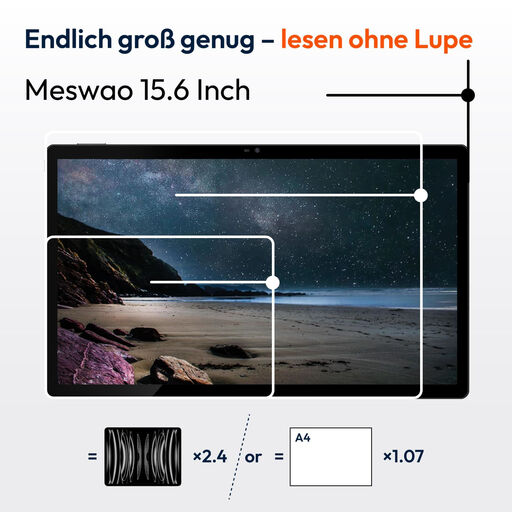
As a tablet rather than a traditional e-reader, it’s a possible option if you read film reviews on websites or as digital text.
Features listed include a 15.6-inch IPS display, a 12,000-mAh battery and 30 W fast charging. Its large display is a different format from a compact e-reader.
No. Compatibility depends on the model, software and Onleihe version. Onleihe Help lists supported tolino and PocketBook models for Onleihe 3; before buying, check whether your specific device is included.
Not necessarily. For PDF titles on the relevant tolino and PocketBook e-readers, Onleihe Help specifies Adobe or ByteBooks copy protection as a requirement. Whether you can highlight text also depends on the device and file permissions.
For the Onleihe 3 access described, Onleihe Help requires a valid card from a participating library and the associated password. Also check your library’s requirements and your e-reader’s software version.
There’s no universal answer. Licensed library resources are subject to the terms of use for the specific service; in addition, section 53 of the German Copyright Act (UrhG) permits private copies only under the conditions set out there. Check the rules of the specific library and access service.