Novel readers travelling light
If you mainly read longer novels and want to hold your device for extended periods on the train, compare the size and weight of the specific models.


If you mainly read novels on the train, a compact e-reader is an obvious choice if low weight and a device designed for reading text matter to you. For colour comics or access to several reading apps, consider a compact tablet or a colour e-reader. First, check that your library, the copy protection and the app you want to use all work: Onleihe setup is documented for current tolino devices, while a stated file format alone does not guarantee access to every borrowed book. Download titles before your journey if you don’t want to rely on an internet connection.
If you mainly read longer novels and want to hold your device for extended periods on the train, compare the size and weight of the specific models.
If you borrow science-fiction e-books or already have a digital library, the key factors are whether you can access your books, how the device is set up and what copy protection is used.
If you also read comics or colour-illustrated editions, check how the specific device displays this content and whether its format suits the way you read.
A good fit if: You mainly read novels, want a handy format and prefer a device designed for reading.
The trade-off: Colour illustrations won’t appear in colour. For library books, setup and copy protection are key.
A good fit if: You mainly read text but would also like to see colour covers or illustrations.
The trade-off: For the tolino shine color, the manufacturer quotes 150 ppi for colour content and 300 ppi for black-and-white content. Check how readable the pages you want to read are.
A good fit if: You want one device for novels, colour comics and several compatible reading apps.
The trade-off: The app and the specific book source must work. Apple lists an 8.5-inch OLED display and a weight of 255 g for the current iPad mini Wi-Fi model.
| Priority | What to check before buying | Who it matters most to |
|---|---|---|
| Comfort and text readability | Display size, device weight and the font-size settings in the reading app or e-reader. | If you want to hold your device for a long time during your journey and read comfortably, the right combination of size and display is especially important. Around 45% of consumers prioritise comfort and text readability. |
| Book access and offline reading | The book source, reading app and copy protection for the titles you want to read; download books before your journey. | If you want to open purchased or borrowed books while travelling, the intended borrowing or purchasing method should work on your device. Around 33% of consumers prioritise book access and being able to read without an internet connection. |
| Colour and additional apps | How the illustrated pages you actually read are displayed, and whether the reading apps you need are available. | If you read comics or colour illustrations and want to use other reading apps, check that the specific content and services work. Around 22% of consumers prioritise colour and additional features. |
Borrowing, accounts and copy protection depend on the service. A stated file format alone doesn’t tell you whether a specific borrowed title will open.
Before choosing a device, try a typical title from your library using the intended borrowing and reading process.
Deutsche Bahn says Wi-Fi is available on all ICE trains and an increasing number of IC trains, but this doesn’t guarantee a connection on every journey.
Download your titles before travelling and try opening them offline.
Different display features may matter for running text and for detailed, full-colour comic pages. For the tolino shine color, the manufacturer quotes different pixel densities for colour and black-and-white content.
Choose based on the mix of novels and illustrated pages you actually read, and check the specific device version.
The details below relate to the product ranges and models listed; a brand’s inclusion here does not indicate that a specific device is available.
E-readers for reading text and accessing digital libraries.
An e-reader alternative for readers who want to check supported file formats and Onleihe functionality.
A compact tablet for readers who want to enjoy colour content and compatible apps as well as novels.
An Android tablet alternative for reading apps and other media.
This selection includes compact tablets and E Ink readers for reading text or the occasional colour page. Check each device separately to make sure it works with your book source and the reading app you need.
 No image available
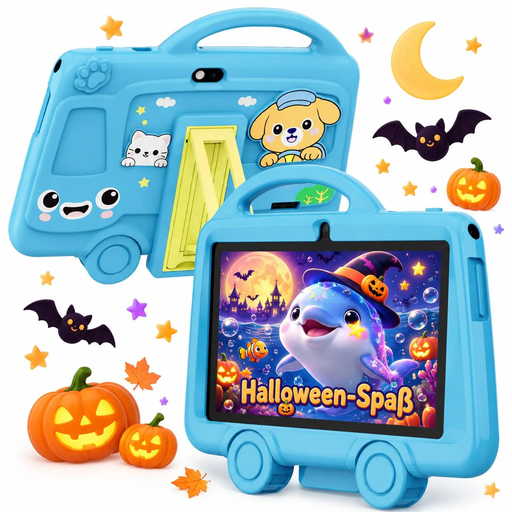
If you’re considering a compact tablet, the stated display size gives you a useful point of comparison.
7-inch display; 2 GB RAM and 32 GB storage.
 No image available
This model is worth considering if you’re looking for a compact E Ink reader with colour display.
The product name specifies a 6.13-inch display, Android 14 and 8 GB RAM plus 256 GB storage.
Different pixel densities are specified for colour and black-and-white content: 150 ppi for colour and 300 ppi for black and white. Use these figures to assess how your comic pages will look.
 No image available
The 6-inch format is one factor to consider if you’re looking for a compact reader to take with you.
The product name specifies a 6-inch display, Android 14, 4 GB RAM plus 64 GB storage, and a 36-level front light.
Different pixel densities are specified for colour and black-and-white content: 150 ppi for colour and 300 ppi for black and white.
 No image available
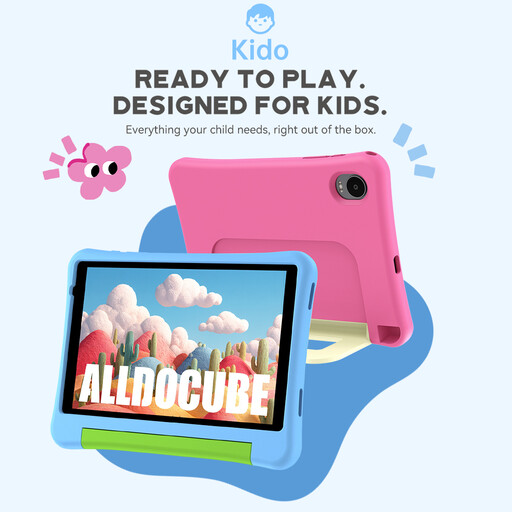
If you’re considering an 8-inch tablet, check the specifications and what’s included with this particular version.
The product name specifies Android 15, 3 GB RAM, 32 GB storage and a blue protective case. A power adapter is not included.
 No image available
The stated display size can help you decide whether this compact tablet is right for how you plan to use it on the train.
The product name specifies Android 14, 12 GB RAM, 256 GB storage and a 7,300 mAh battery. A power adapter is not included.
No, as long as you’ve downloaded the title beforehand and can open it offline in your reading app or on your e-reader. Set up your account and book before travelling. Deutsche Bahn lists Wi-Fi on all ICE trains and an increasing number of IC trains, but not on every train.
According to tolino’s instructions, connect to Wi-Fi, select Onleihe and your library on the device, then sign in using your library credentials. Borrow an available title and open it before your journey to check that everything works.
No. You should also check the book source, copy protection and the intended borrowing process. PocketBook lists EPUB, including a DRM variant, for the Verse Pro Azure; tolino documents a separate setup process for Onleihe. Neither guarantees that every title will work on every device.
Under the conditions set out in the law, Section 95a of the German Copyright Act (UrhG) prohibits bypassing effective technical protection measures without the rights holder’s consent. So don’t plan on solving a compatibility problem by removing copy protection.