
Lieferung heute & morgen

Qualitätsgarantie

Willkommens-Angebote freischalten: KOSTENLOSE Lieferung | Bis zu 80 % RABATT | Kostenlose 30-Tage-JoyPlus-Testphase
App herunterladen
An electric height-adjustable desk has become a cornerstone of the modern workspace for many, whether in a home office or a corporate setting. The ability to easily switch between sitting and standing can promote well-being and break up the monotony of long workdays. However, the market is crowded, and not every model delivers on its promises.
As your Joybuy Product Recommendation Officer, I'm here to help you identify the crucial features and avoid common pitfalls. This guide focuses on objective criteria to ensure you can make an informed decision about your new ergonomic desk.
Before you invest, it's important to be aware of the weaknesses that often only become apparent in daily use with cheaper or poorly designed models.
To avoid the problems mentioned above, you should pay close attention to a few key technical specifications. These factors define the quality and longevity of your new desk.
The heart of any electric desk is its drive system. Models with dual motors (one in each leg) generally offer greater stability, a smoother lifting motion, and a higher load capacity than single-motor models.
Stability is directly dependent on the frame. A robust steel frame with T-shaped feet provides a solid foundation. Pay attention to the maximum static load capacity, which should be at least 70 kg to safely support setups with multiple monitors and accessories.
The size of the desktop is crucial for a functional home office desk.
Modern desks offer features that make daily use safer and more pleasant.
Here are a few models that represent a smart choice for different user profiles, based on the criteria mentioned above.

Why this model is a good fit: With its 120 x 60 cm dimensions, this desk is ideal for smaller apartments or dorm rooms without compromising on functionality. It offers enough space for a laptop and a monitor.
The sturdy steel frame ensures stability even at this compact size. The quiet motor and memory function address the common issues of noise and loss of convenience.
Full ergonomic functionality in a small footprint, including a USB-C port and accessories like an organizer and hooks.

Why this model is a good fit: The 140 x 60 cm size is the all-rounder for the home office. It offers a great balance of workspace and footprint, ideal for a setup with two monitors and office supplies.
With a static load capacity of 70 kg, a quiet motor, and four memory presets, this model meets all the core requirements for stability, quiet operation, and convenience.
A complete feature package including a sit-stand reminder, USB-C port, and cable management accessories in a highly sought-after size.
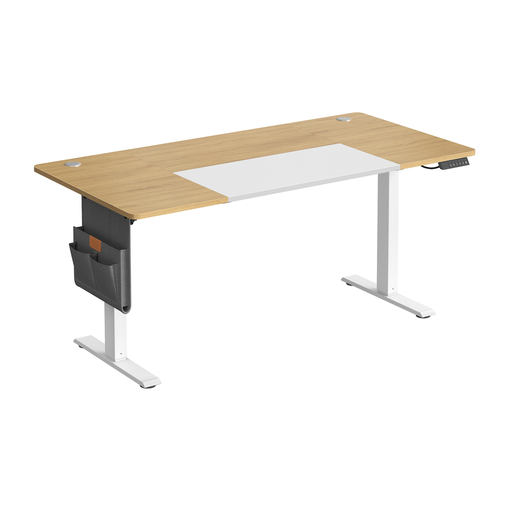
Why this model is a good fit: For power users with multiple large monitors, a docking station, and extensive accessories, this 160 x 70 cm desktop provides maximum room to spread out.
Despite the greater leverage from the wide desktop, the solid steel frame ensures the necessary stability. Its full feature set ensures no compromises are made on comfort or performance.
Maximum workspace for professional and complex setups, without sacrificing stability or ergonomic features.
We have a carefully curated selection of products that meet the objective criteria outlined in this guide. Find the perfect model for your needs.
1. How long does an electric height-adjustable desk last? The lifespan depends on the quality of the motor and the frame. Motors are often rated for a certain number of lift cycles. With proper use and adherence to the maximum load capacity, a high-quality desk can remain functional for many years. Pay attention to manufacturer guidelines, such as recommended rest periods after continuous motor use, to prevent overheating.
2. Is a sit-stand desk really healthier? Switching between sitting and standing encourages more movement throughout the workday. This can help reduce the discomfort associated with prolonged, uninterrupted sitting. A sit-stand desk supports a more dynamic way of working and can thus contribute to your overall well-being. It is a tool to help you establish more active habits.
3. How much electricity does an electric desk use? Power consumption is typically very low. Energy is almost exclusively used during the adjustment process, which only lasts a few seconds. In standby mode, consumption is minimal, comparable to that of other small electronic devices in sleep mode. Therefore, the operating costs are negligible.