
Lieferung heute & morgen

Qualitätsgarantie

Willkommens-Angebote freischalten: KOSTENLOSE Lieferung | Bis zu 80 % RABATT | Kostenlose 30-Tage-JoyPlus-Testphase
App herunterladen
An electric height-adjustable desk can make it easier to switch between sitting and standing while working from home, in the office or during your studies. However, you shouldn’t choose one based solely on marketing claims such as ‘ergonomic’ or ‘quiet’. Technical specifications, available floor space, safety features and suitability for everyday use are what really matter.
A 120 x 60 cm desk will often fit into a smaller room, but offers limited depth. Your monitor, keyboard, laptop and paperwork can quickly end up competing for space. If you regularly use two screens, measure the desktop to scale before you buy.
A 140 x 60 cm desk gives you more width for a typical home office set-up. A 160 x 70 cm desk is better suited to multiple monitors or extra work materials, but naturally takes up more room.
Height-adjustable desks often state only their maximum load capacity. Check whether this refers to static load capacity, and whether it needs to include the desktop, monitor arms, computer, speakers and any other items placed on the desk.
According to their product details, the models featured here have a maximum static load capacity of 70 kg. This limit should not be exceeded. Figures can vary between products, so check the specification sheet for each model.
Power and data cables move as the desk rises and lowers. Without cable management, they can get caught, pulled tight or rubbed against the wall. Cable grommets, organisers or hooks can help keep them in place. Check the cable lengths and socket location before assembling your desk, too.
A wide enough height range is essential for a sit-stand desk. Depending on the version, the JOYFURNOS models featured here adjust from around 72 to 120 cm. This is a useful guide, but you’ll still need to check what works for you: your sitting height, body height, chair position and arm posture all affect the right setting.
A memory function saves the heights you use most often. Preset buttons can make adjustments easier if several people share the desk or you regularly switch between sitting and standing. Some versions have four memory settings.
An electric standing desk should move smoothly, without jerking. The product details for the selected models list a steel frame and a quiet motor. However, no specific decibel rating is provided, so ‘quiet’ shouldn’t be taken to mean completely silent.
Also look for:
According to the product information, overheat protection may activate if the desk is adjusted continuously for more than two minutes. The desk should then be left for 18 minutes before use. Keep liquids away from the electrical components.
The chipboard and steel construction of the products mentioned here is designed for everyday indoor use. Before buying, you should still check the desktop thickness, edge finish and how the frame is attached.
Use this guide when choosing a size:
A desk with a USB-C port can make it easier to charge compatible devices at the control panel. Check the stated charging output and whether your device supports the charging protocol used.
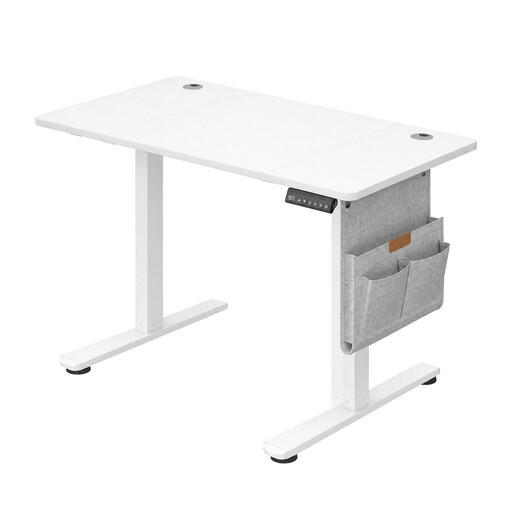
Why it suits this type of user: The compact desktop is ideal for smaller work or study spaces. Four memory settings make it easy to switch between saved positions.
The product details specify a static load capacity of 70 kg, cable grommets, an organiser and hooks. This gives you clearer information than a design description alone.
120 x 60 cm, height range of 72 to 120 cm, steel frame and four savable height settings.
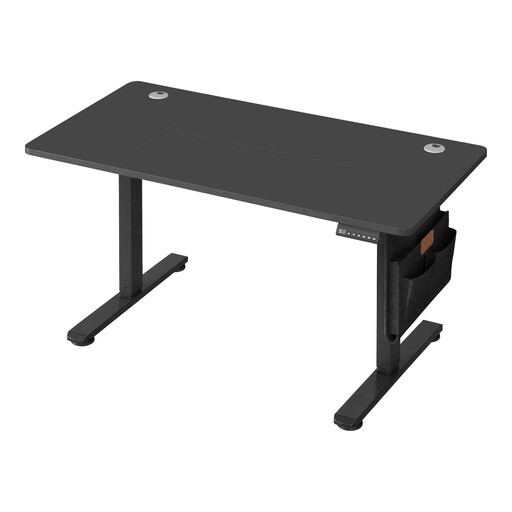
Why it suits this type of user: The medium-width desktop gives you room for a well-organised home office. The USB-C port, memory function and control panel lock combine convenient operation with clearly stated technical details.
Two cable grommets, a fabric organiser and a large hook help keep cables and small items from dangling loose.
140 x 60 cm, height range of 72 to 120 cm, USB-C port and 70 kg static load capacity according to the product details.
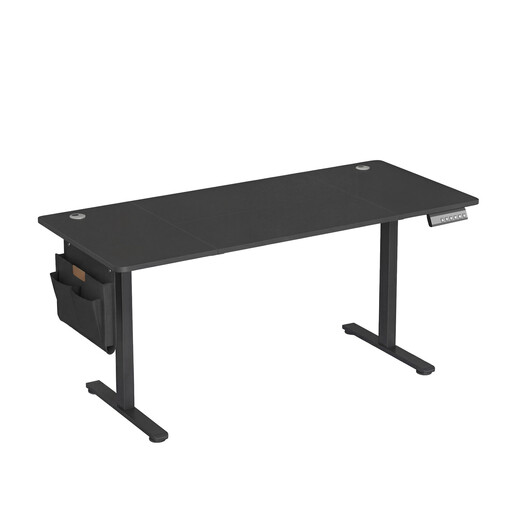
Why it suits this type of user: The larger work surface is designed for people using multiple monitors, a wide range of peripherals or lots of paperwork.
The 160 x 70 cm dimensions make the available desktop space clear. Cable grommets, an organiser and hooks help keep a larger set-up tidy.
160 x 70 cm, height range of 72 to 120 cm, steel frame, USB-C port and 70 kg static load capacity according to the product description.
Place the desk on a level surface. Before moving it for the first time, check that there’s enough clearance from walls, windowsills, drawer units and cables. The desktop shouldn’t sit directly against a wall. Clearly labelled components and easy-to-follow instructions can make assembly simpler; check the screws and connections once the desk is assembled.
For an ergonomic desk, it’s also important to set up your whole workstation correctly. Position the monitor directly in front of you, and try to keep your forearms comfortably supported while typing. Adjusting the desk height doesn’t replace regular breaks, and the desk is not a medical aid.
We’ve put together a complete, regularly updated list of products that meet these strict selection criteria and fully comply with the safety regulations in force in the EU.
Adjust the desk to a sitting height where your forearms are roughly horizontal when you type. When standing, the desktop should allow you to keep your shoulders and arms relaxed. If your desk has a memory function, save the positions you’ve found.
Its lifespan depends on factors such as the motor, load, assembly, frequency of use and care. The product information available doesn’t provide a general lifespan in years. Stay within the stated load limit, keep liquids away from electrical components and follow the guidance on overheat protection.
Power consumption depends on the motor, how often you use the desk and its standby mode. Specific consumption figures aren’t available for every model. An energy-saving function on the control panel can reduce power use in standby; check the relevant technical specification sheet for a more precise estimate.