
Lieferung heute & morgen

Qualitätsgarantie

Willkommens-Angebote freischalten: KOSTENLOSE Lieferung | Bis zu 80 % RABATT | Kostenlose 30-Tage-JoyPlus-Testphase
App herunterladen
An electric height-adjustable desk can make it easier to switch between sitting and standing when working from home, studying or using a home office. In practice, though, the motor isn’t the only factor that determines how well a desk works day to day. The wrong dimensions, no cable management or a load capacity that’s too low can mean that an attractive offer doesn’t end up being right for your workspace.
This buying guide explains what to check before you buy and which models may suit different needs.
The term electric desk simply means that the height is adjusted by a motor. It doesn’t tell you how noisy or stable the desk is, or how it moves when fully loaded. So look for a steel frame, adjustable feet and clear information about static load capacity.
A desk holding a monitor arm, several screens, speakers and a PC needs considerably more capacity than one used for a laptop and books. Don’t confuse the maximum load capacity with the recommended continuous load. Also check whether the stated capacity applies to the whole desk or just the frame.
A height-adjustable desk with a memory function saves selected positions and returns to them at the touch of a button. This saves time if several people use the desk or you regularly switch between two working heights. However, saved settings are only useful if you’ve first adjusted the seat height, monitor position and arm posture correctly.
Many models have four memory slots. This is handy for sitting and standing positions, as well as for different users. Also look for a control panel lock if children have access to your home office or you want to prevent accidental adjustments.
Two cable grommets make it easier to feed cables through the desktop. However, power supplies and cables will only stay tidy underneath if there’s also a cable bag, organiser, hooks or a suitable cable tray. So check where the sockets are and whether the cables have enough slack when the desk moves up and down.
The desk mustn’t be placed right up against a wall while it’s moving. Drawers, window sills and shelves must also be clear of its range of movement. And when it comes to electrical components, keep liquids away and follow the instruction manual.
The right height depends on your height, chair and working style. A range of around 72 to 120 cm covers many sitting and standing positions, but you’ll still need to adjust it to suit you. When sitting, your shoulders should be relaxed and your forearms roughly horizontal. When standing, the desktop should be high enough that you don’t have to keep looking down.
For small rooms or a compact student workspace, a 140 x 60 cm desk is often enough. This size has room for a laptop or a monitor and keyboard. If you need space for two monitors, stationery and other devices, a 160 x 70 cm desk is likely to be a better choice. Check the available floor space, doorways and distance from the wall before you buy.
A stated maximum static load capacity of 70 kg gives you a clear point of comparison. For everyday use, add up the weight of the desktop, monitors, mounts, computer, lamps and accessories. Dynamic loads, such as leaning on the desktop, can affect it differently from a static load distributed evenly across the surface.
Steel frames and sturdy steel tubes can help improve stability. However, the result also depends on the floor, assembly and how the feet are positioned. On suitable models, adjustable feet can compensate for uneven floors.
A memory control with several preset positions is more convenient if you switch frequently than having to hold down a button each time. A desk with a USB-C port can let you charge compatible devices directly from the control panel. However, check the stated charging output and don’t use power adapters with an unsuitable voltage.
The models listed here are described as having an overheating protection function. If you operate the height adjustment continuously for an extended period, you may need to let it cool down. This can usually be avoided with normal changes between sitting and standing positions. Assemble the desk carefully and test its movement before placing delicate items on the desktop.

Why this product suits this profile: Its compact surface is well suited to laptop workspaces, studying and smaller home offices. According to the product details, it has four saved height settings and a maximum static load capacity of 70 kg.
The height adjustment and memory settings make you less reliant on an inconvenient fixed working height. Cable openings, a cable bag and hooks help keep your workspace tidy.
Compact dimensions of 120.1 x 60.1 cm, four saved height settings and a steel frame, according to the product description.
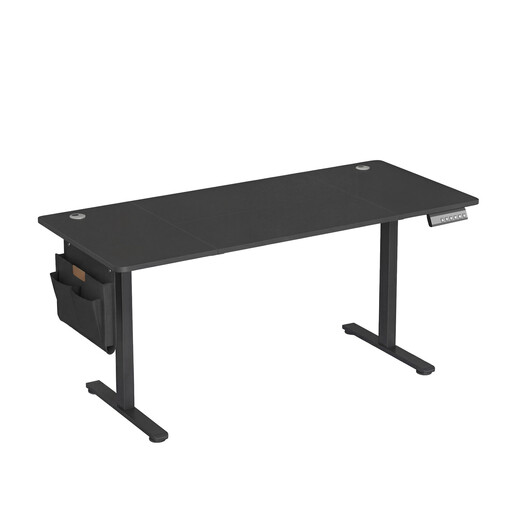
Why this product suits this profile: The larger work surface gives you more room for multiple monitors, documents and accessories. According to the product details, the height ranges from 72 to 120 cm and the maximum static load capacity is 70 kg.
The 160 x 70 cm surface gives you enough depth. Cable grommets, an organiser and a USB-C port address common needs when it comes to keeping your workspace tidy.
160 x 70 cm surface, four memory slots, USB-C port and adjustable feet, according to the product details.

Why this product suits this profile: For anyone who often switches between sitting and standing, the four memory slots combine a compact desk size with quick, easy controls. The USB-C port, cable management and hooks are handy for workspaces used regularly.
Preset positions make it less likely that you’ll keep working at the wrong height. The integrated organisation features help reduce loose cables and clutter on the desktop.
Four memory presets, height adjustment up to 120 cm, USB-C port and a maximum static load capacity of 70 kg, according to the product details.
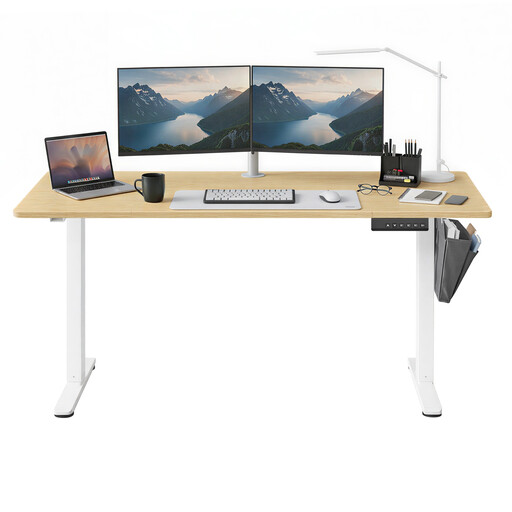
Why this product suits this profile: The combination of a generous work surface, memory slots and a charging port is well suited to workspaces with several devices and frequent changes of position.
The extra depth gives you more space between the screen and the front edge of the desk. Cable openings and an organiser help keep all your additional devices and accessories in order.
160 x 70 cm surface, four memory slots, USB-C port and a maximum static load capacity of 70 kg, according to the product description.
We’ve put together a complete, regularly updated list of products that meet these strict selection criteria and fully comply with the safety regulations in force in the EU.
Start with your sitting position. Your feet should rest flat on the floor, with your forearms relaxed on the desktop. Then set the standing position without hunching your shoulders. Save both settings only once your monitor, keyboard and mouse are positioned correctly.
Its lifespan depends on the motor, frame, assembly, load and how it’s used. Don’t exceed the stated load capacity, and make sure nothing obstructs the desk as it moves. Check the screws and connections after assembly and at regular intervals. Without information from the manufacturer, it’s not possible to give a reliable estimate of its lifespan.
Power consumption depends on the motor, how often you adjust the desk and its standby mode. Adjusting the height usually takes only a short time. For an accurate estimate, you’ll need the power consumption figures for the specific model and your electricity tariff. A power-saving function on the control panel may reduce standby consumption, if the product includes one.