
Lieferung heute & morgen

Qualitätsgarantie

Willkommens-Angebote freischalten: KOSTENLOSE Lieferung | Bis zu 80 % RABATT | Kostenlose 30-Tage-JoyPlus-Testphase
App herunterladen
A 3D printer should do more than boast high speeds on its spec sheet. It needs to work reliably in everyday use with the filament, build volume and printing method you need. For makers, model builders, schools, start-ups and small businesses, unnecessary costs often arise when important technical details are overlooked before purchase.
Figures such as 600 or 800 mm/s usually refer to a maximum operating speed. The speed that works best in practice depends on factors including nozzle size, layer height, acceleration, filament flow and model geometry. A fast 3D printer therefore needs well-matched mechanics and a hotend with sufficient capacity.
A 3D printer suitable for PLA and PETG won’t necessarily work with every technical filament. Carbon-fibre filament is abrasive and can wear down standard nozzles. Materials such as ABS, ASA, nylon and PPS-CF also place greater demands on temperature control, the print chamber and ventilation.
Multicolour systems often need to purge material when changing colours. This creates waste and adds to print time. Before buying, check the number of colours, filament management, drying arrangements and slicer compatibility. With some systems, it’s also worth checking whether 4 colours are available as standard and whether you need to buy an expansion separately.
Build volume determines whether you can print large parts in one piece. According to the manufacturer’s product specifications, a large 3D printer with a 390 × 390 × 340 mm build volume is suitable for larger models, moulds and prototypes. More compact printers with a build volume of around 260 × 260 × 260 mm may require larger objects to be made from several separate parts.
Before buying, check:
A heated print bed is usually enough for PLA. PETG also benefits from a suitable bed temperature and good adhesion. For ABS, ASA, nylon and carbon-fibre blends, a 3D printer with a heated print chamber can help maintain a stable temperature.
Several printers are listed as having an active print chamber that heats to up to 65 °C. However, this figure isn’t the only thing that matters: the enclosure design, airflow, hotend and print bed must also suit the material. For abrasive filaments, look for a hardened steel nozzle or another similarly wear-resistant option.
A 3D printer with automatic bed levelling measures uneven areas of the print bed and reduces the amount of manual set-up needed. It doesn’t, however, replace a clean print bed or a correctly set Z-height.
According to product specifications, an AI camera can help detect certain issues, such as spaghetti-like prints or foreign objects. It won’t prevent every print failure, so check whether video monitoring, object exclusion, power-loss recovery and a filament sensor are actually included.
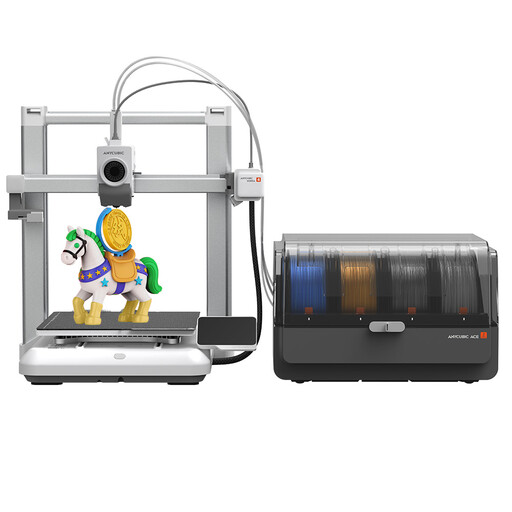
Why it suits this type of user: This FDM 3D printer combines automatic levelling, a 260 × 260 × 260 mm build volume and 4-colour printing as standard. That makes it an appealing choice for creative projects, classroom use and your first functional models.
The specifications list recommended and maximum speeds separately. They also include AI detection, Wi-Fi and automatic bed levelling.
Hotend temperatures of up to 300 °C, a print bed temperature of up to 100 °C, a hardened steel nozzle and 4-colour printing, with the option to expand to 8 colours.
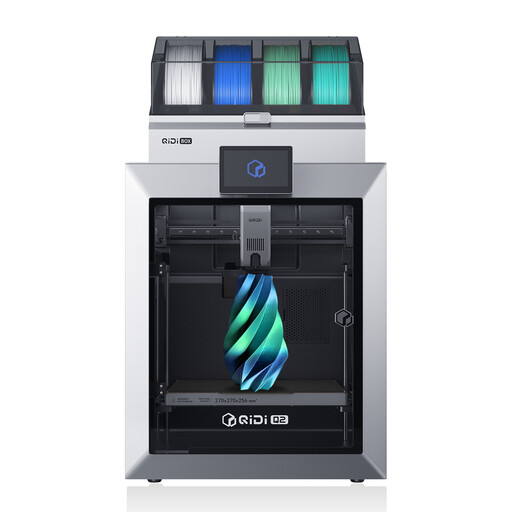
Why it suits this type of user: This enclosed FDM printer is designed for users who want to print with more demanding materials as well as PLA and PETG, and value automated workflows.
The heated print chamber, automatic levelling, filament detection and AI camera are listed as individual features, rather than relying on a general speed claim.
According to product specifications, a heated print chamber reaching up to 65 °C, a hotend temperature of up to 370 °C and a 270 × 270 × 256 mm build volume.
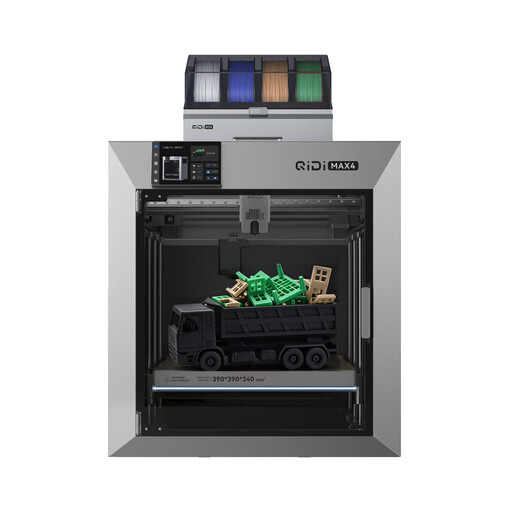
Why it suits this type of user: This model is designed for large parts, prototypes and multi-material applications. Its build volume is ideal for projects where you want to avoid making several separate parts.
This model combines a large build volume with active print-chamber heating and a hardened hotend. This means your material options aren’t limited to PLA-compatible filaments.
A 390 × 390 × 340 mm build volume, a heated print chamber reaching up to 65 °C according to product specifications, and support for up to 16 colours with QIDI Box.
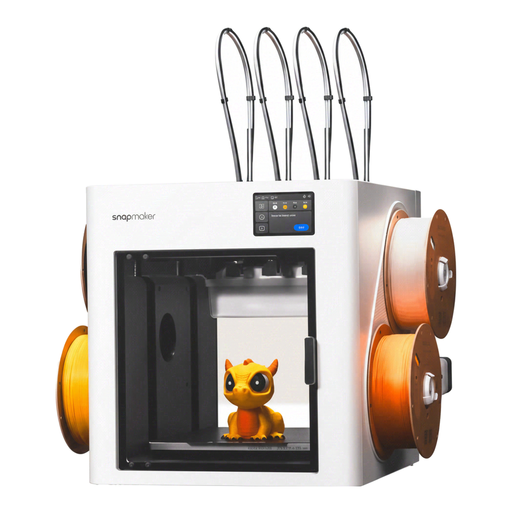
Why it suits this type of user: According to product specifications, four independent toolheads support different colours and materials. This is useful for educational settings, model making and frequent colour changes.
The system uses separate toolheads, making it less reliant on purging material from a single extruder. You’ll still need to take material limitations into account.
A 270 × 270 × 270 mm build volume, automatic mesh bed levelling and a print speed of up to 300 mm/s, according to product specifications.
Even a powerful 3D printer won’t deliver consistent results if the filament has absorbed moisture. PLA is relatively easy to handle, while PETG, nylon and fibre-reinforced materials benefit particularly from dry storage.
Choose airtight containers with a silicone seal, space for standard spools and an area for labelling. Well-organised filament storage also makes it easier to keep track of material type, colour and print temperature. When using carbon-fibre filament, follow the manufacturer’s guidance on nozzles and recommended temperature ranges.
Running costs include electricity, filament, wear parts and, where applicable, print beds or nozzles. The main factors are print time, heating power and material cost. Multicolour printing can also create additional purging waste, depending on the system.
Its lifespan depends on how often it’s used, how well it’s maintained and the quality of its components. Regularly cleaning the nozzle, checking the belts and axes, and storing filament in dry conditions can help reduce maintenance needs. Wear parts such as nozzles, PTFE tubes and print beds need replacing depending on how often you use the printer.
Models with automatic bed levelling, a filament sensor, power-loss recovery and easy-to-use software make it easier to get started. Safety rules still matter, though: the nozzle and print bed get hot, moving parts should not be touched, and technical filaments need adequate ventilation.