
Lieferung heute & morgen

Qualitätsgarantie

Willkommens-Angebote freischalten: KOSTENLOSE Lieferung | Bis zu 80 % RABATT | Kostenlose 30-Tage-JoyPlus-Testphase
App herunterladen
By a Joybuy Product Recommendation Officer, July 28, 2026
Long workdays at a desk, whether in a home office or a corporate setting, take their toll. Neck tension, lower back pain, and general fatigue are common consequences of unsuitable seating. The market for office chairs is vast, and advertising claims are often lofty. However, not every chair marketed as "ergonomic" actually meets the criteria necessary for healthy and productive work.
Many buyers invest in a new chair, only to find that the hoped-for relief never materializes. This is often due to common misconceptions and marketing traps. Before you make a decision, you should be aware of the two most common pitfalls:
To avoid a bad purchase, it's crucial to understand the technical features that offer real value. Focus on the following three core parameters, which are decisive for correct posture and long-lasting comfort.
The lumbar spine (lordosis) has a natural S-curve. Prolonged sitting without adequate support causes this curve to flatten, which increases pressure on the intervertebral discs and can lead to lower back pain. A basic desk chair with lumbar support is a start, but the quality is in the details.
Effective lumbar support must be height-adjustable to position it exactly at the curve of your lumbar spine. Some high-end models also offer depth adjustment, allowing you to regulate the intensity of the counter-pressure. A rigid, integrated curve in the back padding is often insufficient as it doesn't cater to your individual anatomy.
Incorrectly positioned armrests can lead to tension in the shoulder and neck area. If they are too high, the shoulders are pushed up; if they are too low, the weight of the arms hangs on the shoulder muscles.
Here, the quality levels differ significantly:
A chair with 3D armrests allows you to optimally support your forearms while working at the keyboard without raising your shoulders. This promotes a relaxed posture and actively prevents tension.
Sitting rigidly for hours is unhealthy. A good swivel chair should encourage dynamic sitting, meaning it should allow for small movements and changes in posture. The synchronous mechanism is a key feature for this. It ensures that the backrest and seat tilt in a synchronized ratio. When you lean back, the seat tilts slightly back with you, which stabilizes the pelvic area and promotes circulation.
The material also plays a role. An office chair with a mesh back offers high breathability. Especially on warm days or during long sitting periods, heat buildup is avoided, which significantly increases comfort. While padded chairs can be very comfortable, they should be made of high-quality, breathable fabric.
Based on the criteria mentioned, we have identified a few models that are suitable for different user profiles and requirements.
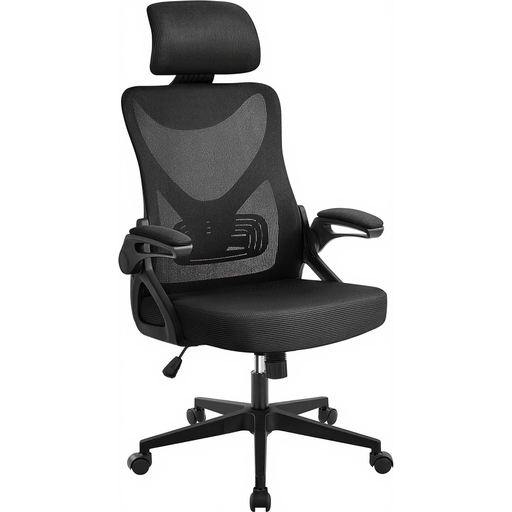
Why This Fits Their Persona: Ideal for users who use their workspace flexibly and value space-saving design. The chair offers solid basic ergonomic functions for daily use without dominating the room.
This chair bypasses the "one-size-fits-all" trap with an adjustable headrest and a lumbar support system that can be shifted by 5 cm. The flip-up armrests offer flexibility that rigid models lack.
The main advantage is the 90° flip-up armrests, which allow the chair to be pushed completely under the desk to save space. The rocking function provides relaxation during breaks.
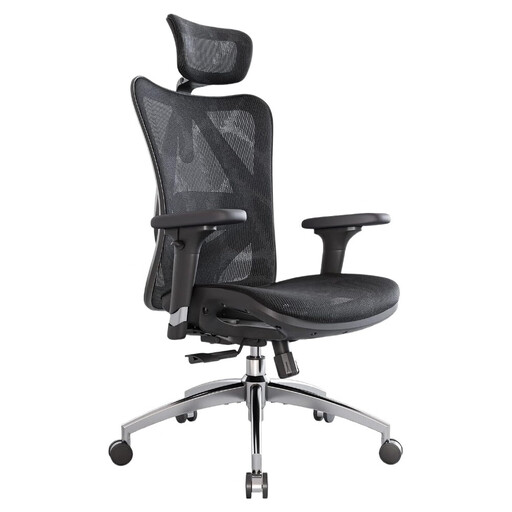
Why This Fits Their Persona: Perfect for individuals who spend many hours at their desk every day. This Sihoo office chair offers comprehensive adjustment options to provide optimal body support throughout a long workday.
It escapes the "ergonomic" trap through verifiable, functional adjustments. The lumbar support, headrest, and 3D armrests are not just present, but precisely adjustable to ensure a customized fit.
The key advantage is the combination of an S-shaped, ergonomic backrest with adjustable lumbar support and the breathable mesh back. This provides targeted support and thermal comfort.
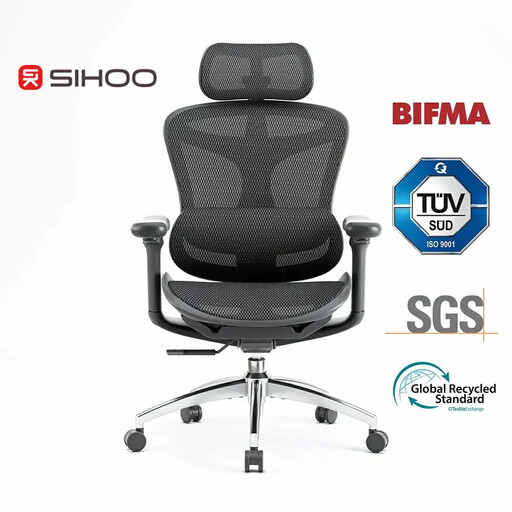
Why This Fits Their Persona: For users who refuse to compromise on comfort and ergonomic technology. This chair is designed for the highest demands of dynamic support and adaptability.
This model goes far beyond standard ergonomics. Instead of static adjustments, it offers a self-adaptive lumbar support and a weight-sensitive tilt mechanism that actively adapts to the user's movements.
The decisive advantage is its intelligent mechanics. The dynamic lumbar support and the weight-sensitive tilt function provide continuous, balanced support without manual readjustment.
We have compiled a complete, up-to-date list of products that fully meet these strict selection criteria and German safety regulations.
The lifespan of an ergonomic office chair depends heavily on the quality of its materials and mechanics. Entry-level models often last 2-3 years, while high-quality chairs with robust metal components and certified gas lifts (e.g., to BIFMA standards) can remain functional for 7-10 years or more with regular use. Pay attention to the manufacturer's warranty terms, which are often a good indicator of expected durability.
Both materials have their pros and cons. An office chair with a mesh back is highly breathable and prevents sweating, which is a major advantage, especially in summer or in poorly air-conditioned rooms. The mesh also conforms well to the contours of the back. A padded chair is often perceived as softer and cozier. High-quality padding with cold foam also offers good pressure distribution. Ultimately, the choice is a matter of personal preference and the work environment.
Correct adjustment is crucial for the ergonomic effect. Follow this sequence: