
Lieferung heute & morgen

Qualitätsgarantie

Willkommens-Angebote freischalten: KOSTENLOSE Lieferung | Bis zu 80 % RABATT | Kostenlose 30-Tage-JoyPlus-Testphase
App herunterladen
By: Joybuy Product Recommendation Officer
Long hours in the home office, intense gaming sessions, or focused study at a desk are a daily reality for many. The wrong chair can quickly lead to discomfort and muscle tension. Choosing a suitable chair is therefore a crucial decision for your daily comfort. This article serves as a guide, introducing various models with ergonomic features to help simplify your selection.
The search for the right chair can feel overwhelming with so many options available. Focusing on a few key features will help you make an informed decision.
A key feature of any ergonomic chair is its adjustability. Every body is different, which is why a swivel chair with adjustable lumbar support is a fundamental requirement. This support should be height-adjustable to conform to the natural curve of your lumbar spine. Other essential adjustment options include:
The backrest plays a crucial role in supporting your upper body. A high-back office chair offers full support up to the shoulder area. Some models also feature a desk chair with a headrest, which relieves neck strain during long periods of sitting or when reclined.
The material also affects comfort. Mesh fabric is breathable and promotes air circulation, which is especially beneficial on warmer days. PU leather offers a classic look and is easy to clean, while fabric covers provide a soft feel.
For users who want maximum flexibility, models with advanced features are ideal. A chair with a reclining function allows you to tilt the backrest far back to relax briefly during breaks. This feature is common in an ergonomic gaming chair, which is often designed for extended use. A rocking mechanism can also contribute to dynamic sitting by encouraging gentle movements.
Based on the criteria mentioned, we have compiled a selection of chairs that stand out for their specific ergonomic features and functions.
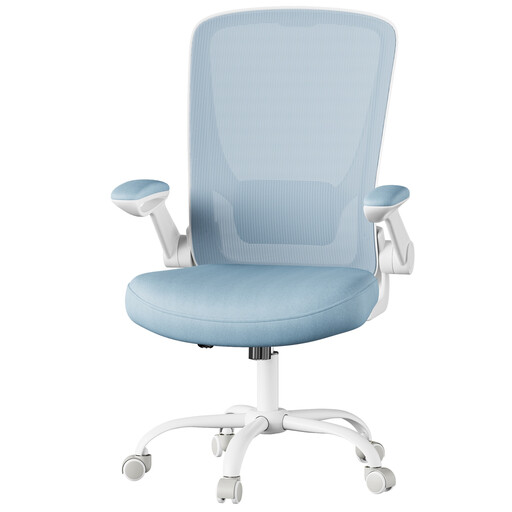
Why It Stands Out This model focuses on essential ergonomic support and practical functionality for daily use as a home office chair. The curved backrest and adjustable lumbar support are designed to relieve pressure on the spine. A standout feature is the flip-up armrests, which allow the chair to be pushed neatly under a desk to save space.
Pros
Who It's For This chair is an excellent choice for users looking for a functional, space-saving office chair for their home office who value essential ergonomic features like lumbar support and breathability.
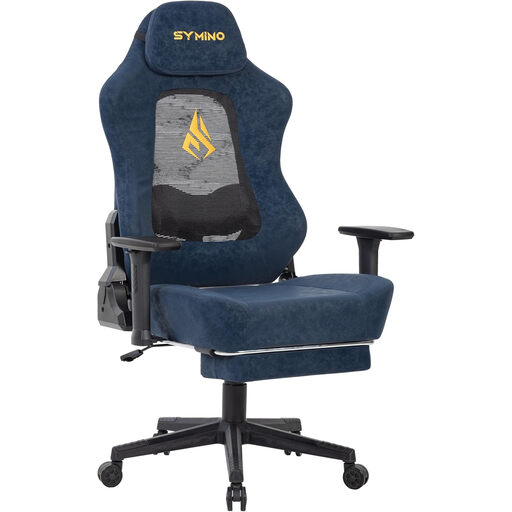
Why It Stands Out The SYMINO Gaming Chair combines a striking design with advanced features. The backrest includes a mesh cutout to enhance breathability. The 3D lumbar support adapts to the user's movements. With a recline range of 90° to 155°, this chair with a reclining function offers versatile positioning for work, gaming, and relaxation.
Pros
Who It's For This model is aimed at gamers and users who spend long hours at the computer and are looking for a chair with extensive adjustment options, a reclining function, and a design suitable for both gaming and office work.
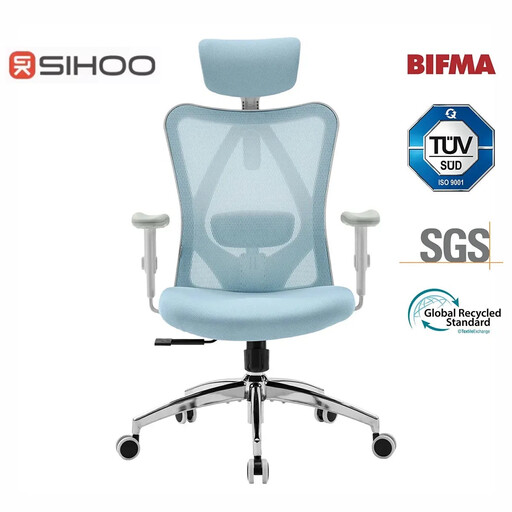
Why It Stands Out The SIHOO M18 is a fully-featured office chair designed for extensive adjustability. It includes a high backrest with an adjustable headrest and lumbar support. According to the manufacturer, the chair is BIFMA and SGS certified and has passed a static pressure test of 1136 kg. The W-shaped seat design is intended to promote a centred sitting posture, while the waterfall front edge minimises pressure on the thighs.
Pros
Who It's For This chair is designed for individuals who need a fully adjustable ergonomic chair for intensive daily use in the office or home office and who value certified components and comprehensive support from head to lumbar spine.
The models featured here cover a range of different needs. If you're looking for a different colour or a specific design that better suits your workspace, you can find more alternatives in our category.
? Explore our selection of blue chairs here
A good ergonomic office chair is defined by its ability to adapt to the individual user. Key features include adjustable seat height, seat depth, armrests, and a height-adjustable lumbar support. Materials like breathable mesh fabric and a high backrest can further enhance comfort.
A basic setup can be done in a few simple steps:
There's no strict rule, but it is generally recommended to take regular breaks from sitting. Dynamic sitting—frequently changing your position—is beneficial. Ideally, plan a short break every 30 to 60 minutes to stand up, stretch, and walk a few steps.