
Lieferung heute & morgen

Qualitätsgarantie

Willkommens-Angebote freischalten: KOSTENLOSE Lieferung | Bis zu 80 % RABATT | Kostenlose 30-Tage-JoyPlus-Testphase
App herunterladen
Long hours at a desk can lead to tension and discomfort, impacting both productivity and overall well-being. An ergonomic office chair isn't a luxury; it's a fundamental investment in a healthy workspace. However, the market is flooded with models whose marketing promises often oversell what their design can actually deliver. This guide will help you identify the crucial features and steer clear of common purchasing traps.
Many chairs are marketed as "ergonomic," but the term isn't regulated. This leads buyers to invest in products that can cause more harm than good in the long run. Watch out for these widespread shortcomings:
To avoid a bad purchase, focus on verifiable technical features rather than vague marketing claims. The following three parameters are essential for an office chair for long hours of sitting.
The mechanism determines how the seat and backrest move. A simple tilt mechanism, where the angle between the seat and backrest remains fixed, is unsuitable for prolonged sitting.
Instead, look for a synchronous mechanism. With this mechanism, the backrest reclines while the seat pan tilts and lowers in a coordinated ratio. This promotes circulation, relieves pressure on the spinal discs, and supports a dynamic posture that prevents tension.
A good ergonomic desk chair adapts to you, not the other way around. Verify these three adjustment options:
The choice of material affects both the comfort and the lifespan of the chair.
Based on the criteria above, we've identified several models suited for different needs and budgets.
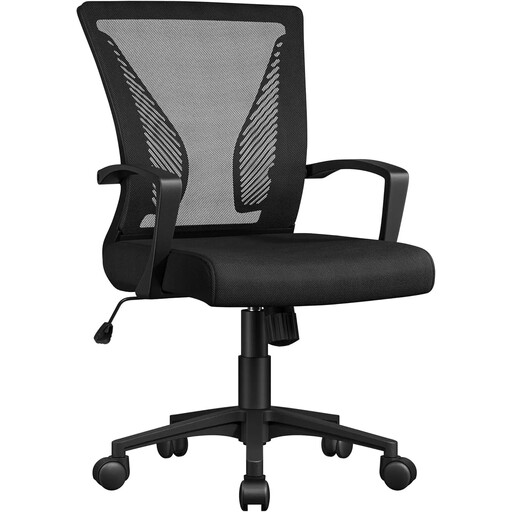
Why This Fits Their Persona: Ideal for students or a first home office. It provides the basic ergonomic functions needed for occasional to moderate work without breaking the bank.
It sidesteps the "false ergonomics" trap by offering adjustable seat height and a breathable mesh back—two concrete, useful features instead of empty promises.
Solid foundational features, including a breathable mesh back and a weight capacity of up to 136 kg, which is not a given in this price range.
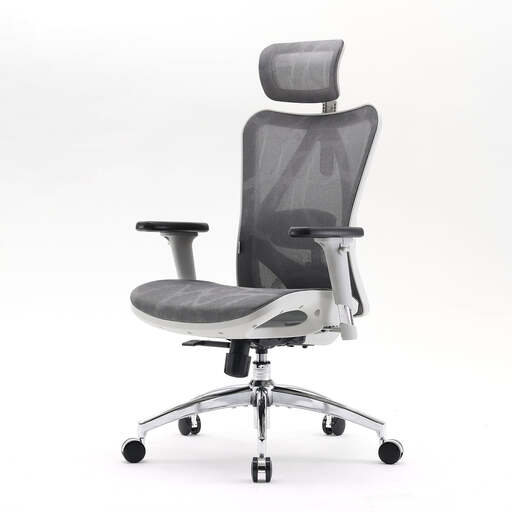
Why This Fits Their Persona: For individuals who spend more than six hours at their desk daily. Its comprehensive adjustment options allow for precise body contouring and actively prevent fatigue.
It counters the trap of inadequate support with a height-adjustable lumbar system and 3D armrests. These are tangible, high-quality features that enable personalized customisation.
Comprehensive adjustability (lumbar support, 3D armrests, headrest, recline angle) and a sturdy aluminium alloy frame ensure long-term durability.
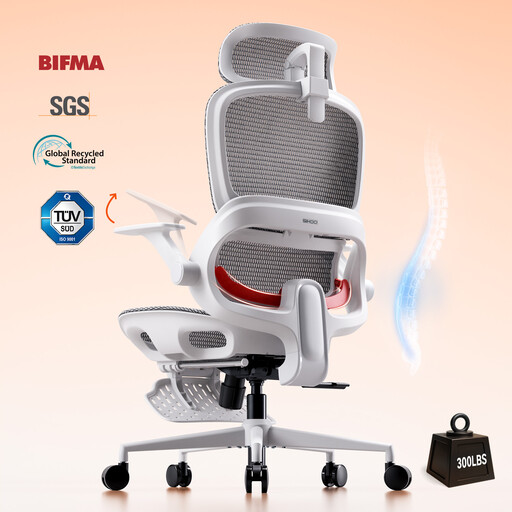
Why This Fits Their Persona: Perfect for users who want to not only work but also take breaks in a relaxed position. The footrest allows for a near-reclined posture to relieve back and leg pressure.
This model combines a comfort feature (the footrest) with genuine ergonomic functions like adaptive lumbar support and a wide headrest. It's more than just a gimmick.
The integrated, retractable office chair with footrest provides an extra layer of relaxation missing from standard office chairs. Ideal for power naps or reading breaks.
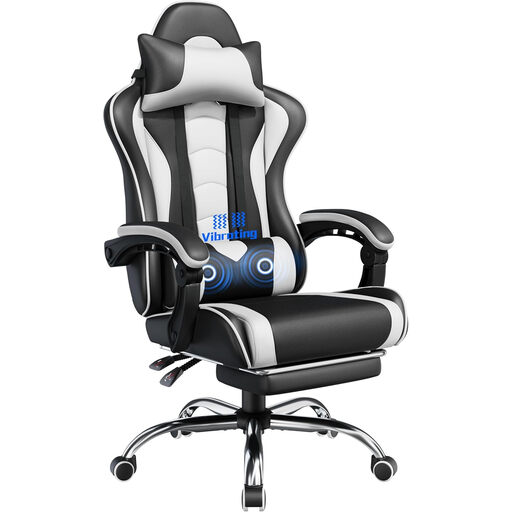
Why This Fits Their Persona: Designed for long, intense gaming sessions. The high backrest, extensive recline, and extra features like the massage function are tailored to the needs of gamers.
While many gaming chairs focus only on aesthetics, this model offers verifiable ergonomic features: a backrest that reclines up to 135°, adjustable cushions, and a footrest.
An ergonomic gaming chair with a wide range of features, including a massage cushion and footrest, that is also well-suited for long workdays.
We have compiled a complete, up-to-date list of products that fully meet these strict selection criteria and all applicable safety standards.
The lifespan of an ergonomic office chair depends heavily on material quality, construction, and intensity of use. A high-quality model with a metal base, durable casters, and robust upholstery can last between 5 and 10 years with daily use. The manufacturer's warranty period can be a good indicator of expected durability. Regular maintenance, such as tightening screws, can further extend its lifespan.
An ergonomic gaming chair can be a valid alternative, especially for users who sit for long periods and prefer a high backrest. Many models offer similar adjustment options, such as lumbar support, adjustable armrests, and a recline function. The main difference often lies in the design (racing-style bucket seat) and the side bolsters, which can somewhat restrict movement. For purely office work, a classic ergonomic desk chair often provides more subtle adjustments, whereas a gaming chair is well-suited for mixed use, combining work and leisure.
A computer chair with a headrest is especially beneficial for people who frequently recline during the day. In an upright typing position, the headrest is used less often. However, it proves its value during breaks, phone calls, or reading, as it supports the neck and head, relieving pressure on the cervical spine. This can help reduce tension in the shoulder and neck area.