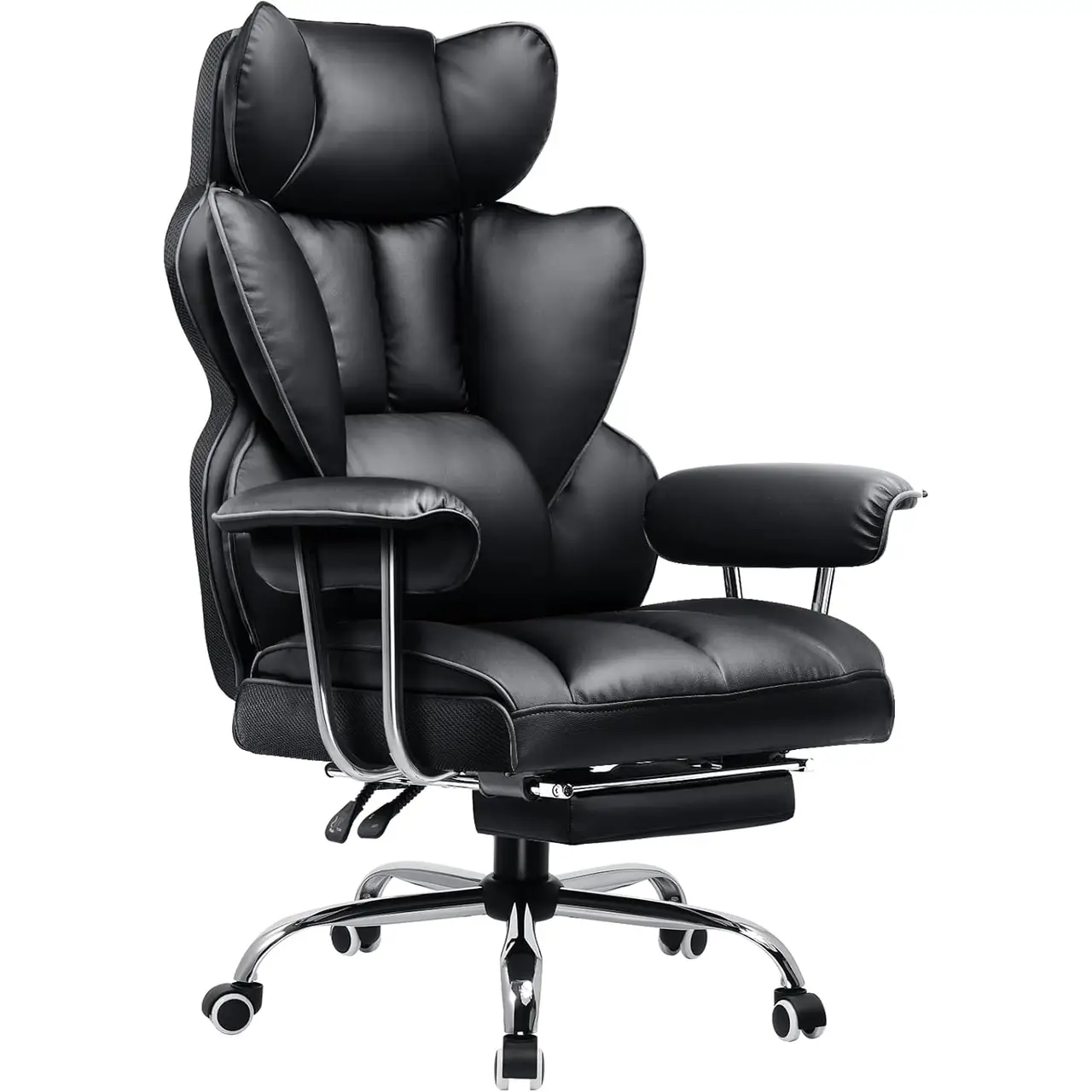
Make gaming, working or unwinding more comfortable with this black ergonomic gaming chair. Faux leather upholstery, high-density foam padding, lumbar support and padded armrests provide support, while adjustable seat height and a backrest that reclines up to 135° help you find a suitable position. Swivel 360° to move easily, or extend the footrest during breaks. A practical choice for gamers and anyone setting up a home office or relaxation space.
How to Choose the Right Gaming Chair
Choosing a gaming chair is about finding a comfortable, durable fit for your body and desk—not simply choosing a particular style. Compare the chair’s dimensions, adjustment options and materials with how and where you plan to use it.
Key Features to Consider
Check these practical criteria before buying, and use the manufacturer’s measurements and user limits to compare models.
- Fit and support: Compare the seat width, depth and height range with your measurements and desk height, and check the stated maximum user weight. Look for adjustable lumbar and neck support if you want to tailor the fit for longer gaming or working sessions.
- Adjustability and extras: Check whether the chair’s armrests, recline and seat height can be adjusted to suit your posture and desk setup. A footrest can be useful for reclining breaks, but make sure it stores neatly and is not a substitute for a suitable seat height.
- Materials and durability: Compare the upholstery, padding, base and castors, as these affect comfort, cleaning and everyday wear. Check the product details for upholstery care, frame construction and warranty terms, and choose castors suited to your floor type.
Settle In and Level Up: Comfort for Work, Gaming and Downtime
Supportive Padding for Longer Sessions
Make your setup feel welcoming with high-density foam padding across the seat and backrest, designed to provide a comfortable place to settle in for work, gaming or relaxation. Ergonomic lumbar support adds support around your lower back, while the padded armrests give your arms a comfortable place to rest. Finished in black faux leather upholstery, the chair brings a coordinated look to your gaming or home-office space and pairs everyday comfort with a sleek, easy-to-style finish.
Find Your Position with Adjustable Recline
Make your seating position your own with an adjustable seat height and a backrest that reclines up to 135°. Sit upright for focused tasks, then lean back to enjoy a more relaxed position during a gaming break or a quiet moment. The chair also swivels 360°, making it easy to turn and move naturally within your setup. Together, these practical adjustment options let you shape the chair around your routine and enjoy a flexible seat for work, play and relaxation.
Put Your Feet Up with a Retractable Footrest
Enjoy an easy way to make breaks feel more relaxing with the chair’s retractable footrest. Extend it when you want to put your feet up, then tuck it away again as you return to your desk. Paired with the padded seat and backrest, it helps create a comfortable spot for gaming sessions, everyday work and downtime alike. The black faux leather finish gives the chair a polished look, while its supportive design and convenient footrest make it a versatile addition to a gaming room or home office.
Who The Ergonomic Gaming Chair With Footrest Suits
Gamers Settling In To Play
When you settle in to game at your desk, ergonomic lumbar
support and padded armrests help you stay comfortably
supported, while reclining the backrest lets you change
position between rounds. You get a more comfortable setup for
play.
People Working At A Desk
When your desk doubles as your workspace, adjust the seat
height to suit your setup and let the high-density foam
padding cushion you as you work. The padded armrests give your
arms a softer place to rest, making your work setup more
comfortable.
Anyone Taking A Break Between Tasks
When you pause between tasks, extend the retractable footrest
and recline the backrest to put your feet up and settle back.
You can make your break feel more restful without leaving your
chair.
People Moving Between Nearby Tasks
When you switch between tasks around your workstation, swivel
the chair through 360° to turn towards what you need. You can
move between nearby parts of your setup more easily.
Frequently Asked Questions
How far does the GTPLAYER gaming chair recline, and does it have a footrest?
The GTPLAYER gaming chair reclines to 135° and has a retractable footrest for putting your feet up during breaks. You can adjust the seat height and use the ergonomic lumbar support to settle into a position for gaming, working or relaxing, with padded armrests adding support.
What are the dimensions of this black gaming chair?
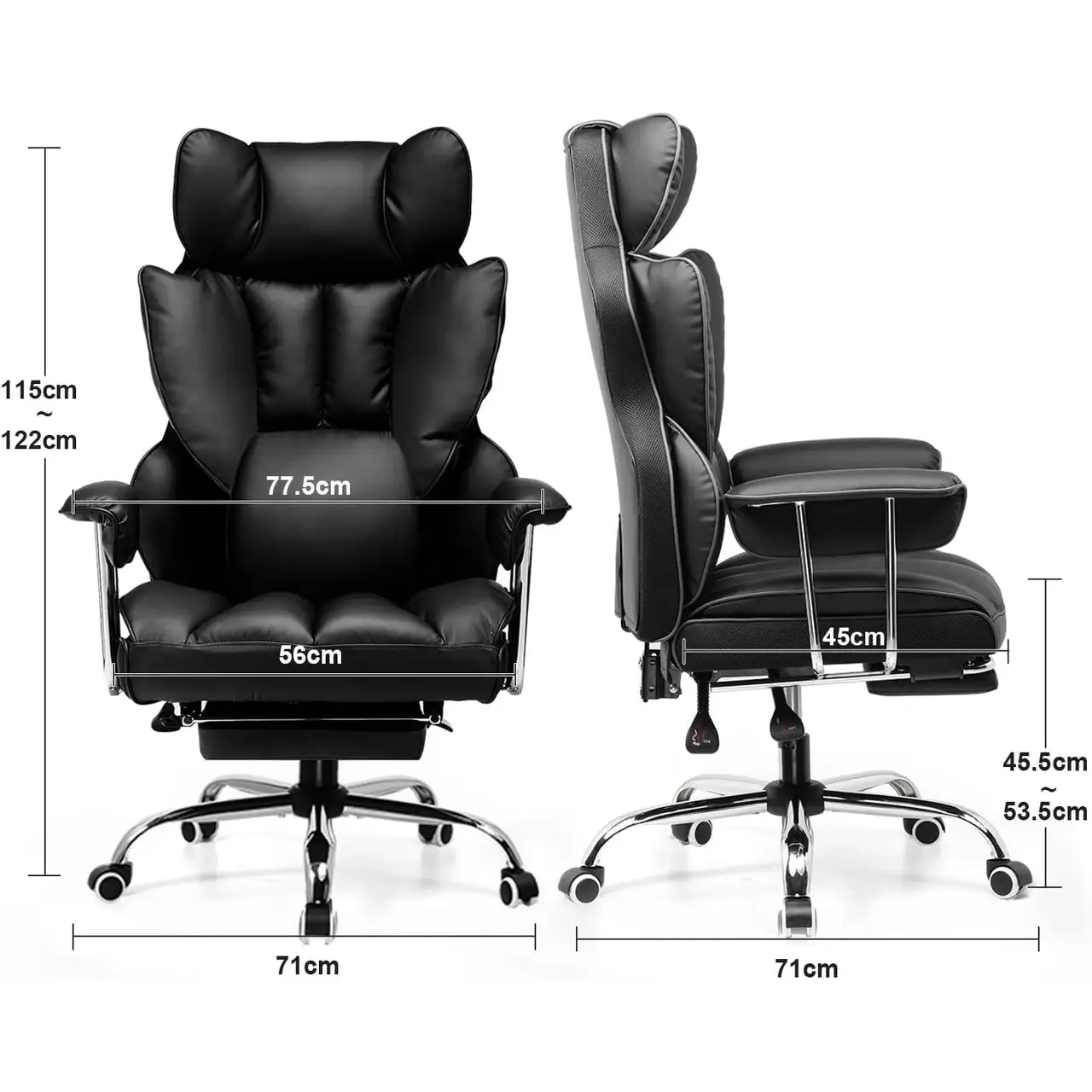
The chair measures 47 cm deep, 77.5 cm wide and 124 cm high, and weighs 17 kg. Allow room for its width and for the backrest to recline, so you can use the 135° tilt and pull-out footrest comfortably in your gaming or work space.
How do I keep this gaming chair stable and look after its faux leather?
Use the chair on a stable surface and periodically tighten its screws and connections to maintain stability. Make sure the assembly is secure before sitting, and keep sharp objects away from the faux-leather upholstery to prevent damage. These steps help keep the chair ready for work, gaming or relaxing.
Don't just buy, Joybuy
Discover more of your favourite brands on Joybuy with great deals.