What should you look for when buying?
Contoured, more compact keyboard
A good fit if: you want a key layout that feels less unfamiliar and need space beside the keyboard for a mouse or notes. Logitech lists the Wave Keys as a contoured option; the Kensington KB675 EQ is a TKL alternative.
Bear in mind: You can’t position the two keyboard halves independently, and the KB675 EQ doesn’t have a separate number pad.
Fixed split keyboard with a full key layout
A good fit if: you want to try a split key layout while keeping commonly used navigation and function keys within easy reach. Examples include the Logitech ERGO K860, Perixx PERIBOARD-512 B and CHERRY KC 4500 ERGO.
Bear in mind: You can’t adjust the split, and Perixx notes that you may need time to get used to the PERIBOARD-512 B’s layout.
Keyboard with fully separable halves
A good fit if: you want to position the halves to suit your preferred arm position and can set aside time for setup and adjustment.
Bear in mind: On the Dygma Raise 2, arrow, F-key and number-pad functions are accessed through layers rather than separate keys. Check whether this suits the way you edit.
When writing and editing an interview profile, you can organise your buying criteria around hand position, text navigation, desk space and connectivity.
| What matters |
What to check before buying |
Who it matters most to |
| Hand and arm position |
Check the split, tilt and wrist rest at your own desk. |
If I want to try a different hand and arm position during longer writing sessions, I check how the keyboard shape works at my desk. Around 36% of consumers put a suitable hand and arm position first. |
| Text navigation |
Check for a German layout and easy access to the arrow, F and special keys you use most. |
If I often jump between quotes and paragraphs while editing, I want my usual navigation keys within easy reach. Around 29% of consumers prioritise familiar text editing. |
| Desk space |
Measure the available width and depth, allowing for the wrist rest, mouse and notes. |
If I need room for a mouse and interview notes beside the keyboard, I measure the usable space, including the wrist rest. Around 21% of consumers prioritise having clear desk space. |
| Connectivity and switching between devices |
Check USB-A, Bluetooth, the receiver and compatibility with your devices. |
If I want to connect the keyboard to my existing devices or switch between them, I check that the ports and wireless connections are suitable. Around 14% of consumers prioritise the right connection or the ability to switch devices. |
Joybuy products
This selection includes keyboards for writing, with different layouts, space requirements and connection types. Check the key layout and the features you need for your workflow on each model.
 No image available
Inateck KB01003G Bluetooth keyboard, QWERTZ
For writers who need a German key layout and want to switch between several devices.
According to the product details, you can connect up to three devices via Bluetooth. The listed specifications include Bluetooth 5.3, 15 × 15 mm keycaps and 1.5 mm key travel.
View at Joybuy
 No image available
USB keyboard with 104 keys
A wired option, provided its size and cable length suit your workspace.
The product details list 104 keys, USB plug-and-play, a 1.35 m cable and dimensions of 445 × 145 × 20 mm. The stated weight is 0.41 kg.
View at Joybuy
 No image available
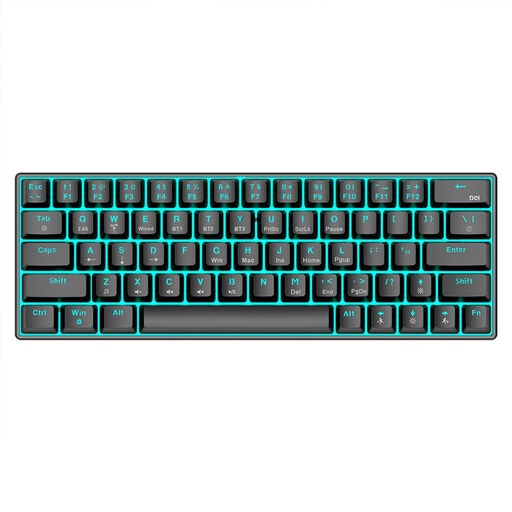
KINSI mechanical keyboard with 63 keys
The compact layout may suit a crowded desk; check that the key arrangement works for the way you edit.
The product details list Bluetooth 5.0, 2.4 GHz wireless and USB-C as connection options.
View at Joybuy
 No image available
Logitech ERGO K860
For writers comparing a contoured, fixed split layout with a full-size keyboard.
The product details list QWERTZ, Bluetooth, a Logi Bolt receiver, a wrist rest and adjustable feet. Stated dimensions: 48 × 456 × 233 mm.
View at Joybuy
 No image available
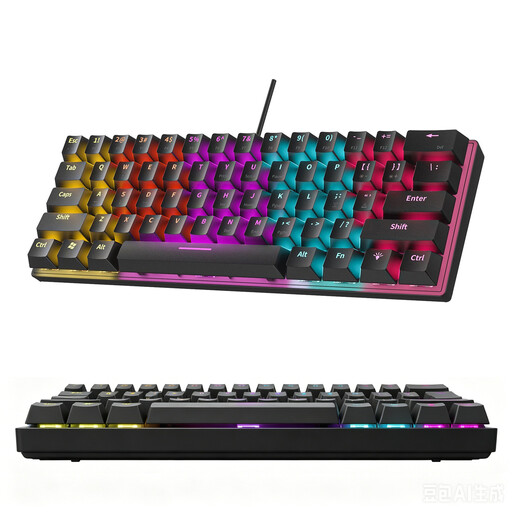
KINSI keyboard with 60% layout, 61 keys
The compact layout can free up desk space; according to the product description, this model doesn’t have a German layout.
The listed details include 61 keys and a sculpted keycap profile. Check that the layout suits the German keyboard arrangement you’re used to.
View at Joybuy
Frequently asked questions
Do I need a separate keyboard for longer drafts on a laptop?
For extended periods of work on mobile devices, the German Social Accident Insurance (DGUV) recommends using an external keyboard and mouse, as well as an external monitor where possible. This is ergonomic guidance, not a claim that a particular keyboard model will prevent discomfort.
How should I set up a split keyboard for writing?
Position the keyboard and mouse so you can work comfortably at your desk, and leave space for your papers. With fully separable models, you can position the halves gradually; with the Kinesis Freestyle2, how far apart they can be depends on the version you choose.
Do I have to give up arrow and F keys with a compact, programmable keyboard?
Not necessarily: Dygma says these functions are available through pre-installed layers on the Raise 2. Think about your usual text-editing tasks to decide whether switching between layers will work for you.
What are the rules on returns and faulty goods when buying online in Germany?
When you buy online from a business, you generally have a 14-day right to cancel. Be aware of possible exceptions and check when the cancellation period starts in your case. If an item is faulty, you have statutory rights against the seller. Any additional guarantee offered is separate from these rights.
Do the rules for display screen workstations automatically apply to every home office?
No. The relevant provisions of the Workplace Ordinance apply to a teleworking workstation permanently set up by an employer; occasional mobile working from home does not, on its own, make it a teleworking workstation. According to the Committee for Workplaces, the Occupational Health and Safety Act and Working Hours Act, among other rules, remain relevant to mobile working for your job. What matters is the actual working arrangement and how the workspace is set up.


