For the occasional edit to a short biography, a familiar wave-shaped keyboard is often the simpler place to start. For longer writing sessions, a fixed-split or independently adjustable keyboard may be worth considering if hand position is particularly important to you. You’ll still need to think about the space available, including room for your mouse, the German layout and the right connection. No keyboard shape on its own is proven to treat symptoms.
Which keyboard suits whom
Frequent typists looking for comfort
If you regularly edit longer pieces as well as your biography, you may pay particular attention to the position of your hands and forearms. Workplace guidance from the German Social Accident Insurance’s Institute for Occupational Safety and Health and the Chartered Institute of Ergonomics and Human Factors can help you think beyond the keyboard shape alone.
Writers with a small desk
If your screen, mouse and study materials all share the same desk, the footprint of the specific model matters. Logitech, Perixx and CHERRY provide the dimensions for the Wave Keys for Business, PERIBOARD-335 and KC 4500 ERGO respectively.
Writers in a shared room
If other people are studying or sleeping in the room, the sound of the particular keyboard’s keystrokes may matter. Perixx offers both quiet and clicky switch options for the PERIBOARD-335.
What to consider when buying
For writing a short biography in a student room, it’s worth first deciding which buying consideration matters most to you, then comparing the shape, footprint and specific version.
Compact wave shape
A good fit if: you prefer a familiar key layout and a wireless connection.
Consider: The two halves of the keyboard can’t be positioned independently.
Fixed-split keyboard
A good fit if: you’d like to try a split key layout without having to position two separate sections on your desk.
Consider: The hand position is fixed. With mechanical models, the typing sound depends on the switch option.
Large split keyboard with number pad
A good fit if: you often enter numbers as well as writing text, and have enough desk space.
Consider: The number pad can take up more width and push your mouse further out.
Independently adjustable halves
A good fit if: you want to position the two keyboard halves to suit your arm position.
Consider: Finding the right setup takes space and may require some adjustment. Check the specific German version and what’s included.
| Consideration |
What to check before buying |
Who may find it particularly important |
| Hand and arm position |
Wave shape, fixed-split layout or independently adjustable halves; also consider the position of your mouse and screen. |
When I’m editing longer pieces, I want to be able to choose the position of my hands and forearms deliberately. Around 33% of consumers prioritise hand and arm position. |
| Desk space |
Measure the space available and compare the overall dimensions: Logitech lists 376 × 218,9 mm for the Wave Keys for Business, Perixx lists 398 × 202 mm for the PERIBOARD-335 and CHERRY lists 456 × 217 mm for the KC 4500 ERGO. |
When my keyboard, mouse and study materials all share the same small desk, I want to know in advance what will actually fit. Around 25% of consumers prioritise desk space. |
| Typing sound |
For a mechanical keyboard, check the exact switch option: Perixx offers both quiet and clicky versions of the PERIBOARD-335. |
When I share a room, I want the sound of the keystrokes to suit the other people in it as much as possible. Around 25% of consumers prioritise typing sound. |
| Layout and connection |
Check the specific listing for DE-QWERTZ and the available connections. A USB-A cable or receiver needs a compatible port on your device. |
When I’m writing in German, I want the right key layout and a connection that works with my device. Around 17% of consumers prioritise layout and connection. |
Common misconceptions to avoid
-
“Compact” automatically means it takes up little desk space
Even a narrow keyboard can take up considerable depth once you include its palm rest. A number pad also takes up extra width.
Measure the space available for your keyboard and mouse, then compare the width and depth of the specific models.
-
A mechanical keyboard range is always quiet
Perixx offers both quiet and clicky switch options for the PERIBOARD-335, so the model alone doesn’t determine how loud the keystrokes are.
Check the exact switch option before buying, and don’t assume its features apply to other versions.
-
A QWERTZ search result confirms the specific version
A model range may be available with different country layouts and connections.
Check the full version identifier and the details in the specific listing against your layout and connection requirements.
-
A voluntary guarantee replaces your statutory rights
Your Europe distinguishes between the legal guarantee and an additional voluntary guarantee. The latter doesn’t affect your statutory rights against the retailer.
Check who you’re buying from and keep your proof of purchase.
Brands to help you choose
Logitech
The Wave Keys for Business has a wave-shaped layout, while the ERGO K860 has a fixed-split layout. They belong to different model ranges.
- Logitech lists the Wave Keys for Business as measuring 376 × 218,9 mm, with Bluetooth and Logi Bolt connections.
- The two halves of the wave-shaped layout can’t be positioned independently. Ergonomic or comfort claims aren’t proof of an individual benefit.
Perixx
The PERIBOARD-335 is a wired mechanical keyboard with a fixed-split layout and several versions.
- Perixx lists dimensions of 398 × 202 × 44 mm, a German QWERTZ option and several switch types.
- Depending on the version, the switches may be quiet or clicky. Perixx says its downloadable software is only available for Windows.
CHERRY
The KC 4500 ERGO is a fixed-shape keyboard with a number pad; CHERRY lists a DE version.
- CHERRY lists the model as measuring 456 × 217 mm, with a USB-A connection.
- Its width may leave less room for your mouse on a small desk. Manufacturer claims about symptoms aren’t a guarantee of results for individual users.
Kinesis
The Freestyle2 International is designed for writers who want to position its two keyboard halves separately.
- Kinesis describes the halves as adjustable and offers country-specific ISO layouts.
- Check the specific listing for the German version and what’s included; positioning the halves requires enough space.
Keyboards at Joybuy
The following Joybuy products offer different key layouts and formats for desk-based typing. Pay particular attention to the footprint, connection and layout offered.
 No image available
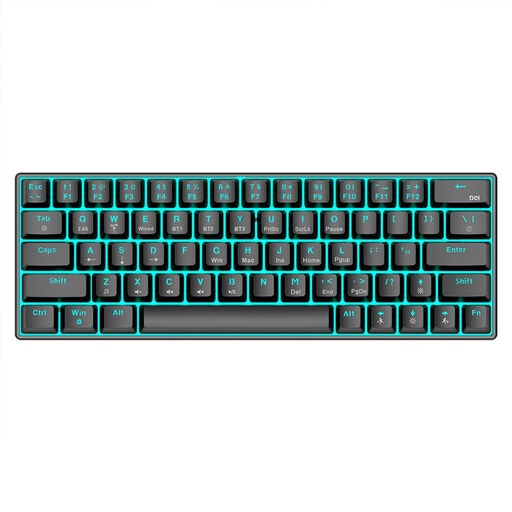
KINSI Compact Mechanical Gaming Keyboard, 63 keys
The compact 63-key layout may suit a small desk. Check whether you’re happy using this key arrangement for writing.
Features listed in the product name: Bluetooth 5.0, 2.4 GHz wireless and USB cable, plus RGB lighting and a 1,450-mAh battery.
View at Joybuy
 No image available
QWERTZ wireless keyboard with number pad and detachable wrist rest
If a German layout and number pad are important to you, this full-size version may be a good option. Bear in mind that it needs extra width on a small desk.
Features listed in the product name: QWERTZ, 2.4 GHz USB connection, quiet keys and a detachable wrist rest.
View at Joybuy
 No image available
Logitech ERGO K860, QWERTZ
The split keys and wrist rest make this a good option if you want to try this style of keyboard. Measure your desk space first.
The product details list a width of 456 mm and a depth of 233 mm, as well as Bluetooth and a USB receiver.
View at Joybuy
 No image available
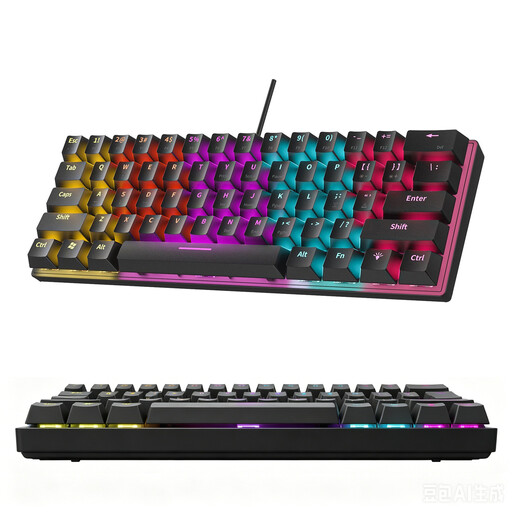
KINSI 60% Mechanical Gaming Keyboard, 61 keys
The compact 61-key layout may be a good option if desk space is limited. The listing explicitly states that it doesn’t have a German layout.
Features listed in the product name: 61 keys and RGB lighting.
View at Joybuy
 No image available
Siukie CR108 Wired Mechanical Keyboard, 108 keys
This full-size keyboard has 108 keys, but takes up more desk space than a compact layout. The product is listed with a US layout, so check whether it suits your German-language typing needs.
Features listed in the product name: wired mechanical keyboard and replaceable switches.
View at Joybuy
Frequently asked questions
Is a more pronounced split keyboard worth it for a short biography?
Not necessarily. If you only edit short pieces occasionally, start by comparing the footprint, familiar key layout and connection. Independently adjustable halves may be worth considering if you want to make use of their adjustability. Keyboard shape alone doesn’t treat pain.
How should I position a split keyboard?
Position the keyboard to suit your seated posture and screen, and keep your mouse within easy reach. Logitech recommends aligning the split on the ERGO K860 with the centre of your body and screen. This model-specific guidance doesn’t necessarily apply to every keyboard.
What are my rights if an online purchase is faulty?
When you buy from a trader, you’re generally entitled to a statutory guarantee of at least two years from the date you receive the goods; a voluntary guarantee doesn’t replace it. Online purchases generally come with a 14-day right to cancel, subject to applicable exceptions. Your Europe and the Council of the European Union explain these rights. The key factor is who you’re buying from.
Is an ergonomic keyboard required in a private student room?
ASR A6 doesn’t impose such a requirement for private screen use outside teleworking workplaces. The Federal Institute for Occupational Safety and Health describes requirements for workplaces and certain teleworking workplaces, not a purchasing rule for a private student room.


