What should you look for when buying?
Start with the hand position you prefer, then check the layout, editing keys and desk space. Key feel and connectivity can help you choose between specific models.
| What matters to you |
What to check before buying |
Who it matters most to |
| Hand and arm position |
Fixed split or separate halves; enough space for your preferred arrangement |
During long writing sessions, I want to find a hand position that suits me rather than rely on a general promise about ergonomics. Around 31% of consumers put hand and arm position first. |
| German layout and editing keys |
German key labels, plus arrow, function and Delete keys |
When editing German text quickly, I want familiar characters and navigation keys within easy reach. Around 25% of consumers give familiar text input the most weight. |
| Desk space |
Keyboard dimensions; allow for the distance between the halves on split models |
If I also need room for a mouse and documents, I don’t want the keyboard to take up the whole workspace. Around 19% of consumers put available space first. |
| Key feel and noise |
Switch type and the actual feel of the specific version |
When writing in a living space, I want a key feel that makes me enjoy working on longer passages. Around 13% of consumers place the feel and sound of the keys above all else. |
| Connectivity and switching between devices |
The right connection; for wireless models, check the connection type and how easy it is to switch devices |
If I want to use the keyboard with my existing devices or switch between them, the connection needs to work for me. Around 12% of consumers put connectivity or switching devices first. |
Joybuy products at a glance
These Joybuy models range from compact keyboards to the fixed split ERGO K860. Pay particular attention to the German layout, easy-to-reach editing keys and the space you’ll need.
 No image available
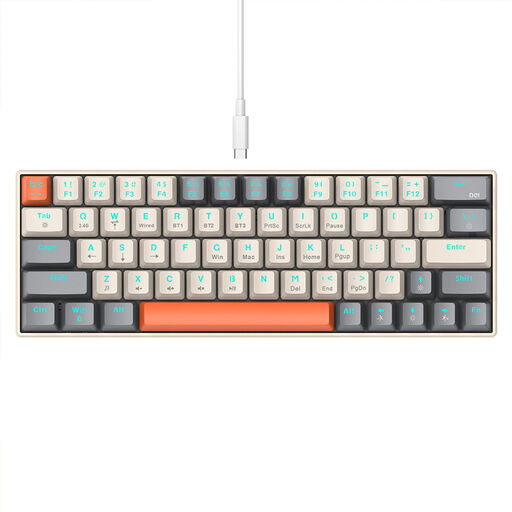
KINSI Compact Gaming Keyboard, 63 keys
The compact 63-key layout may suit a desk with limited space. Check whether the reduced number of keys will work for your editing needs.
The product description lists Bluetooth, 2.4 GHz wireless and USB-C, along with a stepped key profile.
Joybuy
 No image available
Wireless keyboard and mouse set, QWERTZ, full-size
This set may suit you if you’re looking for a wireless combination with a QWERTZ layout, number pad and matching mouse.
The title specifies a 2.4 GHz USB connection, quiet keys and a detachable wrist rest. The keyboard is described as full-size with a number pad.
Joybuy
 No image available
Logitech ERGO K860, QWERTZ, graphite
The fixed split, curved design may suit you if you want to try a different hand position while writing, but still want a keyboard that sits together as one piece.
The product details list QWERTZ, Bluetooth, a USB receiver and a palm rest. The halves cannot be positioned independently.
Joybuy
 No image available
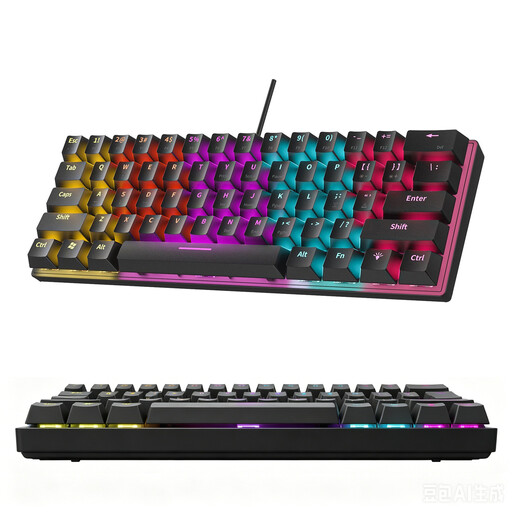
KINSI 60% Mechanical Gaming Keyboard, 61 keys
The compact 61-key layout can save space on a small desk. For editing German text, it’s particularly important to check the specific layout.
The product description lists a stepped key profile and explicitly states that it does not have a German layout.
Joybuy
 No image available
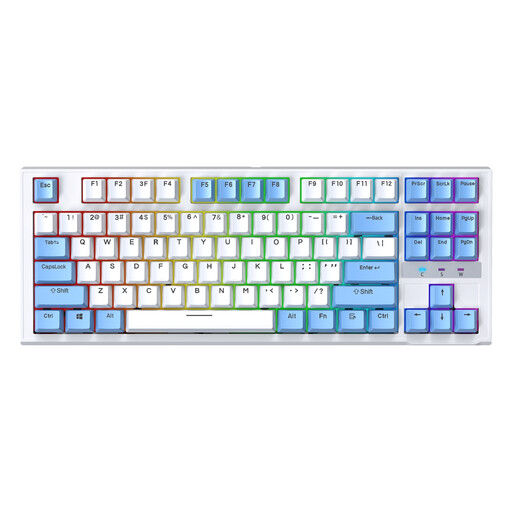
Siukie Wired Mechanical Keyboard, 87 keys, US layout
This model is only worth considering if the US layout suits the way you write and edit; the title specifically identifies this layout.
It is described as a wired TKL keyboard with 87 keys. The product description lists replaceable switches.
Joybuy
Frequently asked questions
How do I set up a new ergonomic keyboard?
Arrange your keyboard, mouse and documents so that you can work comfortably. For the Freestyle2, Kinesis recommends starting with the halves close together and at the lowest setting, then adjusting their position gradually. This is the manufacturer’s recommendation, not a universally applicable angle setting.
Can a split keyboard cure wrist pain?
You can’t infer that a particular design will have a curative effect. The German Social Accident Insurance describes ergonomic input devices as a possible way to reduce strain; this does not replace an individual assessment of any symptoms you may have.
What costs and rights should I check when buying online?
Check the delivery costs and any potential return costs for the specific offer. According to the European Union’s Your Europe website, consumers generally have a 14-day right to cancel standard distance purchases, starting from delivery. If goods are faulty, you have a statutory guarantee of at least two years against the seller; this is separate from any additional manufacturer’s guarantee.
Do the same workplace rules automatically apply to working from home as to a telework workstation?
No, it depends on whether the requirements for a telework workstation are met. According to the distinction published by the Federal Institute for Occupational Safety and Health, this includes, among other things, a screen-based workstation set up by the employer and agreed conditions. ASR A6 applies to telework workstations within its scope, not automatically to every use of a private workspace.


