If you often need to use your mouse while working on text, a more compact keyboard is a sensible starting point – but what really matters is its overall dimensions, including any wrist rest. A more distinctly split keyboard may be worth considering if you prioritise a different hand position and have room for the keyboard, mouse and documents on your desk. In either case, check the German layout, connections and how long it may take to get used to the key arrangement.
Which criteria matter to different users?
Editors working with limited desk space
When you’re editing, you need room for your mouse and, sometimes, documents. That’s why a keyboard’s actual width and depth matter more than the word ‘compact’. The BAuA recommends having enough space to position your keyboard and mouse flexibly.
Frequent typists looking for a different hand position
You may want to try a curved or split key layout, while weighing up the space it needs and the time it takes to get used to. A different keyboard shape doesn’t replace a well-arranged workstation; the BAuA highlights the importance of positioning the keyboard and mouse to suit you.
Text editors with established typing habits
If you often use arrow, function or special keys, their positions should work with your editing routine. The F.A.Z. test, Kensington and CHERRY each describe different keyboard shapes and features, so check the exact model you’re considering.
What should you look for when buying?
When editing a short biography at a small desk, you can narrow down your options by focusing on four priorities.
| Criteria |
What to check |
Who is it important to? |
| Desk space and mouse position |
Measure the available width and depth, including any fixed wrist rest. Logitech lists the Wave Keys at 375.9 × 218.9 mm; Perixx gives the PERIBOARD-335 dimensions as 398 × 202 mm. |
If I need room for a mouse and notes alongside my text, the keyboard’s actual footprint matters. Around 36% of consumers put space for a mouse and documents first. |
| Hand position and key shape |
Distinguish between keyboards with a fixed ergonomic shape and those that can actually be split. Check whether you can position your hands, forearms and mouse comfortably in your own setup. |
When typing for longer periods, I want to be able to position my hands and forearms differently without losing sight of the space available on my desk. Around 29% of consumers prioritise hand position. |
| Text navigation and German layout |
Check that the specific model has a QWERTZ or DE layout, and look at the positions of the arrow, function and special keys. |
When editing, I often use the arrow, function and special keys, so I want to keep the text navigation I’m used to. Around 21% of consumers prioritise familiar text navigation and a German layout. |
| Connection and compatibility |
Check the operating system, Bluetooth or suitable USB connection, and whether you need a receiver or additional software. |
Above all, I want to know whether the keyboard will connect to my devices and how switching between them works. Around 14% of consumers put connection and device compatibility first. |
Compact with a fixed ergonomic shape
A good fit if: you often switch between your keyboard and mouse while editing, and prefer a layout that doesn’t feel too different.
Trade-off: The key sections can’t be positioned independently, and even a compact model can be deep.
Fixed split full-size
A good fit if: you’ll make use of a split key layout and the extra keys, and have enough space.
Trade-off: A full-size keyboard may push your mouse further out. Check which keys and connections the specific model offers.
Keyboard with separate halves
A good fit if: you want to position each half independently and are prepared to check the key layout and how long it may take to get used to.
Trade-off: For the Dygma Raise 2, the F.A.Z. test notes that separate arrow and F keys are missing and that the keyboard may slip.
Common buying misconceptions
-
Comparing width alone
Depth and a fixed wrist rest take up space too. Logitech lists the Wave Keys as 218.9 mm deep, which could leave less room for a mouse or documents on a small desk.
Mark out the width and depth of the entire keyboard on your desk before choosing a shape.
-
Assuming ‘split’ means ‘separates into two parts’
A fixed split key layout can’t be set up as two independently positioned halves, unlike a keyboard that physically separates. The F.A.Z. test also notes that the Dygma Raise 2 has no separate arrow or F keys.
Check the keyboard shape and the keys you rely on for text navigation separately.
-
Assuming similar model names mean it’s the same version
One Joybuy product page lists a Mac version of the Wave Keys with Mac-specific keys. A similar name alone doesn’t tell you whether the layout and features suit your text work.
Compare the model number, key layout, operating system support and what’s included for the specific version.
Key brands to consider
Logitech
The Wave Keys is a more compact wireless option with a fixed ergonomic shape; the ERGO K860 is a larger, fixed split keyboard.
- Logitech lists Bluetooth, a Logi Bolt receiver and dimensions of 375.9 × 218.9 mm for the Wave Keys.
- The key sections can’t be positioned independently. For the ERGO K860, the F.A.Z. test notes that it has no backlighting and can’t be used with a cable.
Perixx
The PERIBOARD-335 is aimed at buyers looking for a fixed split mechanical keyboard with a choice of switch types that fits on a limited amount of desk space.
- Perixx lists dimensions of 398 × 202 × 44 mm, a USB-A cable and adjustable negative tilt.
- According to Perixx, the configuration software is designed for Windows. The keyboard’s shape doesn’t prove that it will help with any individual discomfort.
Kensington
The Pro Fit Ergo KB675 EQ TKL has an ergonomic shape, no integrated number pad and several wireless connection options.
- For the German version, K75491DE, Kensington lists connections to up to three devices and a three-year manufacturer’s warranty.
- According to the product page, Windows computers with ARM processors are not currently supported.
CHERRY
The KC 4500 ERGO is a wired full-size alternative with an integrated wrist rest.
- For the DE version, JK-4500DE-2, CHERRY lists dimensions of 456 × 217 × 35 mm and a 1.8 m cable.
- It needs a suitable USB-A port and more desk space than more compact models. The manufacturer’s claims about reducing discomfort don’t prove it will have the same effect for everyone.
Dygma
The Raise 2 is a specialist split keyboard for buyers who prioritise independently positioned halves over a familiar standard layout.
- The F.A.Z. test highlights the Raise 2’s split design and typing feel.
- The F.A.Z. test notes that this model has no separate arrow or F keys and may slip.
Compact keyboards on Joybuy
The following Joybuy models have slim or compact designs for desks where space is at a premium. For editing German text, pay particular attention to the specific key layout and the connection you need.
 No image available
Inateck KB01003G Bluetooth keyboard, QWERTZ
Its slim design could be a good fit for a small desk, especially if you’d like to switch between devices.
QWERTZ layout; connects to up to three Bluetooth devices and switches between them at the touch of a button; powered by AAA batteries.
Joybuy
 No image available
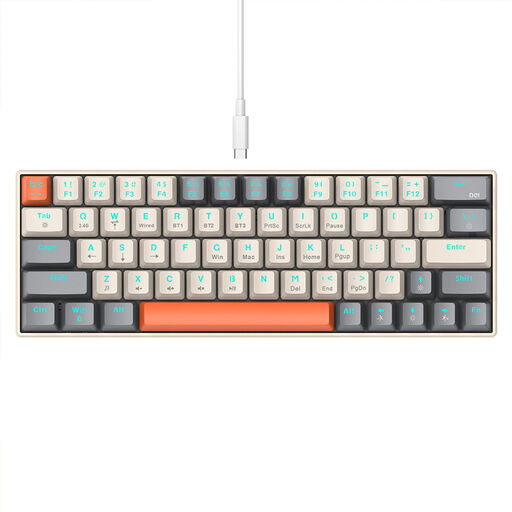
KINSI 63-key mini keyboard
The compact 63-key format is designed for desks with limited space. Check the specific key layout if you’ll be editing German text.
Bluetooth, 2.4 GHz wireless and a USB-C cable are listed as connection options.
Joybuy
 No image available
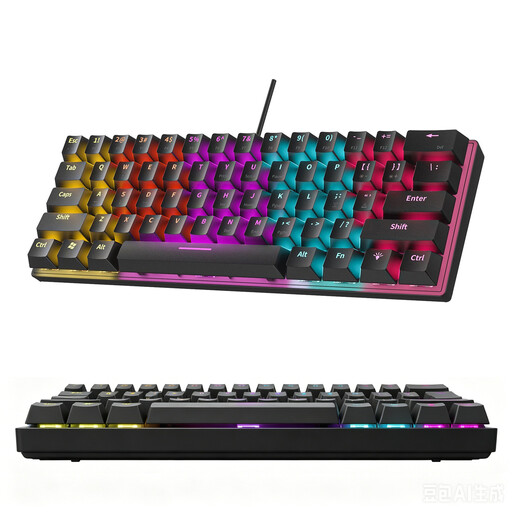
KINSI 60% mechanical keyboard, 61 keys
The compact 61-key format is described as suitable for desks with limited space.
According to the product description, it doesn’t have a German layout. Check whether the US layout will work for you when typing umlauts and special characters.
Joybuy
 No image available
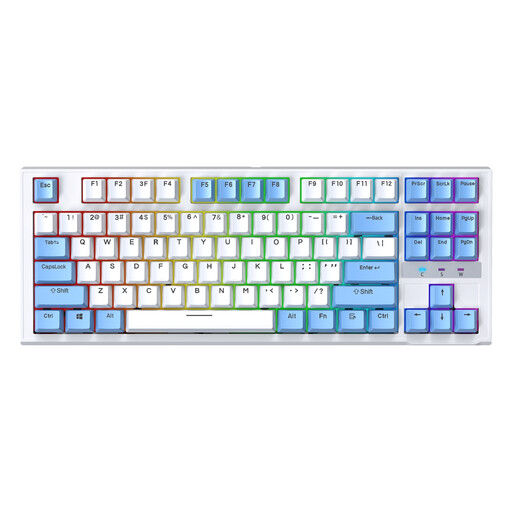
Siukie CR87 TKL keyboard, 87 keys, US layout
The TKL format leaves out the number pad and is described as a compact design.
A wired model with a US layout. Check the key arrangement if you regularly write in German.
Joybuy
 No image available
MageGee TS91, 61 keys, US QWERTY
The compact 61-key format is described as suitable for desks with limited space.
A wired model with a US QWERTY layout. Before buying, check whether the key arrangement works for your German text work.
Joybuy
Frequently asked questions
How should I position my keyboard when editing?
Arrange your keyboard and mouse so there’s room for both and you can rest your arms comfortably. The BAuA recommends having enough desk space to arrange them flexibly; this doesn’t guarantee that a particular keyboard will prevent discomfort.
Can I use the PERIBOARD-335 without Windows?
Perixx lists macOS as fully compatible and says the keyboard works with other systems too. However, according to the manufacturer, the configuration software is only available for Windows. Check whether you need its programmable extra features on your operating system.
Which connection should I check before buying?
Check whether your computer supports Bluetooth or has a suitable USB port for a cable or receiver. Connection options vary by model: CHERRY lists USB-A for the KC 4500 ERGO, while Logitech lists Bluetooth and a Logi Bolt receiver for the Wave Keys.
Does German law require a particular ergonomic keyboard for personal text work?
The workplace health and safety rules described here don’t set a single product requirement for every biography edited at home. ASR A6 applies to screen-based workstations in workplaces and to teleworking stations within its scope; it does not apply to private use outside such teleworking arrangements. For a workplace or designated teleworking station, you should consider the specific scope of the rules.


