What should you consider before buying?
First measure the space you have, including room for your mouse and documents. Then compare the key design, layout and connection options with your typing needs.
| Buying priority |
What to look for |
Who is it most important to? |
| Desk space and mouse reach |
Compare the usable width and depth with the external dimensions of the exact variant; allow space for your mouse and documents. |
If I need to move my mouse and paperwork in a confined space, I measure the entire work area. Around 36% of shoppers name desk space as their top buying priority. |
| Hand and arm position |
Consider a wave-shaped design, fixed split or separable halves to suit your preferred set-up; don’t assume it will have healing benefits. |
If you want to try a different hand and arm position when typing for longer periods, assess the design based on your own workspace. Around 29% of shoppers have a particular posture requirement. |
| German layout and text entry |
Check for German QWERTZ and make sure the exact variant has the arrow, function and number keys you need. |
If I need my usual layout and particular keys for writing and editing, I check the exact variant on offer. Around 21% of shoppers say the layout is their top priority. |
| Connection and switching between computers |
Check whether it uses USB-A or Bluetooth, and confirm compatibility with your operating system and, where necessary, the receiver for your device. |
If you want to connect the keyboard to specific devices or switch between computers, check the connection and compatibility first. Around 14% of shoppers name connectivity as their top priority. |
Related products at Joybuy
The Joybuy models listed range from compact and TKL formats to a full-size split keyboard. If you type in German, the layout of the specific variant is especially important.
 No image available
Inateck KB01003G Bluetooth keyboard, QWERTZ
On a cramped desk, its stated 285-mm casing and integrated touchpad could help you create a compact set-up.
QWERTZ layout; product description says it can connect to up to three Bluetooth devices.
View at Joybuy
 No image available
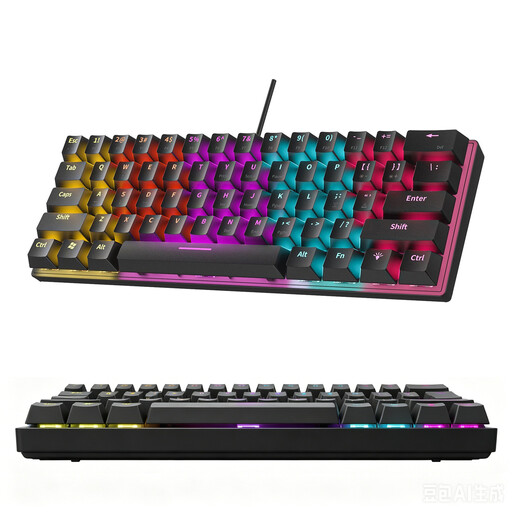
KINSI 60% keyboard, 61 keys
The compact format may suit a small desk if the reduced key layout works with the way you type.
The product description doesn’t specify a German layout, so check that the key layout suits your typing needs before buying.
View at Joybuy
 No image available
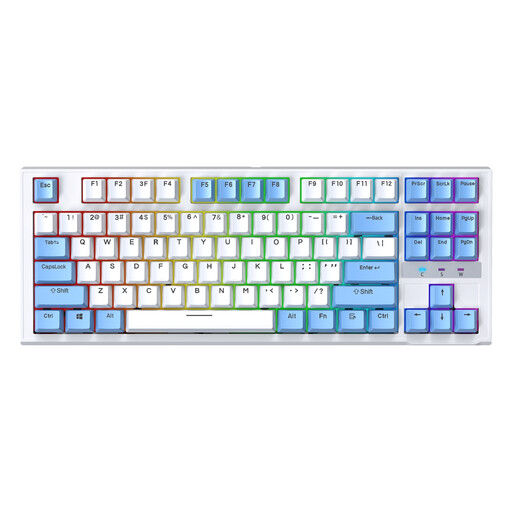
Siukie CR87 wired TKL keyboard
The TKL format, without an integrated number pad, can save space if you’re happy to use the US layout.
87 keys, USB connection and detachable wrist rest according to the product name and description; the layout is listed as US.
View at Joybuy
 No image available
Logitech ERGO K860, QWERTZ
If you’re looking for a split keyboard with a wrist rest, check that it will fit on your desk alongside your mouse and documents.
Product details list dimensions of 456 × 233 mm, QWERTZ, Bluetooth or a USB receiver, plus feet with three tilt settings.
View at Joybuy
 No image available
CHERRY STREAM KEYBOARD TKL, US layout
The TKL format does away with the number pad and could suit you if you prefer a more compact layout and the listed key layout.
Wired USB model with six multimedia keys according to the product name; the layout is listed as US.
View at Joybuy
Frequently asked questions
How should I position my keyboard on a small desk?
Allow space for your mouse and documents as well as your keyboard. The German Social Accident Insurance’s practical guidance recommends using separate input devices when working from home and suggests leaving 10 to 15 cm between the keyboard and the edge of the desk as a set-up tip. This is not a general minimum size for a product.
Do I need a separate keyboard for my laptop?
For extended work, the German Social Accident Insurance recommends setting up your screen, keyboard and mouse separately when working from home. Whether you can do this depends on the space available and your set-up.
What should I check about connectivity and cleaning?
Check that the connection on your chosen variant works with your computer: according to Perixx, the PERIBOARD-335 requires USB-A, while Logitech lists Bluetooth or a Logi Bolt receiver for the Wave Keys for Business. The F.A.Z. Kaufkompass review of the ERGO K860 noted that the gap between the wrist rest and keyboard was difficult to clean.
What ongoing costs and service terms should I check?
Logitech lists two AAA batteries for the Wave Keys for Business. Kensington describes the KB675 EQ TKL as rechargeable and offers a three-year limited manufacturer’s warranty. Check what’s included and the warranty terms for the specific variant.
Does German law require a particular ergonomic keyboard?
ASR A6 does not require you to buy a specific keyboard model. This technical rule sets out requirements for display screen workstations within its scope; its exclusions state that it does not apply generally to display screen equipment used privately outside a teleworking workstation.


