Editors who prefer familiar key layouts
If you regularly edit wording and use the arrow, modifier or function keys, check the exact layout. What matters is whether the version you choose supports the correction shortcuts you’re used to.


Start with the keys you actually use when writing and editing, and make sure there’s room for your keyboard, mouse and notes. A curved keyboard changes your familiar layout less; fixed or fully split models offer different options for hand position, but may take longer to get used to or need more space. An ergonomic design alone cannot promise to prevent or treat discomfort.
If you regularly edit wording and use the arrow, modifier or function keys, check the exact layout. What matters is whether the version you choose supports the correction shortcuts you’re used to.
If you’d like to try a different hand position while typing, consider the keyboard design alongside your desk setup. A position that works for you matters more than a general ergonomic claim.
If you need to leave room for a mouse and notes beside your keyboard, consider the width and depth of the entire work surface. The BAuA recommends enough space to position the mouse and keyboard flexibly, as well as room to rest your arms.
A good fit if: you often switch between text, mouse and notes, and prefer a familiar key layout.
Things to consider: A wave-shaped design doesn’t have two independently positionable halves; with wireless models, make sure the connection and receiver are compatible with your computer.
A good fit if: changing your hand position and having a number pad are important to you, and you have enough desk space.
Things to consider: The halves can’t be positioned independently; connectivity and German layout vary by model and version.
A good fit if: you need a narrower keyboard and prefer mechanical keys.
Things to consider: Switches and typing noise vary by version; according to Perixx, the configuration software for the PERIBOARD-335 is designed for Windows.
A good fit if: you want to position each hand independently and are happy to adapt to a different key layout.
Things to consider: The F.A.Z. Kaufkompass review of the Dygma Raise 2 noted the lack of separate arrow and F keys; German ISO keycaps are listed as an optional extra set.
The percentages refer to consumers who put one of the four priorities listed first when choosing a keyboard.
| What matters to you | What to look for | Who it matters most to |
|---|---|---|
| Key layout and navigation | Check the German layout and the arrow, modifier and F keys on the specific version. | When editing, I want familiar navigation keys within easy reach. Around 36% of consumers put a German layout and text navigation first. |
| Hand and arm position | Compare curved, fixed split and fully split designs, and consider how the keyboard will fit into your workspace. | If I want to change my hand position, the keyboard needs to work with my desk and mouse. Around 29% of consumers prioritise hand and arm position. |
| Desk space | Measure the available width and depth, allowing room for a wrist rest and mouse. | At a small desk, I need space for my mouse and notes as well as my keyboard. Around 21% of consumers put available desk space first. |
| Connection and setup | Check USB-A, Bluetooth or receiver connectivity, as well as your operating system and any software you need. | I want to connect the keyboard to my computer without any extra steps. Around 14% of consumers prioritise connection and setup. |
No particular keyboard design guarantees that discomfort will be prevented. The BAuA emphasises the importance of a workspace arrangement that suits the individual; the Institute for Occupational Safety and Health of the German Social Accident Insurance notes that it can be difficult to turn general requirements into specific recommendations.
Choose a design that suits your posture and setup, rather than relying on claims that it will cure a problem.
You also need room for a wrist rest, mouse and notes. Keyboards with different widths may also take up a similar amount of depth.
Measure the available width and depth at your desk, then compare the full product dimensions.
Key layouts and switches can vary between versions. Perixx offers different switch options for the PERIBOARD-335, while German ISO keycaps for the Dygma Raise 2 are listed as an optional extra set.
Before buying, check the exact layout, switches and what’s included with the version you’ve chosen.
You may need extra keycaps to get the German layout you want, so factor this in when choosing your configuration.
The Wave Keys has a more compact, wave-shaped design, while the ERGO K860 is a full-size, fixed split keyboard with a number pad.
The KC 4500 ERGO is a full-size, curved keyboard; the German version carries the code JK-4500DE-2.
The PERIBOARD-335 combines a more compact, fixed split mechanical layout with a choice of German layouts and switch options.
The Raise 2 is designed for writers who prefer two independently positionable halves to a familiar standard keyboard.
The following Joybuy products range from a fixed split keyboard to compact models. In particular, check the layout and key arrangement to make sure they suit your writing needs.
 No image available
Worth considering if you’re looking for a fixed split keyboard with a German layout.
QWERTZ layout; Bluetooth or USB receiver; wrist rest and adjustable feet.
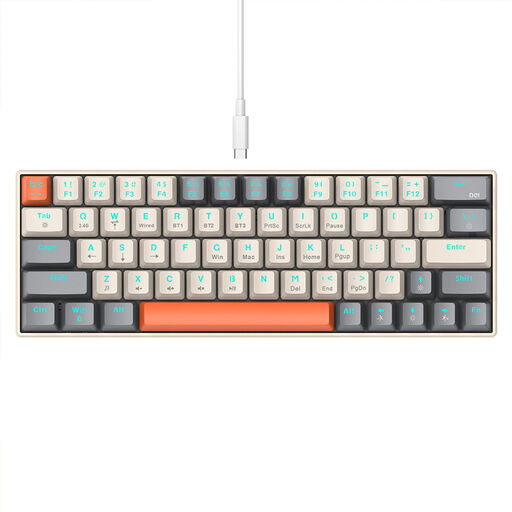 No image available
Could suit a smaller desk if a compact 63-key layout works for the way you write.
Bluetooth, 2.4 GHz wireless and USB-C connectivity. Before buying, check whether the German key layout you want is available.
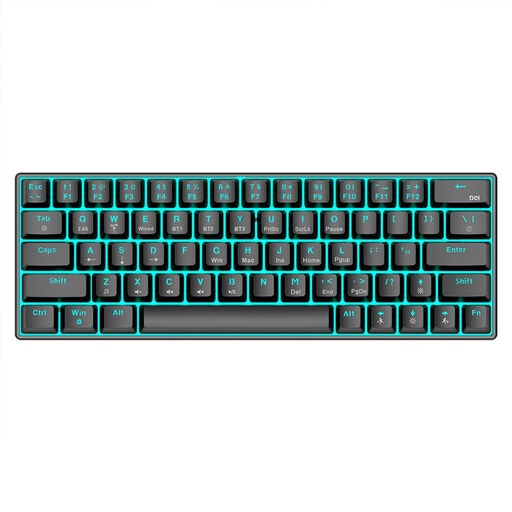 No image available
A compact mechanical option for writers who want to work with a 63-key layout.
Bluetooth 5.0, 2.4 GHz wireless, USB cable and 1450 mAh battery. Check whether the available key layout suits German-language typing.
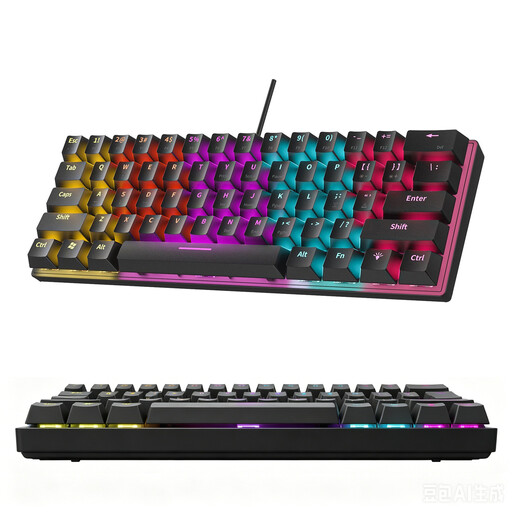 No image available
The compact 61-key layout could work if you’re comfortable using a reduced key arrangement.
The product description specifically states that it has a US layout, not a German one. Before buying, check whether it’s suitable for the way you type.
 No image available
This full-size keyboard could suit you if you prefer a comprehensive key layout.
108 keys, US layout, detachable cable connection and replaceable switches. Before buying, check that the US layout suits the way you want to type.
Leave enough space to position your keyboard and mouse comfortably and rest your arms in a suitable position. The BAuA recommends adapting the workspace and arm position to the individual; changing the keyboard design doesn’t replace a well-planned setup.
No. Logitech describes the Wave Keys as wave-shaped, while the Dygma Raise 2 has two separate halves. Check whether the keyboard you want actually lets you position the halves independently.
Check the connection type and operating system for the specific model: CHERRY lists USB-A for the KC 4500 ERGO, while Perixx lists a USB-A cable and downloadable software that’s limited to Windows for the PERIBOARD-335. Logitech lists AAA batteries as included with the ERGO K860; also check that the power supply suits the way you’ll use it.
For a typical online purchase from a trader, the European Union’s consumer portal explains that you generally have a 14-day right to cancel, starting from delivery; exceptions and possible return costs apply. If the product is faulty, you have a statutory legal guarantee against the seller of at least two years, which is separate from any voluntary warranty.