
Lieferung heute & morgen

Qualitätsgarantie

Willkommens-Angebote freischalten: KOSTENLOSE Lieferung | Bis zu 80 % RABATT | Kostenlose 30-Tage-JoyPlus-Testphase
App herunterladen
Published on July 19, 2026, by Your Joybuy Product Recommendation Officer
Long days at a desk, whether in the office or at home, place significant strain on our bodies. This often leads to tension in the wrist, arm, or shoulder. An ergonomic mouse is designed to promote a more natural hand posture, reducing the stress of daily computer use.
This article serves as your guide. We'll explain the key features to look for and present a selection of models with different attributes to help you make an informed decision.
Choosing the right model depends on your individual needs and work habits. The following criteria will help you make an informed choice.
The shape of the mouse is the most critical ergonomic feature.
The connection type affects the flexibility of your workspace.
Beyond the basic functions, other features can significantly enhance your comfort at work.
Based on the criteria above, we have curated a selection of models that cater to different needs.
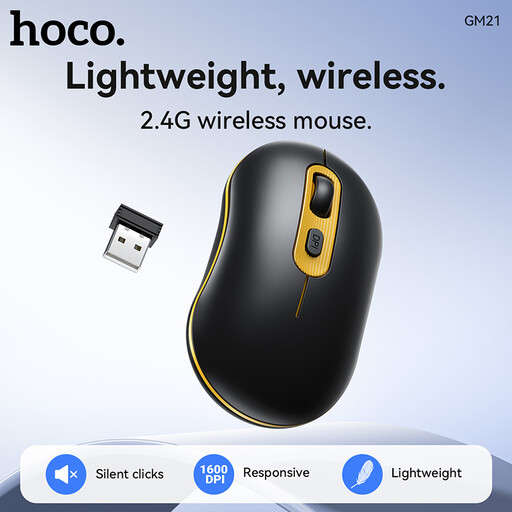
What makes it stand out: The HOCO GM21 is a wireless mouse designed for professional office use. It combines an ergonomic shape with silent click buttons, making it an unobtrusive companion in any work environment. The connection via the 2.4 GHz USB receiver is stable and easy to set up (plug-and-play).
Advantages:
Who it's for: Users looking for a reliable and quiet wireless mouse for the office or home office who value a simple, professional design.
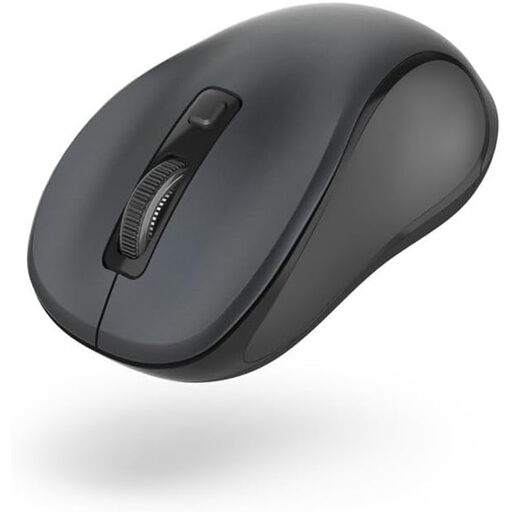
What makes it stand out: The Hama Canosa V2 is a compact Bluetooth mouse that impresses with its versatility. Its symmetrical design makes it suitable for both right- and left-handed users. Thanks to its whisper-quiet buttons and dongle-free connection, it's a practical companion for mobile users with laptops or tablets.
Advantages:
Who it's for: Users who need a flexible and quiet Bluetooth mouse for various devices (PC, Mac, tablet) and prefer ambidextrous operation.
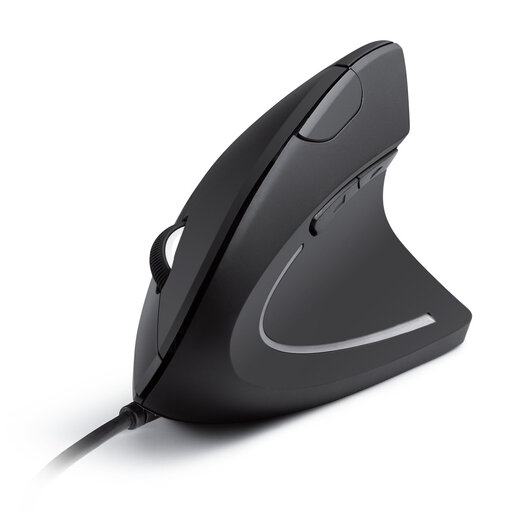
What makes it stand out: The Anker CE100 is a wired vertical mouse specifically engineered to promote the natural "handshake" posture. This design aims to minimise strain on the wrist and forearm. As a wired model, it offers a constant power supply and a latency-free connection.
Advantages:
Who it's for: Individuals who spend long hours at the computer and are actively seeking a solution to relieve wrist strain, such as a mouse for wrist pain.
The models featured here cover common use cases, but the selection of peripherals is vast. If you'd like to compare more mice with different specifications or at various price points, you can find a wider selection in our Computer Peripherals category.
1. What are the real benefits of an ergonomic mouse? An ergonomic mouse is designed to promote a more natural posture for your hand, wrist, and arm. Compared to standard mice, this can help reduce muscle strain and tension from repetitive movements over long periods. The goal is to increase comfort during daily computer work.
2. How long does it take to get used to a vertical mouse? The adjustment period varies from person to person. Most users report a familiarisation phase of a few days to a week. During this time, your muscles adapt to the new posture and movements. Regular use will speed up this process.
3. Is a wireless or a wired ergonomic mouse better? Neither option is inherently superior; the choice depends on personal preference. A wireless mouse (RF or Bluetooth) offers more flexibility and a cleaner workspace. A wired mouse eliminates the need for batteries or charging and ensures a consistently stable connection, making it a highly reliable option.