
Lieferung heute & morgen

Qualitätsgarantie

Willkommens-Angebote freischalten: KOSTENLOSE Lieferung | Bis zu 80 % RABATT | Kostenlose 30-Tage-JoyPlus-Testphase
App herunterladen
By: Joybuy Product Recommendation OfficerDate: July 18, 2026
Long workdays at the computer can lead to discomfort or tension in your hand, wrist, and arm. A standard mouse often isn't designed for hours of repetitive use. An ergonomic mouse, on the other hand, is engineered to support a more natural posture and can help reduce strain.
This guide offers a factual overview of the key features of ergonomic mice and presents a selection of models designed for productivity and comfort in your daily work. Our goal is to provide you with the necessary information to make an informed decision for your workspace.
Choosing the right model depends on your individual needs and work habits. The following criteria will help you objectively compare the features of different mice.
The shape of the mouse is the most critical ergonomic feature. There are two main types:
A modern wireless office mouse offers flexibility and a clutter-free desk. Pay attention to the connection options:
A professional mouse is distinguished by its precision and adaptability.
Based on the criteria above, we have compiled a selection of models that are suited for different user profiles due to their specific features.
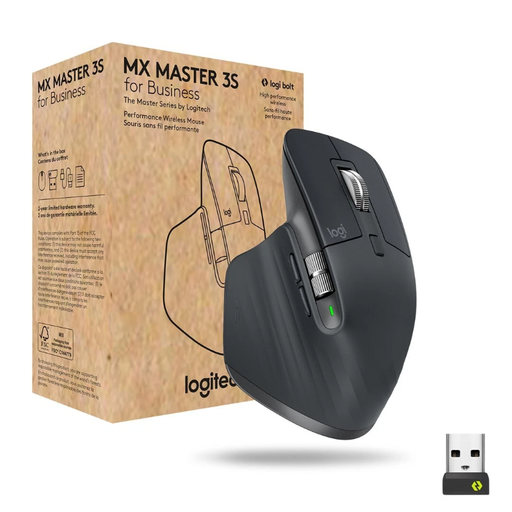
What Makes This Model Stand Out The Logitech MX Master 3S for Business is a highly advanced mouse designed for maximum productivity and precision. Its electromagnetic MagSpeed scroll wheel allows for both ultra-fast scrolling through long documents and a line-by-line precision mode. The Darkfield sensor with 8000 DPI tracks on virtually any surface, including glass. According to the manufacturer, its Quiet Click technology reduces click noise by 90% compared to the previous model.
Key Benefits
Who is this model for? This model is aimed at power users, developers, analysts, and creative professionals who need a versatile, precise, and customisable mouse for demanding workflows.
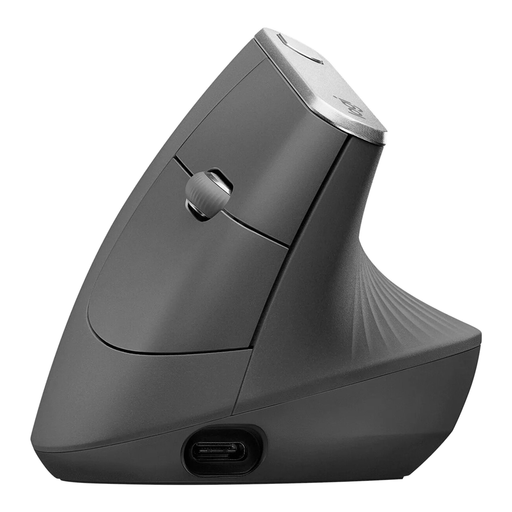
What Makes This Model Stand Out The Logitech MX Vertical takes a dedicated ergonomic approach with its unique 57-degree angle. This vertical posture mimics a natural handshake position and, according to Logitech, is designed to reduce muscle activity by 10% compared to a traditional mouse. It is a specialised mouse designed to combat strain associated with tendonitis by optimising wrist and forearm posture.
Key Benefits
Who is this model for? This model is designed for users who want to actively reduce strain on their wrist and forearm or who already experience discomfort when using traditional mice. It is well-suited for long workdays in the office or at home.
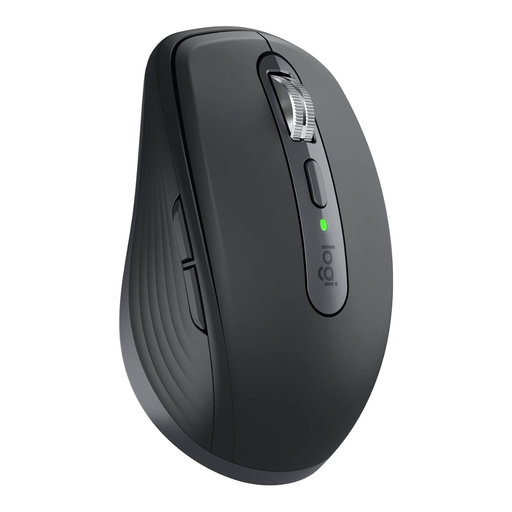
What Makes This Model Stand Out The Logitech MX Anywhere 3S for Business packs many features of the larger MX Master into a compact, travel-friendly design. Despite its small footprint, it features the MagSpeed scroll wheel, an 8000 DPI Darkfield sensor, and quiet clicks. Its compact form makes it the ideal companion for hybrid work and for users with smaller hands.
Key Benefits
Who is this model for? This model is the right choice for mobile professionals, commuters, and anyone who needs a powerful yet compact wireless office mouse that is easy to transport without compromising on functionality.
The right mouse is a key component of an optimised workspace. If you are looking for other technical components beyond input devices to complete your work environment or adapt it for special tasks, you will find a wide selection in our range. For example, discover specialised connection solutions like Sensor Cables for custom technical projects and other electronic components.
A mouse is considered ergonomic if its design aims to keep the hand, wrist, and arm in the most natural, neutral position possible. This is achieved through special shapes (e.g., contours that support the palm) or a different orientation (as with a vertical mouse). The goal is to minimise muscle strain and unnatural joint positions during prolonged use.
The adjustment period varies from person to person, but most users report a familiarisation phase of a few days to a week. Initially, handling it may feel unusual as different muscle groups are engaged. However, after a short time, operation becomes intuitive for most users.
Yes. Modern wireless technologies like Bluetooth Low Energy and proprietary 2.4 GHz receivers (e.g., Logi Bolt) provide a stable, responsive, and secure connection that is perfectly adequate for most professional applications, including design and programming. Concerns about latency or connection drops, which were common with older models, are generally unfounded with high-quality current devices.