
Lieferung heute & morgen

Qualitätsgarantie

Willkommens-Angebote freischalten: KOSTENLOSE Lieferung | Bis zu 80 % RABATT | Kostenlose 30-Tage-JoyPlus-Testphase
App herunterladen
An ergonomic office chair should do more than look good: it should adjust to your workspace and the way you sit. Many chairs are advertised with a host of features, but some offer limited adjustment in practice. Before you buy, take a close look at the adjustment range, dimensions, weight capacity and materials.
A headrest, armrest or lumbar support isn’t automatically the right fit. What matters is whether each component can be adjusted enough in height, depth or angle. A fixed support can even feel uncomfortable if it doesn’t suit your height.
Maximum weight capacity generally refers to body weight under the intended conditions of use. It’s often unclear whether the stated limit applies to continuous daily use. So don’t just focus on the design: check the weight capacity, gas lift, base and castors too.
A mesh office chair can improve air circulation, but it can’t make an unsuitable seat comfortable. A seat that’s too firm or too short will still be uncomfortable, even with a breathable cover. Check the seat height, seat depth and padding, and make sure you can place both feet flat on the floor.
An adjustable-height office chair should let you sit with your knees at roughly a right angle and your feet firmly on the floor. There should be a little space between the edge of the seat and the backs of your knees. Adjustable seat depth is particularly useful if several people will use the chair or your height is well above or below average.
A backrest should provide enough coverage while still allowing you to move. With an office chair with lumbar support, it’s not just the presence of lumbar support that matters; you should be able to adjust it too. Height- or depth-adjustable systems make it easier to tailor the support to the way you sit. These details describe an ergonomic feature and are not a medical claim.
An office chair with armrests can support your forearms while you type or read. Ideally, you should be able to adjust them so your shoulders stay relaxed and your forearms rest roughly horizontally. An office chair with a headrest is especially useful if you like to lean back from time to time. A tilt function or an office chair with a reclining function should offer several stable positions and lock securely.
Your desk also needs to suit your sitting position. If you’re looking for extra storage or a practical way to support your arms at your workstation, you may find a suitable option in the desk armrest category.
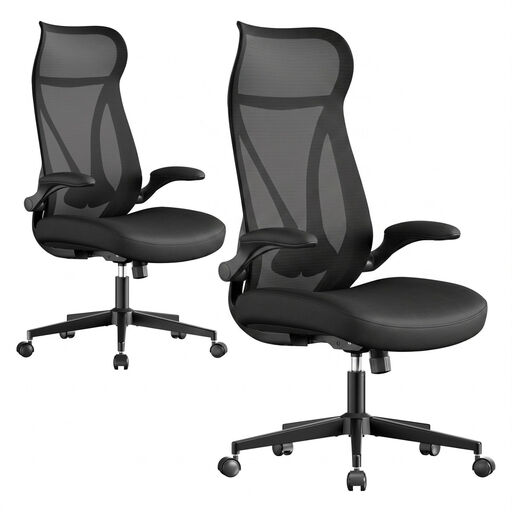
Why it suits this profile: The height-adjustable seat, S-shaped backrest and headrest make this chair a good choice for working from home, studying and occasional longer spells of sitting.
The product details state a maximum weight capacity of 150 kg, along with folding armrests and specific dimensions of 67 × 67 × 113–125 cm.
Height adjustment, flip-up armrests, headrest and steel frame, according to the product description.
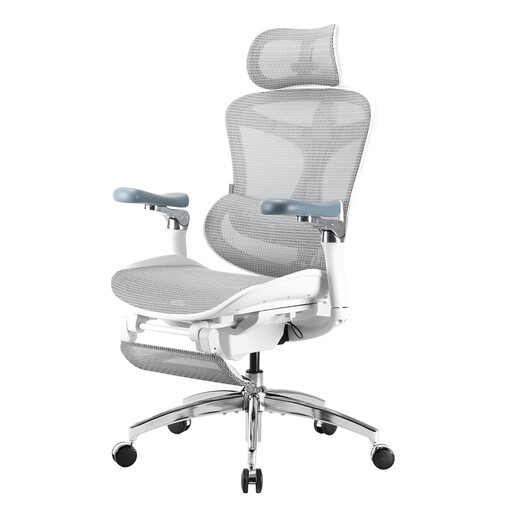
Why it suits this profile: The 3D armrests and dynamic lumbar support are designed for people who want plenty of adjustment options for their everyday workstation.
The product name specifically highlights adjustable armrests, an adjustable backrest and dynamic lumbar support.
3D armrests, an adjustable backrest and dynamic support, according to the product details.
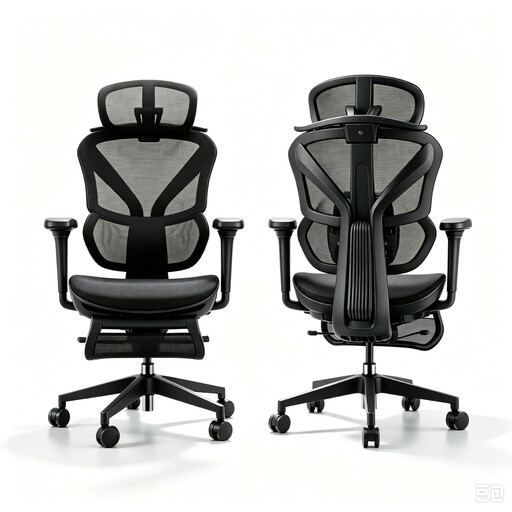
Why it suits this profile: Whether you’re gaming, working from home for long days or switching between work and rest, this model offers several adjustable components and an extendable footrest.
The product details specify adjustment ranges, including a recline of up to around 140°, adjustable seat depth, 5D armrests and a lumbar support that can be adjusted in several ways.
Footrest, 4D headrest, 5D armrests, adjustable seat depth and mesh seat, according to the product description.
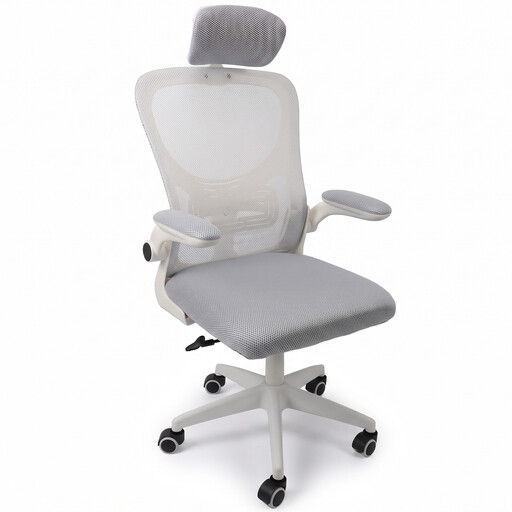
Why it suits this profile: This model is for people looking for breathable mesh, a headrest and movable armrests in a computer chair.
Rather than relying on vague promises of comfort, the product description specifies adjustable lumbar support, a 3D headrest and armrests that fold up by 90°.
Breathable mesh, 3D headrest, adjustable lumbar support and 90° swivel armrests, according to the product details.
Once assembled, adjust the chair to suit your height:
Even a well-equipped ergonomic desk chair is no substitute for changing position regularly. Short breaks, alternating your sitting position and occasionally working while standing can all help you move more freely. Check the screws, castors and connections regularly, following the instruction manual.
We’ve put together a complete, regularly updated list of products that meet these strict selection criteria and fully comply with the safety regulations applicable in the EU.
Your feet should rest firmly on the floor, with your knees and hips in a comfortable position at roughly a right angle. The backrest should support your back without restricting movement completely. Adjust the armrests so your shoulders stay relaxed.
How long a chair lasts depends on how often it’s used, the user’s body weight, the quality of the materials, and how well it’s cared for and maintained. If you use a chair every day, look for durable components, a suitable gas lift, sturdy castors and spare parts that are readily available. It’s not possible to give a reliable lifespan in years without knowing the specific conditions of use.
The price varies depending on the range of adjustments, materials, base, padding and extra features such as a headrest, footrest or reclining function. Price isn’t the only thing to consider: a chair with adjustment options that suit you may be more practical for everyday use than a cheaper model with mostly fixed components.