
Lieferung heute & morgen

Qualitätsgarantie

Willkommens-Angebote freischalten: KOSTENLOSE Lieferung | Bis zu 80 % RABATT | Kostenlose 30-Tage-JoyPlus-Testphase
App herunterladen
Long workdays at a desk, whether in a home office or a corporate one, often take their toll in the form of tension and back pain. An ergonomic office chair is frequently presented as the solution, but the market is overwhelming. Many products promise more than they can deliver. This guide will help you recognise the crucial features and sidestep marketing traps, ensuring your investment in the right home office equipment leads to long-term comfort and well-being.
Before you make a purchasing decision, you should be aware of three common pitfalls:
To provide real value, an office chair must be adaptable. Pay attention to the following non-negotiable parameters to ensure the chair adjusts to your body—and not the other way around.
A truly ergonomic chair offers a range of customisation options. The most important are:
In addition to adjustability, the internal mechanism and the materials used are significant for the functionality and lifespan of a chair.
Not every user has the same requirements. We have matched a few models based on different needs and usage scenarios.
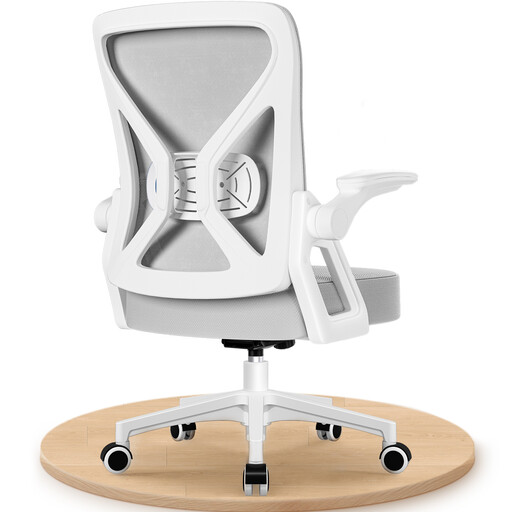
Why it's a good fit: Ideal for students or a first home office. It offers basic ergonomic features like adjustable lumbar support and seat height without breaking the bank.
This model goes beyond a mere marketing label by offering a genuinely adjustable lumbar support instead of just a rigid, pre-moulded backrest.
The flip-up armrests are practical for sliding the chair under the desk to save space. The recline function up to 125° allows for relaxing breaks.
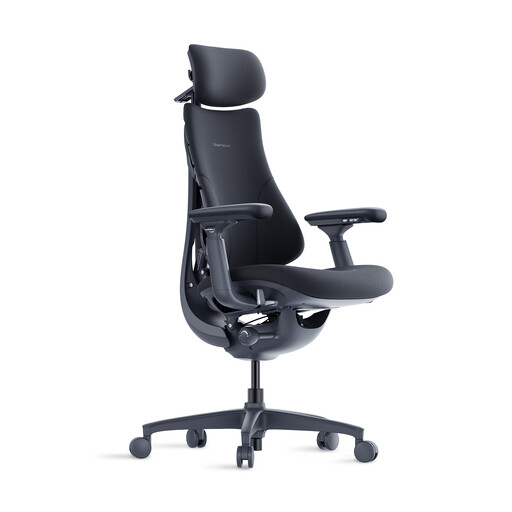
Why it's a good fit: For professionals who spend over eight hours a day at their desk. The adaptive lumbar support and extensive adjustment options provide maximum support even during prolonged use.
This model solves the problem of rigid ergonomics with an adaptive lumbar support that adjusts to the user's movements, ensuring continuous dynamic support.
The integrated footrest and extreme 160° recline angle allow for genuine recovery periods right at the workstation. The spine-stretching function offers additional relief.
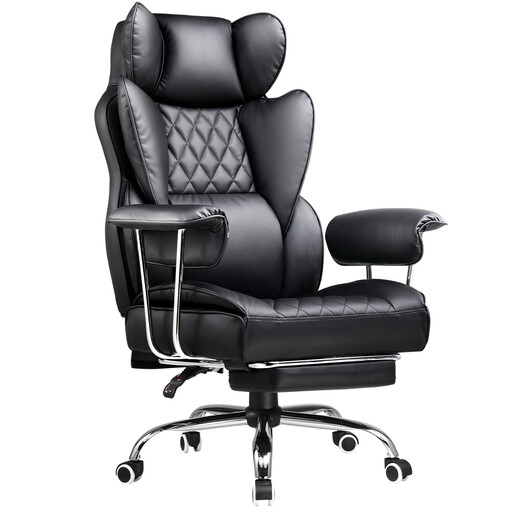
Why it's a good fit: A gaming chair designed for long and intense sessions. The high backrest supports the entire back up to the head, while the additional cushions provide targeted relief.
While many gaming chairs prioritise aesthetics over function, this model combines its design with useful ergonomic features like a lumbar support and a retractable footrest.
The combination of a high backrest, recline function, and footrest makes it a versatile desk chair for gaming, work, and media consumption.
An ergonomic workspace is a highly personal matter. If you prefer a more dynamic solution, an electric standing desk is an excellent addition.
Start with the seat height: your feet should be flat on the floor and your knees should form a 90-degree angle. Adjust the seat depth so there is a gap of about three fingers' width between the back of your knee and the front edge of the seat. The lumbar support should be positioned in the curve of your lower back. Finally, adjust the armrests so that your forearms rest on the desktop at a 90-degree angle with relaxed shoulders.
That depends on the model. Gaming chairs often feature a high backrest and a racing-style seat design. Some models, like the GTPLAYER featured here, offer good ergonomic functions and are suitable for long periods of sitting. However, classic ergonomic office chairs often provide finer and more targeted adjustments for a neutral working posture, whereas gaming chairs are often optimised for a reclined position as well.
Very important. A height-adjustable desk allows you to align the work surface precisely to your body height and your chair's settings. This is crucial for achieving the ideal 90-degree posture in your arms and preventing tension in the shoulder and neck area. Furthermore, an electric standing desk offers the advantage of being able to switch regularly between sitting and standing, which improves posture and stimulates circulation.