
Lieferung heute & morgen

Qualitätsgarantie

Willkommens-Angebote freischalten: KOSTENLOSE Lieferung | Bis zu 80 % RABATT | Kostenlose 30-Tage-JoyPlus-Testphase
App herunterladen
Long hours at a desk, whether in a home office, gaming, or studying, take their toll. An unsuitable chair often leads to muscle tension and impairs concentration. However, the office chair market is flooded with marketing promises that make an informed decision difficult. As your Joybuy Product Recommendation Officer, I'll help you identify the crucial features and steer clear of common purchasing traps.
Many buyers invest in a supposedly ergonomic chair, only to find out after a few months that it causes more problems than it solves. This is often due to three common flaws:
A good ergonomic office chair is an investment in your well-being. The following criteria are crucial for finding a durable and genuinely supportive model.
Before you decide on a model, check these three core areas. They separate a solid ergonomic desk chair from a short-lived gimmick.
A chair can only be ergonomic if it can be adapted to your body. Look for the following adjustments:
The durability and comfort of a chair depend directly on the materials used.
Some extras can significantly increase comfort, provided the foundation is solid.
To help you choose, we have put together some models based on typical user profiles.
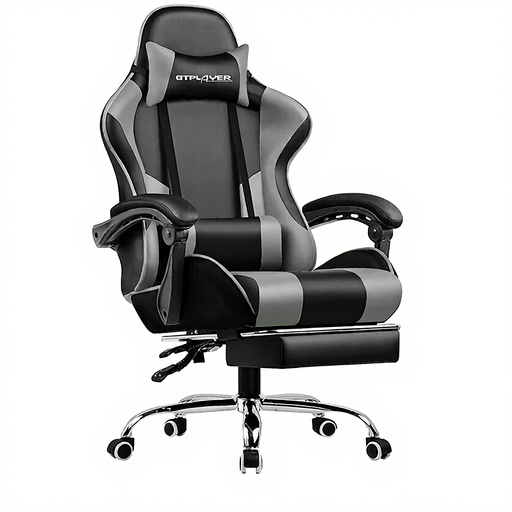
Why This Fits Their Persona: Ideal for students or a first home office setup. This model combines the aesthetics of a gaming chair with practical features like a footrest and a massage cushion at an accessible price point, without skimping on fundamental adjustment options.
Instead of just being marketed as "ergonomic," this chair offers concrete features like a backrest that reclines to 150°, adjustable cushions, and a footrest, which deliver real added value for comfort and relaxation.
The combination of cold foam padding, easy-to-clean PU leather, and integrated relaxation features (massage cushion, footrest) makes it a multifunctional solution for both work and leisure.
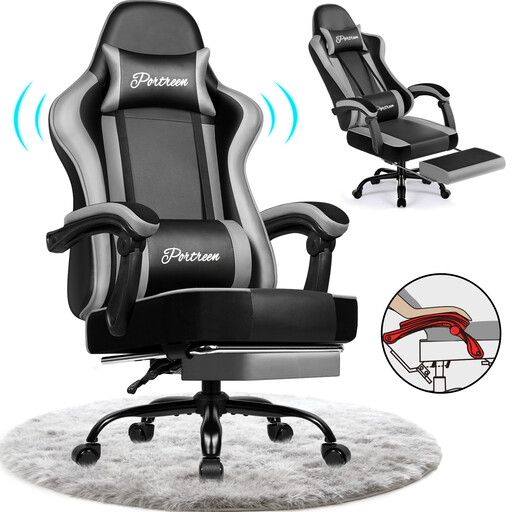
Why This Fits Their Persona: Engineered for long sessions. Its high weight capacity, deep recline of up to 170 degrees, and BIFMA and SGS standard certifications point to a robust and safe construction that meets the demands of gamers and power users.
Instead of vague promises, this chair delivers verifiable quality through BIFMA and SGS certifications. These standards confirm the chair's safety, durability, and functional performance under stress.
The combination of high-density, shape-retaining foam padding and a sturdy metal frame for the footrest ensures long-lasting comfort and stability, even during intensive use and in a reclined position.
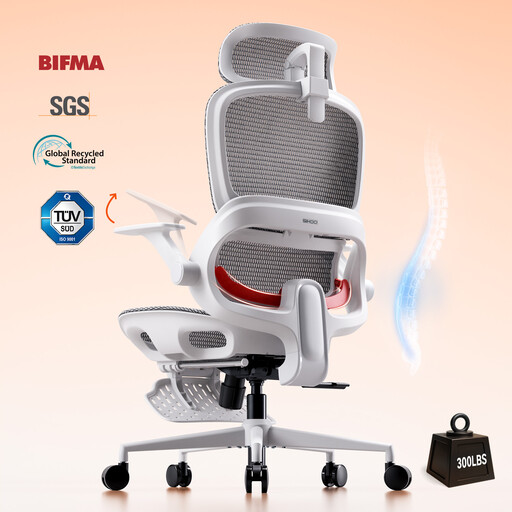
Why This Fits Their Persona: This chair is designed for users seeking a versatile home office chair. The flip-up armrests allow it to be pushed under a desk to save space or to adopt a more open posture, while the footrest offers relaxation during breaks.
Rather than relying on a single gimmick, this model offers a well-thought-out package. The adaptive lumbar support and wide headrest address core ergonomic needs, while the footrest and flip-up armrests serve as practical, everyday extras.
The flip-up armrests are a clear unique selling point, creating flexibility in the daily work routine. Combined with the adaptive lumbar support, the chair strikes a great balance between focused work and relaxing breaks.
We have compiled a complete, up-to-date list of products that fully meet these strict selection criteria and rigorous safety standards.
The lifespan heavily depends on the material quality and intensity of use. A model with a sturdy metal base, a Class 4 gas lift, and high-density cold foam padding can last five years or more with daily use. Cheaper models with simple foam pads and plastic parts often show significant signs of wear and tear after just one to two years.
The lines are increasingly blurring. A good gaming chair often offers excellent ergonomics that are also suitable for long workdays, especially due to the high backrest and extensive adjustment options. Traditional office chairs often have a more understated design. The decision depends on your priorities: do you value a subtle design more, or maximum adjustability and features like a footrest, which are more common on gaming models?
The lumbar support should support the natural S-curve of your spine. Ideally, the support should be adjustable in both height and depth (pressure). This allows you to adjust the support precisely to the point where your lower back needs it. A permanently integrated curve in the backrest is less flexible and does not suit every body size and shape.