
Lieferung heute & morgen

Qualitätsgarantie

Willkommens-Angebote freischalten: KOSTENLOSE Lieferung | Bis zu 80 % RABATT | Kostenlose 30-Tage-JoyPlus-Testphase
App herunterladen
A suitable ergonomic office chair is a fundamental piece of equipment for anyone who regularly works at a desk. However, the market is saturated, and many products fail to live up to their marketing promises. Making the wrong choice not only leads to financial loss but can also negatively impact your well-being. This guide will help you identify common purchasing pitfalls and understand the crucial features for making your selection.
Many buyers are guided by advertising claims or a chair's appearance. However, certain flaws only become apparent after a few weeks of use. Pay close attention to these three points to avoid a bad purchase.
Instead of being swayed by marketing terms, you should base your decision on objective, technical features. Three parameters are of particular importance.
The lumbar support is crucial for supporting your lower back. A good support should be adjustable to fit the natural S-curve of your spine.
A fixed, non-adjustable curve is often a compromise that is not optimal for many users.
The mechanism determines how the seat and backrest move. It is the core component of any swivel chair and promotes dynamic sitting.
The durability and safety of an office chair depend directly on the quality of its components.
The requirements for an office chair are as individual as its users. We have matched some models based on different needs and usage scenarios.
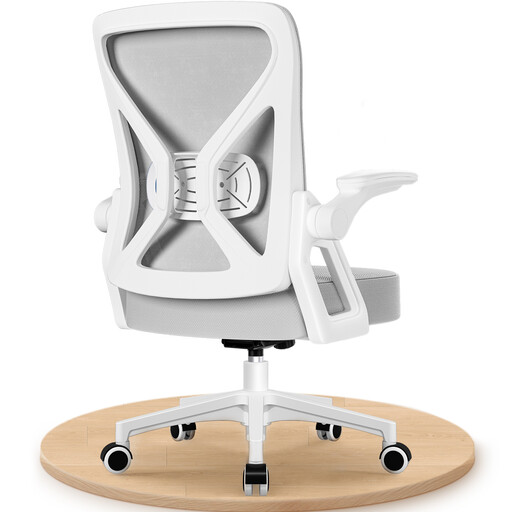
Why this model is a good fit: This model offers fundamental ergonomic features that are important for starting out in the home office chair category. It is a pragmatic choice for users seeking a noticeable improvement over a basic chair without a large budget.
The chair features an explicitly adjustable lumbar support instead of just a rigid curve. This bypasses the trap of the empty "ergonomics" promise.
The flip-up armrests allow the chair to be pushed under the desk to save space and offer flexibility for various activities.
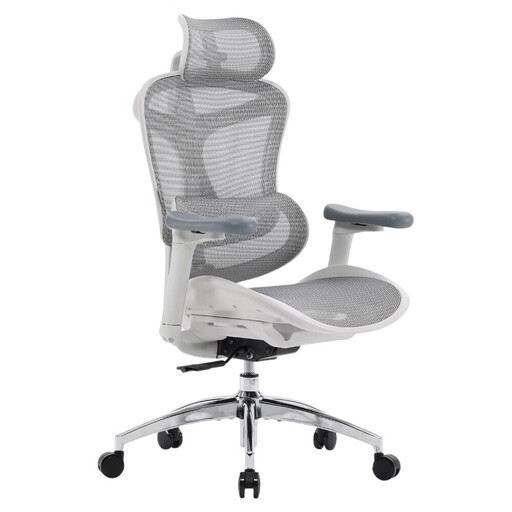
Why this model is a good fit: Ideal for individuals who sit for many hours daily. Its advanced, dynamic adjustment mechanisms are designed to actively support the body and prevent fatigue. A chair for users who refuse to compromise on ergonomics.
The self-adaptive lumbar support and weight-sensing mechanism go far beyond standard ergonomics, actively adjusting to the user's movements.
The dynamic tracking system and the 3D armrests that synchronise with the recline offer a high degree of individualised support.
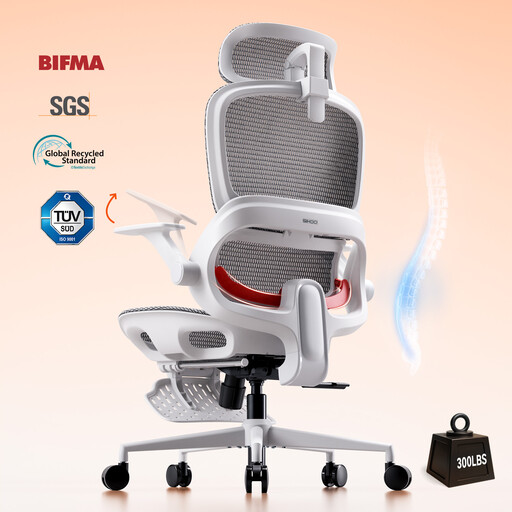
Why this model is a good fit: This versatile chair is designed for users who need a chair for long periods of sitting that facilitates both focused work and relaxing breaks. It also serves as an excellent alternative to a dedicated gaming chair.
It integrates a comfort feature like the footrest without compromising on core ergonomic functions such as the adaptive lumbar support and high backrest.
The integrated and retractable office chair with a footrest allows for a relaxed reclining position for breaks, without the need for an additional ottoman.
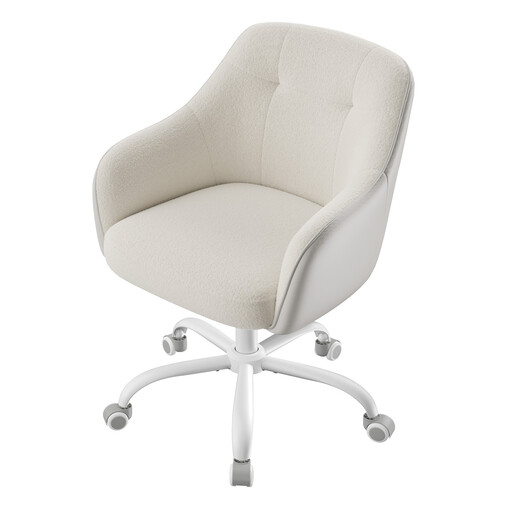
Why this model is a good fit: This model combines a modern, minimalist aesthetic with fundamental sitting comfort. It is ideal for the study, bedroom, or dressing room, where design plays as significant a role as function during moderate use.
The chair clearly positions itself as a design piece with basic functions (height-adjustable), rather than falsely promising high-end ergonomics.
The chic design with sherpa fabric upholstery and clean lines stands out from the look of classic office chairs and blends harmoniously into living spaces.
Choosing the right chair is a personal decision. If the models presented here don't exactly match what you're looking for, you can find more alternatives in our complete collection.
The lifespan of an office chair heavily depends on the quality of its materials, intensity of use, and maintenance. Mid- to high-range models are often designed for a lifespan of 5 to 10 years. Pay attention to the manufacturer's warranty period, as it is often a good indicator of the expected durability of the mechanism and components.
A gaming chair can be a good alternative, provided it has genuine ergonomic adjustment options. Many models focus on a racing-seat aesthetic with fixed side bolsters and loose cushions, which often don't provide the same targeted support as an integrated, adjustable lumbar support. If you are considering a gaming chair for work, check if the lumbar support and armrests are adjustable and if the seat allows for sufficient freedom of movement.
A basic setup can be done in a few steps: