
Lieferung heute & morgen

Qualitätsgarantie

Willkommens-Angebote freischalten: KOSTENLOSE Lieferung | Bis zu 80 % RABATT | Kostenlose 30-Tage-JoyPlus-Testphase
App herunterladen
An ergonomic office chair is an investment in your health and productivity, especially if you spend long hours at your desk. But the market is overwhelming and flooded with marketing promises. Many chairs advertised as "ergonomic" turn out to be inadequate and often create more problems than they solve. As your Joybuy Product Recommendation Officer, I'm here to help you identify the crucial features and steer clear of common purchasing traps.
Before we dive into the essential features, let's clear up the most widespread misconceptions that often lead to disappointment and unnecessary expense.
To avoid a bad purchase, focus on objective, technical features rather than marketing slogans. These three parameters are critical for long-lasting sitting comfort.
The mechanism determines how the seat and backrest move. There are significant differences here:
The lumbar spine (lordosis) is particularly susceptible to strain from prolonged sitting. A chair with lumbar support is therefore a basic requirement. However, ensure that this support is not just present but also adjustable in both height and depth. This is the only way it can be precisely adapted to the natural S-curve of your spine and provide targeted support to live up to the promise of a chair for back pain.
The quality of the materials and craftsmanship are crucial for durability and comfort.
Based on the criteria mentioned, we have identified several models suitable for different needs and budgets.
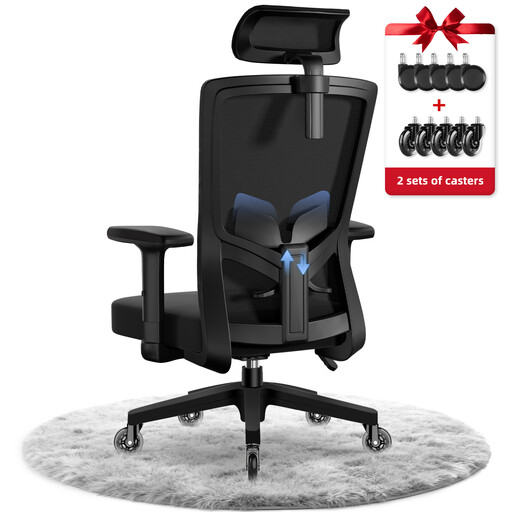
Why This Fits Their Persona: Ideal for individuals seeking a functional and ergonomic chair for their home office without a large budget. It provides the essential adjustments needed for a healthy posture during daily work.
This chair bypasses the unsuitable materials trap with its highly elastic, breathable nylon mesh backrest, which ensures excellent air circulation.
Comprehensive adjustability: The headrest, lumbar support (6 cm), armrests (10 cm), and seat height are all customisable. The gas lift is BIFMA and SGS certified and supports up to 150 kg.
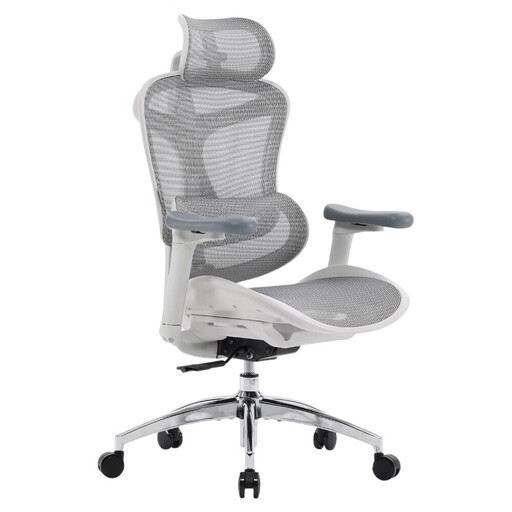
Why This Fits Their Persona: Perfect for professionals and power users who spend more than eight hours a day at their desk and require maximum adaptability and advanced ergonomic support.
It escapes the "ergonomics" trap with a self-adaptive lumbar support that automatically adjusts to the body's movements, providing dynamic, personalised support.
An intelligent weight-sensing mechanism automatically adjusts the recline tension. The 3D armrests are adjustable in three directions and synchronise with the backrest's recline.
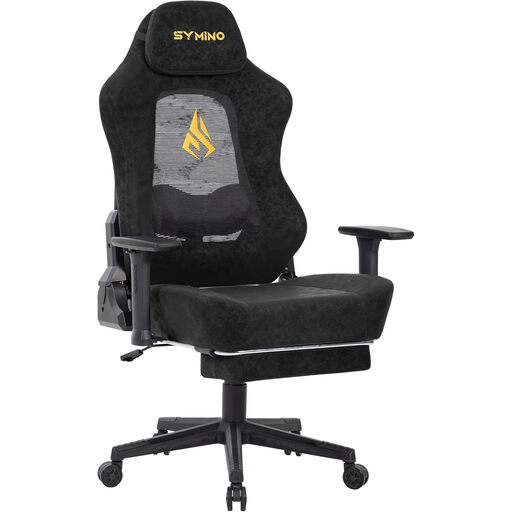
Why This Fits Their Persona: This chair is designed for users who need a versatile PC chair for long gaming sessions and focused work. It combines appealing aesthetics with functional ergonomic features.
It avoids the "design over function" trap by forgoing rigid side bolsters ("Wingless Design") and featuring a cut-out backrest with a mesh insert for maximum breathability.
Adaptive 3D lumbar support that conforms to the spine. The backrest reclines from 90° to 155° and includes an additional 12° rocking function for flexible seating positions.
We have compiled a complete, up-to-date list of products that fully meet these strict selection criteria and safety regulations.
A gaming chair can be a good alternative, provided it has the right ergonomic features. Look for models with adjustable lumbar support, 3D/4D armrests, and a synchronous mechanism instead of a simple tilt function. Models that focus solely on racing aesthetics are often unsuitable for long, healthy sitting.
The lifespan heavily depends on the quality of the materials and the frequency of use. A high-quality chair with a sturdy metal base, a certified gas lift (e.g., Class 3 or 4), and durable upholstery can last 5 to 10 years with daily use. Cheaper models often show wear and tear on the padding and mechanism after just 1-2 years.
Start with the seat height: your feet should be flat on the floor with your knees at an approximate 90-degree angle. Adjust the seat depth so there is a gap of about two to three fingers' width between the back of your knees and the front edge of the seat. Adjust the lumbar support to fit the natural curve of your lower back. The armrests should be set so that your forearms rest on the desktop at a 90-degree angle with your shoulders relaxed.