
Lieferung heute & morgen

Qualitätsgarantie

Willkommens-Angebote freischalten: KOSTENLOSE Lieferung | Bis zu 80 % RABATT | Kostenlose 30-Tage-JoyPlus-Testphase
App herunterladen
An ergonomic office chair should not only look good, but also suit your height, how long you sit and your workspace. Many purchasing decisions fall short, however, because of specifications that sound convincing in the product description but mean little in everyday use. Three common pitfalls in particular lead to the wrong purchase:
A height-adjustable office chair lets you adapt it to your desk and height. When sitting, your feet should rest firmly on the floor, while your knees shouldn't be bent too sharply or strained by a seat that's too high. So check the stated height range and compare it with your own sitting height.
With the GTIMEX Ergonomic Office Chair, for example, a seat height range of 43 to 53 cm is given. According to the product information, this model is intended for people with a height of around 145 to 185 cm. Concrete values like these are far more helpful for choosing than vague terms like “universal”.
An office chair with lumbar support can make it easier to adjust to your lower back. What's important is whether the support is actually height-adjustable or dynamic. A fixed curve won't suit every body shape.
Also pay attention to the height of the backrest and whether it can be tilted. A lockable or controlled-movement backrest can be useful for different tasks. For focused work, the backrest should provide enough support; for leaning back briefly, a tilt function can offer extra flexibility.
An office chair with armrests should support your forearms in a relaxed position without pushing your shoulders up. Foldable armrests are practical if you want to slide the chair fully under your desk. Height-adjustable armrests offer more customisation.
A breathable mesh office chair can feel airier during long periods of sitting than a fully upholstered material. However, mesh isn't automatically easier to care for or to everyone's taste. With gaming and office chairs that have a faux leather cover, pay attention to the cleaning instructions.
The maximum static weight capacity should also be part of your comparison. The GTIMEX Gaming Chair has a capacity of 150 kg, while the JOYFURNOS Mesh Office Desk Chair is rated at 120 kg. These values should not be exceeded. Castors, the base and the gas lift must be used on a level, stable floor.
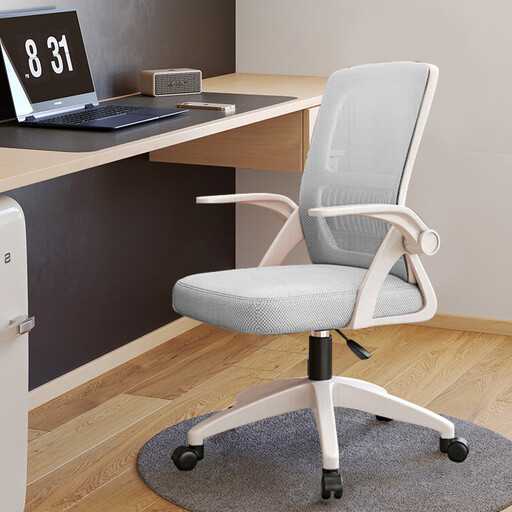
Why this product fits the profile: This swivel office chair is suitable for home office users looking for a simple combination of mesh back, armrests and lumbar support.
The product name lists specific features rather than relying solely on general comfort claims. The fold-up armrests make it easier to store under the desk.
Breathable mesh fabric, 360-degree swivel function and stated lumbar support.
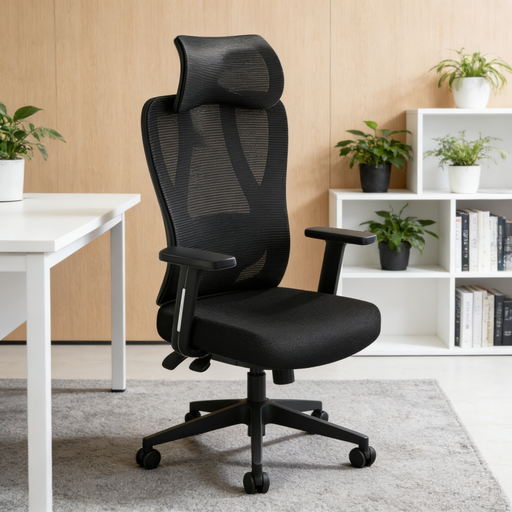
Why this product fits the profile: For users who want multiple adjustment points and a wider tilt range from a gaming and office chair.
The supplier states a tilt range of 105 to 140 degrees, plus a 4D lumbar support and an adjustable backrest height. These details make objective assessment easier.
Double-layer mesh cover, 10.5 cm seat cushion, adjustable headrest and 4D lumbar support according to the product description.
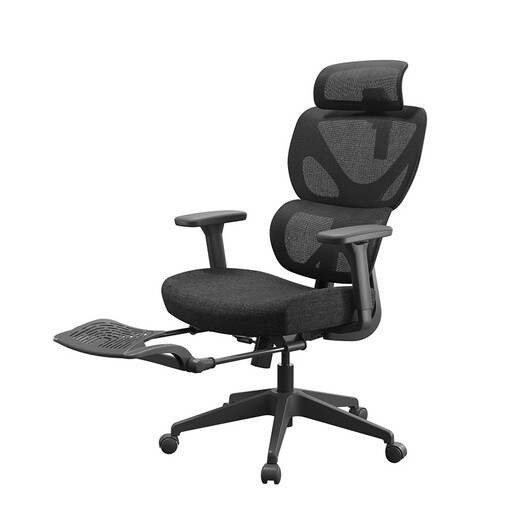
Why this product fits the profile: An option for people who switch between work, gaming and short breaks, and who prefer a footrest and a recline function.
The features are clearly stated: footrest, elastic lumbar support, swivel armrests and a tilt angle of up to 132 degrees.
Integrated footrest, 132-degree recline position and 10 cm thick seat cushion according to the product name and supplier information.
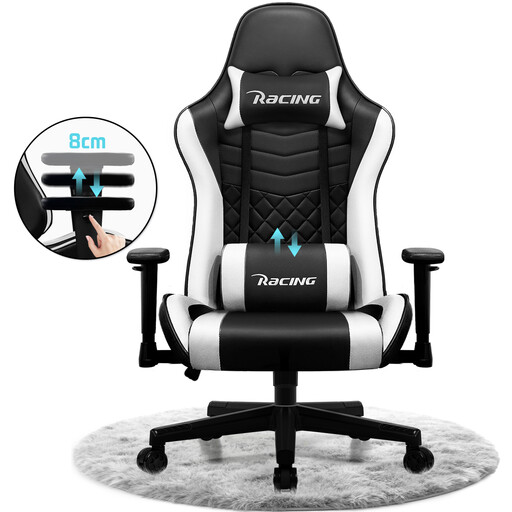
Why this product fits the profile: For gamers and people who want a padded chair with a headrest, adjustable armrests and a high stated weight capacity.
The description lists an 8 cm height-adjustable armrest, a height-adjustable lumbar cushion and a weight capacity of 150 kg. This makes the key details easy to check before purchase.
360-degree swivel function, tilt function, headrest and stated steel construction with SGS-certified gas lift according to the product description.
We've put together a full, regularly updated list of products that fully meet these strict selection criteria and the safety regulations in force in the EU.
Start with the seat height so that your feet rest firmly on the floor. Then adjust the backrest and lumbar support. The armrests should support your forearms without raising your shoulders. Finally, check that the desktop allows a relaxed posture.
The lifespan depends on the materials, construction, daily usage time and load. Check the gas lift, castors, screw connections and padding regularly. The manufacturer's information on maximum weight capacity and care is also important.
The price depends on factors including the range of adjustment, materials, padding, weight capacity and extra features such as a headrest, footrest or recline function. Don't just compare the purchase price – also consider the availability of spare parts, assembly effort and suitability for your height.