
Lieferung heute & morgen

Qualitätsgarantie

Willkommens-Angebote freischalten: KOSTENLOSE Lieferung | Bis zu 80 % RABATT | Kostenlose 30-Tage-JoyPlus-Testphase
App herunterladen
A well-designed workspace is the foundation for productive, pain-free days, especially when working from home. However, the office furniture market is saturated with products whose marketing promises often fall short in practice. Many professionals and students invest in supposedly ergonomic solutions, only to find that tension and discomfort persist.
This guide, created by the Joybuy Product Recommendation Officer, shows you what truly matters. We'll highlight the most common pitfalls and provide objective criteria to help you make an informed decision for your home office setup.
Before investing in new products, it's important to be aware of common mistakes that lead to disappointment and unnecessary expense.
To avoid these pitfalls, you should focus on verifiable product features. The following parameters are crucial for a sustainably functional workspace.
A chair must adapt to your body, not the other way around. Look for the following adjustment options:
A tidy workspace is not a luxury but an ergonomic necessity. A well-thought-out desk organisation system ensures that all essential items are within primary reach.
Based on the criteria mentioned, we have compiled a selection of products suitable for different user profiles and their specific requirements.
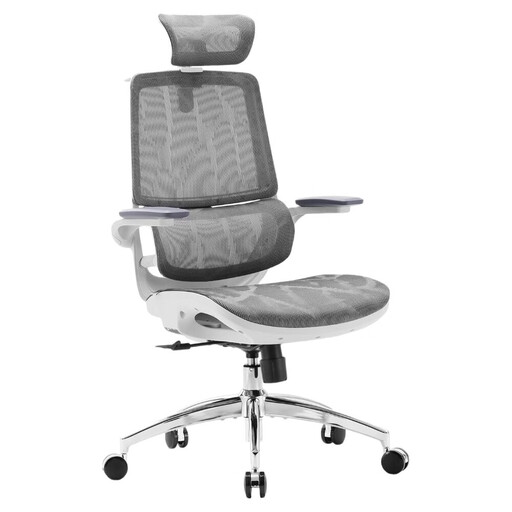
Why this product is a good fit: Ideal for home office users or students seeking a solid ergonomic foundation without needing a premium budget. It offers essential adjustment features often found only in higher price ranges.
It debunks the "one-size-fits-all" myth with its adaptive lumbar support and 3D-adjustable armrests, which allow for individual customisation.
Adaptive dynamic lumbar support that adjusts to back movements. Flip-up 3D armrests save space. BIFMA and SGS certified for up to 150 kg.
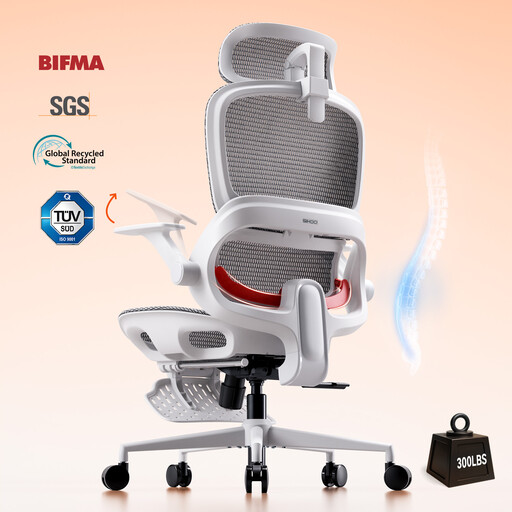
Why this product is a good fit: Designed for individuals who spend many hours at their desk daily and require maximum support and relief for the entire body.
It goes beyond basic ergonomics to address the need for comfort during long-term use. The integrated footrest and high backrest actively prevent fatigue.
Integrated, retractable footrest for relaxation breaks. High backrest with a wide headrest to relieve neck and shoulder strain.
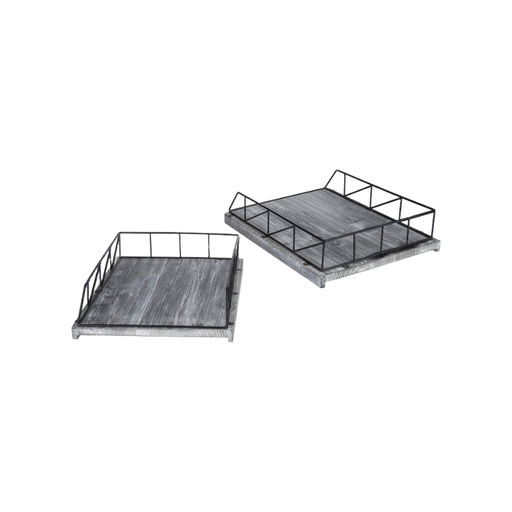
Why this product is a good fit: For anyone whose productivity suffers from a cluttered desk. This product creates a clear structure and ensures a free workspace.
Directly solves the problem of a disorganised surface. By stacking vertically, it keeps the work surface clear, which reduces unnatural reaching movements.
Set of 2 stackable trays made of wood and metal. The drawers are extendable for easy access to standard-sized documents.
An ergonomic workspace is highly personal. If the products featured here don't exactly match your needs, you can find more alternatives in our full category.
An ergonomic workspace consists of several components. The foundation is an ergonomic office chair with the adjustment options mentioned above. This is complemented by a desk at the correct height (ideally a height-adjustable model). The monitor should be positioned so that the top line is at or just below eye level. A tidy work surface and adequate lighting are also essential.
Sit in the chair and slide your hips all the way to the back. Adjust the height of the lumbar support so that it fills and supports the natural curve of your lower back. It should provide noticeable but comfortable counter-pressure without pushing too far forward. On many models, the depth (contact pressure) can also be regulated.
Good organisation minimises unnecessary movements. If you constantly have to stretch, turn, or stand up to get to your work materials, it strains your body and breaks your concentration. A clear structure ensures that everything important is within easy reach, which promotes a relaxed and upright sitting posture.