
Lieferung heute & morgen

Qualitätsgarantie

Willkommens-Angebote freischalten: KOSTENLOSE Lieferung | Bis zu 80 % RABATT | Kostenlose 30-Tage-JoyPlus-Testphase
App herunterladen
If you work at a desk, study or play games on a computer every day, you need an office chair that suits your height, desk and how you use it. However, the word ‘ergonomic’ alone tells you very little about how adjustable a chair really is. What matters are specific features such as seat-height adjustment, lumbar support, backrest mechanisms and armrests.
This guide explains what to look for when buying an office chair and which features are relevant to different everyday situations.
An office chair may boast a wide range of adjustments and still not suit your height. So check the seat height, seat depth and distance between the seat and armrests. For a neutral sitting position, your feet should rest flat on the floor. Ideally, your knees should be at roughly a right angle, with the edge of the seat not pressing into the backs of your knees.
Also check whether the stated dimensions will work with your desk. A height-adjustable office chair is only useful if you can match its seat height to the height of your desk.
The term ‘lumbar support’ simply describes support for the lower back. What matters is whether it is height-adjustable, depth-adjustable or dynamically movable. A fixed curve may feel comfortable for one person but sit in the wrong place for someone else.
If you choose an office chair with adjustable lumbar support, position it to support your lower back without creating pressure points. Ergonomic features are no substitute for regular movement breaks, and they are not a medical aid.
A very soft seat may feel comfortable at first, but after long periods of sitting it can encourage poor posture. Mesh helps air circulate, while padded seats distribute pressure differently. The right choice depends on your needs.
Fold-up armrests can be useful in smaller rooms, as they let you push the chair under the desk. If you often switch between your keyboard, documents and other work essentials, look for smooth-rolling castors and a 360-degree swivel function, too.
The seat height should allow you to sit upright without raising your shoulders. Check the lowest and highest settings of the gas lift. Seat width and depth also matter. A seat that is too deep may prevent you from sitting with your back against the backrest.
An office chair with an adjustable backrest gives you more flexibility to switch between focused work and short rest breaks. Figures such as 120, 125, 132 or 140 degrees of recline describe the backrest’s maximum angle. They do not automatically tell you anything about the quality of the mechanism.
Check whether the backrest can be locked in position and whether it moves smoothly and under control. A tilt function can be useful during breaks, but it should not make you lean backwards constantly while you work.
An office chair with armrests can take the strain off your forearms, as long as the armrests are at the right height for your desk. Fold-up armrests are handy for compact workspaces. Adjustable headrests may suit people who regularly work in a reclined position.
An office chair with a footrest is particularly suitable if you like to lean back from time to time. The footrest should fold out securely and must not be used as a step. Always check the maximum weight capacity and the instructions in the assembly guide.
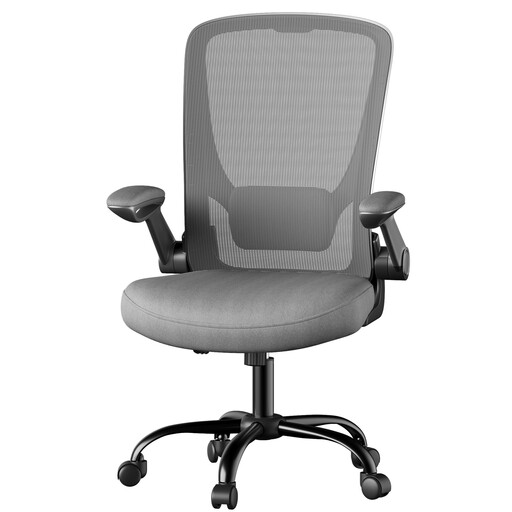
Why this product suits this profile: This chair combines an adjustable seat height with a breathable mesh backrest and fold-up armrests. It’s a good fit for home offices and smaller rooms.
The product description lists specific features rather than making vague claims about comfort: a mesh backrest, padded seat, gas lift, 360-degree swivel and fold-up armrests.
Breathable mesh backrest, height-adjustable seat and space-saving armrests; assembly required.
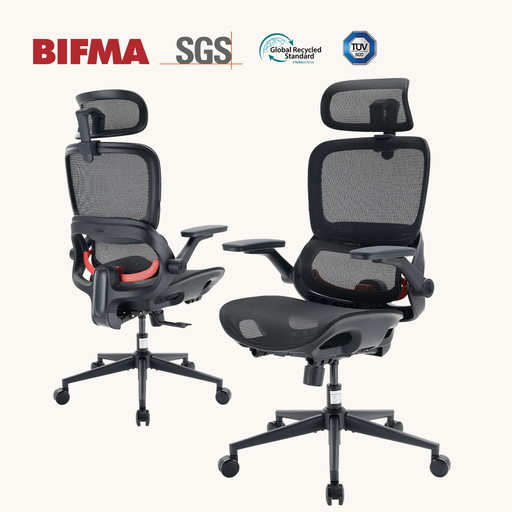
Why this product suits this profile: The product name highlights adaptive lumbar support, a wide headrest and swivel, flip-up armrests. This may appeal if you want to adjust several points of contact.
The product features specify how the chair can be adjusted. Before buying, though, check the full adjustment ranges and seat dimensions on the product page.
Adaptive lumbar support, a wide headrest and flip-up armrests, according to the product name.
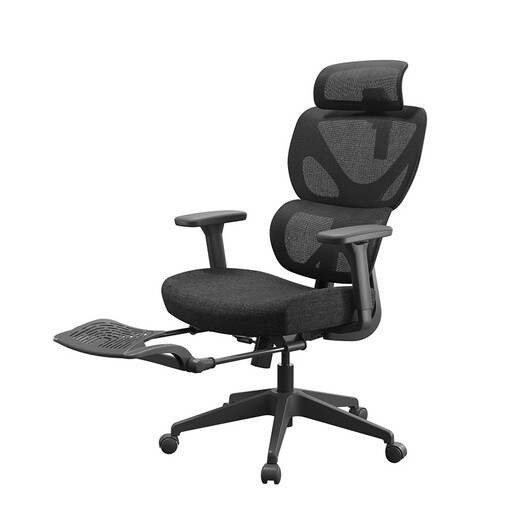
Why this product suits this profile: This gaming and office chair combines a footrest with swivel armrests, a headrest, a stated recline of up to 132 degrees and 10 cm of seat padding.
It’s clear what this chair is designed for: the footrest is for leaning back, while the seat and backrest can be adjusted to suit a workspace or gaming set-up.
Integrated footrest, adjustable armrests and headrest, plus a stated backrest recline of up to 132 degrees.
We’ve put together a complete, regularly updated list of products that meet these strict selection criteria and fully comply with the safety regulations in force in the EU.
After assembling the chair, start by adjusting the seat height. Put both feet flat on the floor and position the seat so that your forearms rest comfortably on the desk or armrests. Then adjust the backrest and lumbar support.
Adjust the seat height so that both feet rest firmly on the floor and your knees are not noticeably higher or lower than your hips. The right setting depends on your height, seat padding and desk height.
How long it lasts depends on factors including how heavily it is used, its materials, assembly and maintenance. Check the gas lift, castors, screws, armrests and padding regularly. Without information from the manufacturer, it’s not possible to give a reliable estimate of the chair’s lifespan.
The price mainly depends on how adjustable the chair is, its materials, mechanism and features. A budget-friendly ergonomic desk chair may be enough for a basic workspace. If you use it for several hours every day, seat dimensions, the backrest mechanism and the quality of the adjustments matter more than having the longest possible list of extra features.