
Lieferung heute & morgen

Qualitätsgarantie

Willkommens-Angebote freischalten: KOSTENLOSE Lieferung | Bis zu 80 % RABATT | Kostenlose 30-Tage-JoyPlus-Testphase
App herunterladen
Anyone who spends many hours a day working on a computer is familiar with the strain it can place on the hand, wrist, and arm. A standard mouse often forces an unnatural posture, which can lead to tension or discomfort over time. An ergonomic wireless mouse is designed to promote a more natural hand position and increase your comfort at work.
This guide presents objective criteria for selecting a suitable wireless office mouse and showcases a selection of models tailored to the diverse needs of professionals, creatives, and power users.
Choosing the right model depends on your individual work habits and physical needs. The following three criteria will help guide your decision.
The shape of the mouse is its most critical ergonomic feature. There are two main types of designs:
A modern workspace often includes multiple devices, such as a desktop PC, a laptop, and a tablet. A multi-device mouse allows for seamless switching between these devices at the touch of a button. The connection is typically established via Bluetooth or a 2.4 GHz USB receiver (dongle). A multi-device Bluetooth mouse is especially practical as it doesn't occupy any USB ports, which is a significant advantage for laptops with limited ports.
For efficient work, additional features are key:
Based on the criteria above, we have compiled a selection of models, each with a different focus.
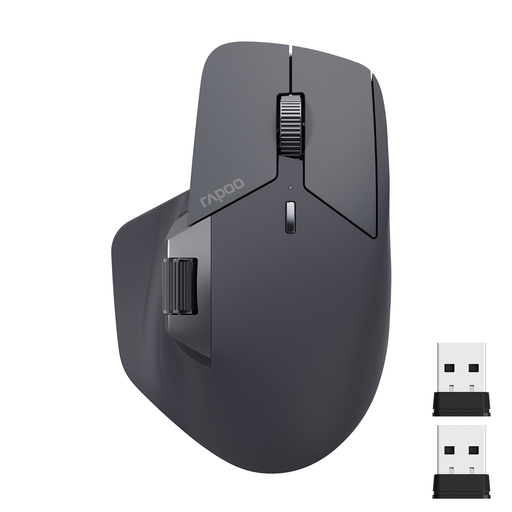
Why it stands out: The RAPOO MT760L is distinguished by its exceptional connectivity. It can connect to up to four devices simultaneously (via Bluetooth 5.0, 2.4G, and cable) and offers extensive customisation options for power users, with eleven programmable buttons and a side scroll wheel.
Pros:
Who is it for? For users who work with a complex, multi-device setup and require maximum control and customisation for their workflows.
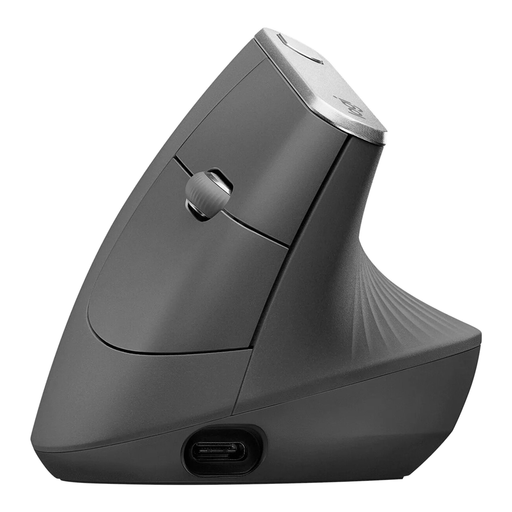
Why it stands out: The Logitech MX Vertical is a pure vertical mouse, with a design that is uncompromisingly focused on ergonomics. Its 57° angle promotes a natural handshake position to reduce muscle strain.
Pros:
Who is it for? For users who specifically want to prevent or reduce wrist and forearm strain and are looking for a mouse for long, focused workdays.
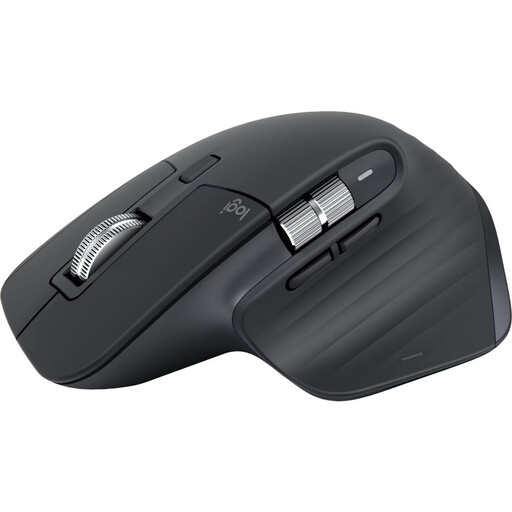
Why it stands out: The Logitech MX Master 3S is an established favourite among professional users. It combines a highly refined ergonomic shape with powerful productivity features like the MagSpeed scroll wheel and a high-resolution sensor. As a quiet-click mouse, it also reduces ambient noise.
Pros:
Who is it for? For developers, designers, and analysts who require the utmost precision, speed, and comfort for demanding tasks.
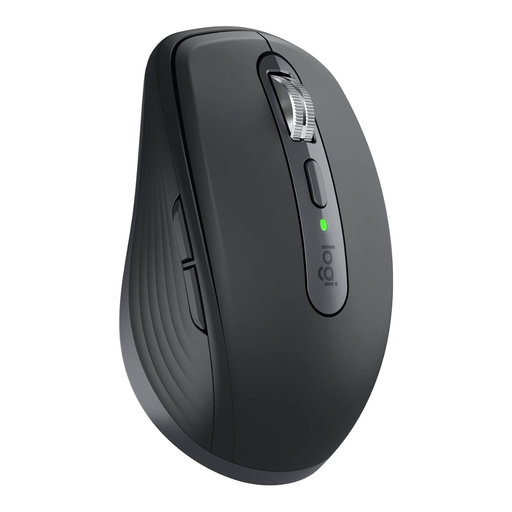
Why it stands out: This model packs many of the premium features of the MX Master series into a compact, mobile form factor. It's ideal for users who frequently switch between the office, home, and working on the go, and don't want to compromise on performance.
Pros:
Who is it for? For mobile professionals, consultants, and anyone who needs a powerful yet compact mouse for use in various locations.
The selection of computer mice is vast, and everyone's needs are different. If the models featured here don't perfectly match your requirements, you can find more options in our broader category.
? Discover more models in the DPI Mouse category
1. What makes a mouse ergonomic? A mouse is considered ergonomic if its shape and construction are designed to keep the hand, wrist, and arm in the most natural, neutral position possible. This is achieved through contoured shapes, thumb rests, or vertical designs that reduce muscle strain and forearm twisting.
2. How do I connect a multi-device Bluetooth mouse? Most multi-device mice have a dedicated button (often on the underside) to activate pairing mode and switch between connected devices. First, you pair the mouse with each device individually through the operating system's Bluetooth settings. Once set up, you can switch seamlessly between your laptop, tablet, or PC with the press of a button.
3. Is a vertical mouse suitable for everyone? A vertical mouse can be very beneficial for many users, especially those with existing wrist discomfort. However, switching from a conventional mouse requires a short adjustment period, as the handling is different. For tasks that demand extremely fine and rapid cursor movements (e.g., in gaming), some users may still prefer more traditional shapes.