
Lieferung heute & morgen

Qualitätsgarantie

Willkommens-Angebote freischalten: KOSTENLOSE Lieferung | Bis zu 80 % RABATT | Kostenlose 30-Tage-JoyPlus-Testphase
App herunterladen
An ergonomic office chair should provide a suitable sitting position for working from home, in the office, studying or gaming. Many models advertise lumbar support, a headrest, a footrest and particularly high weight capacity. However, the number of features is not what matters most. The key question is whether they can be adjusted appropriately to suit your height, desk and length of use.
An office chair may be advertised with numerous adjustment options, even though important elements can only be adjusted within a limited range. A fixed lumbar support will not suit every body height. A headrest is only practical if its height and angle can be changed. Before buying, therefore, check which areas can actually be adjusted, rather than simply looking at the features listed in the product description.
An office chair with a footrest can be comfortable during breaks or when reclining. However, the extendable support does not replace a stable footrest for a working posture that remains directed forwards. Make sure the chair is placed on a level surface and use the footrest solely to support your legs. With some models, it must not be used while the chair is moving.
A breathable mesh chair can provide good air circulation during longer periods of sitting. Faux leather or PU leather, on the other hand, is often easier to wipe clean. Both materials have practical advantages, but they differ in terms of temperature, care and cushioning. A soft seat is not automatically suitable for everyone. More important factors are seat width, seat depth, the cushioning construction and a stable frame.
A height-adjustable office chair should be capable of being set so that your feet rest fully on the floor and your knees form roughly a right angle. The seat should not be so deep that it puts pressure on the backs of your knees. For shorter people, specific details about seat height and seat depth are particularly important.
Width also matters. If you are looking for an office chair with a capacity of up to 150 kg, you should check not only the maximum weight capacity but also choose a sufficiently wide and stable seat. The stated weight capacity is provided by the manufacturer and should not be exceeded.
Adjustable lumbar support should be capable of being adjusted in height or depth. With an office chair featuring lumbar support, the distance between the seat and backrest is also relevant. An S-shaped backrest can reflect the natural shape of the body, but it does not replace individual adjustment.
Also check the recline range. An upright position is sensible for concentrated work, while a reclined position may be suitable for reading or taking short breaks. Models with a backrest recline of, for example, 125 to 170 degrees offer different ways of using the chair. However, this feature is not an indication of medical suitability.
A mesh back supports air circulation, while padded models often provide a different sitting experience. According to product information, PU or PVC surfaces can usually be cleaned with a damp cloth; aggressive cleaning products should be avoided.
You should also check:
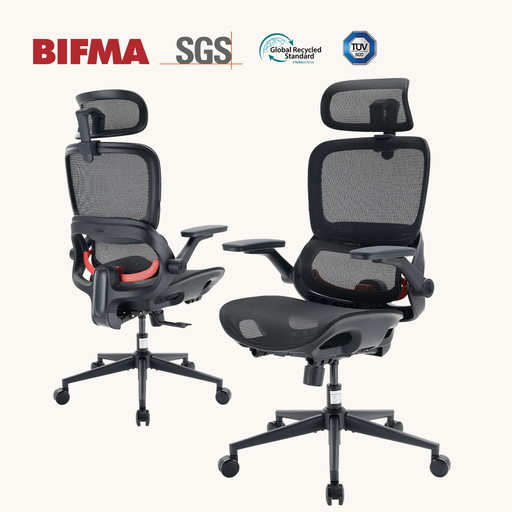
Why this product suits the profile: The product name mentions adaptive lumbar support, a wide headrest and flip-up armrests. This makes the model suitable for users looking for essential adjustments for working from home or studying.
The specified adjustment features are more concrete than general comfort claims. Before buying, you should still check the available adjustment ranges in the technical specifications.
Adaptive lumbar support; 360° rotating, flip-up armrests and a wide headrest according to the product name.
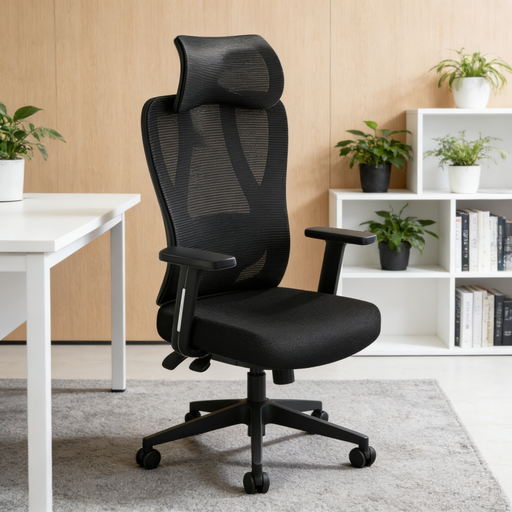
Why this product suits the profile: The chair combines two-layer mesh, 4D lumbar support, an adjustable headrest and a backrest recline of 105 to 140 degrees. This makes it suitable for changing work and gaming setups.
The detailed information about the recline, backrest height and lumbar support makes it easier to compare the chair with your own requirements.
4D lumbar support; a backrest adjustable by 40 mm in height and a 10.5 cm-thick seat cushion according to the product data.
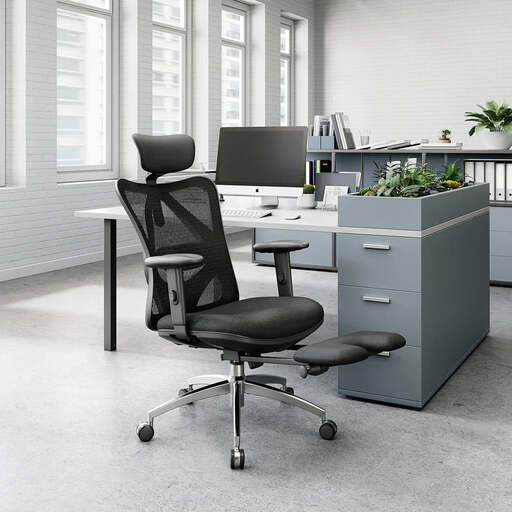
Why this product suits the profile: This model is aimed at people looking for a breathable mesh chair with a headrest, lumbar support and an additional footrest for longer working sessions.
The product data specifies five adjustment areas and a maximum weight capacity of 150 kg. This makes it possible to compare key criteria before buying.
Breathable mesh backrest; adjustable headrest, lumbar support and footrest according to the manufacturer's specifications.
If you are specifically looking for lumbar support for a chair, you can narrow down your selection in the Chair Lumbar Support category.
We have put together a complete, regularly updated list of products that fully meet these strict selection criteria and the safety regulations applicable in the EU.
The seat height should be set so that your feet rest fully on the floor and your knees are not pushed upwards. The combination of seat height, seat depth and desk height is crucial.
Its lifespan depends on the mechanism, materials, level of use and care. Check the castors, gas lift, screws and reclining mechanism regularly. A maximum weight capacity of 150 kg is not a guarantee of durability, but a usage limit specified by the manufacturer.
An ergonomic gaming chair can be suitable for office work if the seat height, backrest, armrests and lumbar support are appropriate for your height. Models with heavily shaped padding or faux leather surfaces should be assessed in terms of heat build-up and seat area in relation to your working conditions.