
Lieferung heute & morgen

Qualitätsgarantie

Willkommens-Angebote freischalten: KOSTENLOSE Lieferung | Bis zu 80 % RABATT | Kostenlose 30-Tage-JoyPlus-Testphase
App herunterladen
Lagging video conferences, high latency in gaming, or slow downloads can significantly impact your internet experience. An unstable Wi-Fi connection is often the culprit. An Ethernet adapter provides a direct, wired connection to your router and can deliver a much more stable internet connection than Wi-Fi. However, the selection is vast: from simple USB adapters to internal network cards, there is a suitable solution for every use case.
This guide will help you understand the different types of Ethernet adapters and make an informed decision that is perfectly tailored to your needs and devices.
Before you decide on a model, several basic criteria should be considered to ensure compatibility and functionality.
The most important factor is the available port on your device. Modern, slim laptops and tablets often omit a traditional LAN port (RJ45).
Your specific problem determines the type of adapter you need.
For most modern internet connections and applications like 4K streaming, online gaming, or large downloads, an adapter that supports Gigabit LAN (1,000 Mbps) is recommended. Look for the "Gigabit" or "10/100/1000 Mbps" specification to ensure the adapter can utilize the full speed of your network. A basic RJ45 adapter with only 100 Mbps could otherwise become a bottleneck.
Here, we present three different types of Ethernet adapters, each suited for different use cases and user groups.
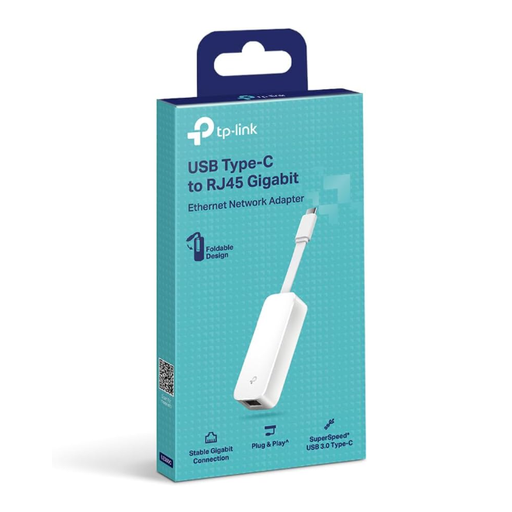
TP-Link UE300C USB-C to Ethernet Adapter, Gigabit RJ45 LAN, USB 3.0
Why It Stands Out: The TP-Link UE300C is a compact and hassle-free solution for connecting devices with a USB-C port to a wired network. Thanks to its Plug & Play functionality, it's ready to use out of the box on most common operating systems like Windows, macOS, and iPadOS, without needing any driver installation. Its foldable design makes it especially portable.
Pros:
Who is it for? Users of modern laptops, MacBooks, or tablets without a native LAN port who need a fast and stable internet connection for their home office, streaming, or while traveling.
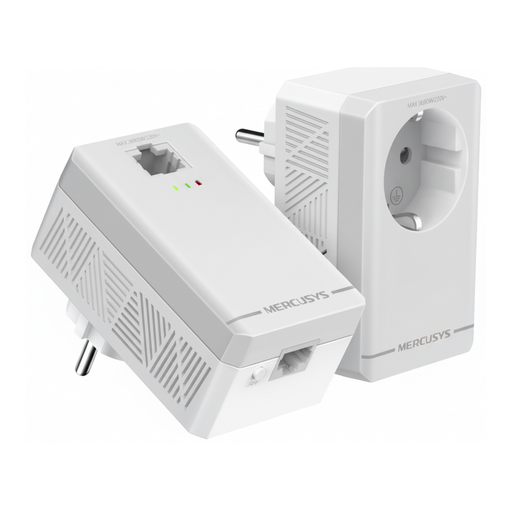
MERCUSYS MP300P Powerline Adapter Kit, AV600, Passthrough Socket
Why It Stands Out: This Powerline adapter kit solves the problem of weak Wi-Fi signals in distant rooms without having to run cables. It uses the electrical grid to establish a stable network connection. A special feature is the integrated passthrough socket, ensuring no power outlet is wasted. Setup is done via Plug & Play.
Pros:
Who is it for? Home users who need a stable wired connection in rooms far from the router and want to avoid running long Ethernet cables. Especially practical in homes with thick walls or across multiple floors.
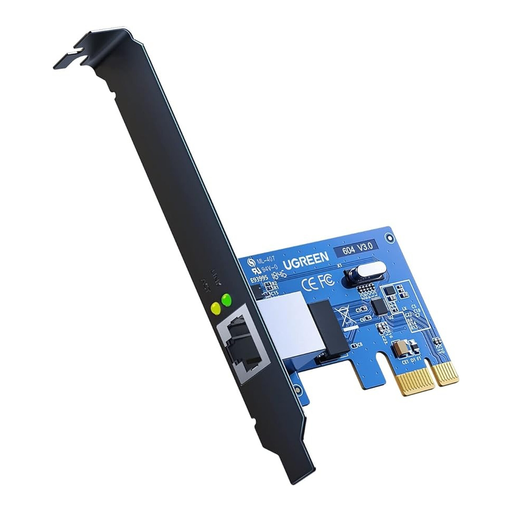
UGREEN 30771 Gigabit PCI Express Network Adapter, Gigabit Ethernet LAN to RJ45 Card
Why It Stands Out: This PCIe network card is an internal hardware solution to add or replace a LAN port in a desktop PC. It provides a stable Gigabit LAN connection directly via the motherboard. The package includes both a standard and a low-profile bracket, ensuring compatibility with various case sizes.
Pros:
Who is it for? PC users and gamers who want to upgrade their desktop computer with a reliable Gigabit connection, whether due to a faulty onboard port or for a performance boost. Basic knowledge of PC hardware is beneficial for installation.
Haven't found the right solution for your needs yet? There are many other models with different connectors and features.
? Explore more models in our Ethernet Network Adapters category
1. Which is better, Wi-Fi or an Ethernet adapter? An Ethernet adapter generally offers a more stable connection with lower latency (ping) and more consistent transfer speeds than Wi-Fi. Wi-Fi is more susceptible to interference from other wireless networks, walls, or distance from the router. For applications where a stable connection is critical (e.g., online gaming, important video conferences, large file transfers), a wired connection via an Ethernet adapter is often the more reliable choice. Wi-Fi, on the other hand, offers more flexibility and mobility.
2. How do I install an Ethernet adapter? The installation depends on the type of adapter: